
ACMER S1 Laser Engraver
4.3Editor score
Free engraving software included
2500mW laser power output
99% preassembled design
Finding a budget friendly laser engraver can be challenging with so many options available. This guide highlights the most affordable machines that still deliver reliable performance for hobbyists.
We evaluated each model based on power, software compatibility, safety features, and ease of use. Our comparison helps you choose the right tool without overspending on unnecessary features.
Each pick includes detailed specs, pros, cons, and usage tips. Prices change frequently so check the current listings before making your final decision for your workshop needs.
4.3Editor score

4.5Editor score
4.6Editor score
As an Amazon Associate we earn from qualifying purchases.
This side by side comparison reviews all ten models to highlight their unique strengths and trade offs for different users.



The ACMER S1 is a budget friendly laser engraver that delivers impressive precision for its price point. With a 2500mW diode laser and free software included it stands out as an excellent choice for beginners looking to start engraving without breaking the bank.
We may earn a commission when you buy through this link, at no additional cost to you.
Its key strength lies in the high precision positioning which achieves 0.01mm repeatable accuracy. This ensures detailed engraving on wood bamboo leather and even aluminum oxide. The machine is 99% preassembled requiring only a one minute laser head installation making it incredibly easy to set up and start using immediately.
While the working area is limited to 130x130mm this may restrict larger projects. However for hobbyists and small business owners this size is often sufficient for personalized gifts and crafts. The lightweight aluminum alloy construction also makes it easy to store when not in use.
If you are looking for an affordable entry level laser engraver the ACMER S1 is highly recommended. It balances performance and cost effectively while providing reliable support and warranty coverage for peace of mind during your creative journey.
Acmerstudio is free to use and optimized for the machine simplifying the engraving workflow without additional costs.
The 99% preassembled design ensures you can start creating projects in minutes rather than hours of assembly.
We may earn a commission when you buy through this link, at no additional cost to you.
The xTool M2 is a versatile laser engraver that combines dual-mode architecture with advanced safety features. Its built-in dual cameras and ACS technology provide a Place and Go experience ensuring high accuracy while eliminating guesswork in your projects.
We may earn a commission when you buy through this link, at no additional cost to you.
Key strengths include the Class 1 safety rating which protects your family with real-time monitoring and a fully enclosed design. The customizable templates and AI image generator in xTool Studio make it easy to create personalized gifts without steep learning curves or design skills.
The full-color printing capability requires an additional inkjet module which is sold separately. This may increase the overall cost but offers creative versatility for users who need printing alongside engraving. The machine adapts well to various creative goals from stickers to home decor.
Ideal for home crafters and DIY makers the xTool M2 offers a safe and powerful solution. Its blend of safety features ease of use and expandable options makes it a top choice for those seeking reliability and innovation in their workspace.
Built-in dual cameras fuse vision with motion control to ensure high accuracy and eliminate wasted material on projects.
The fully enclosed design with real-time monitoring protects users and family ensuring safe operation at home.
We may earn a commission when you buy through this link, at no additional cost to you.
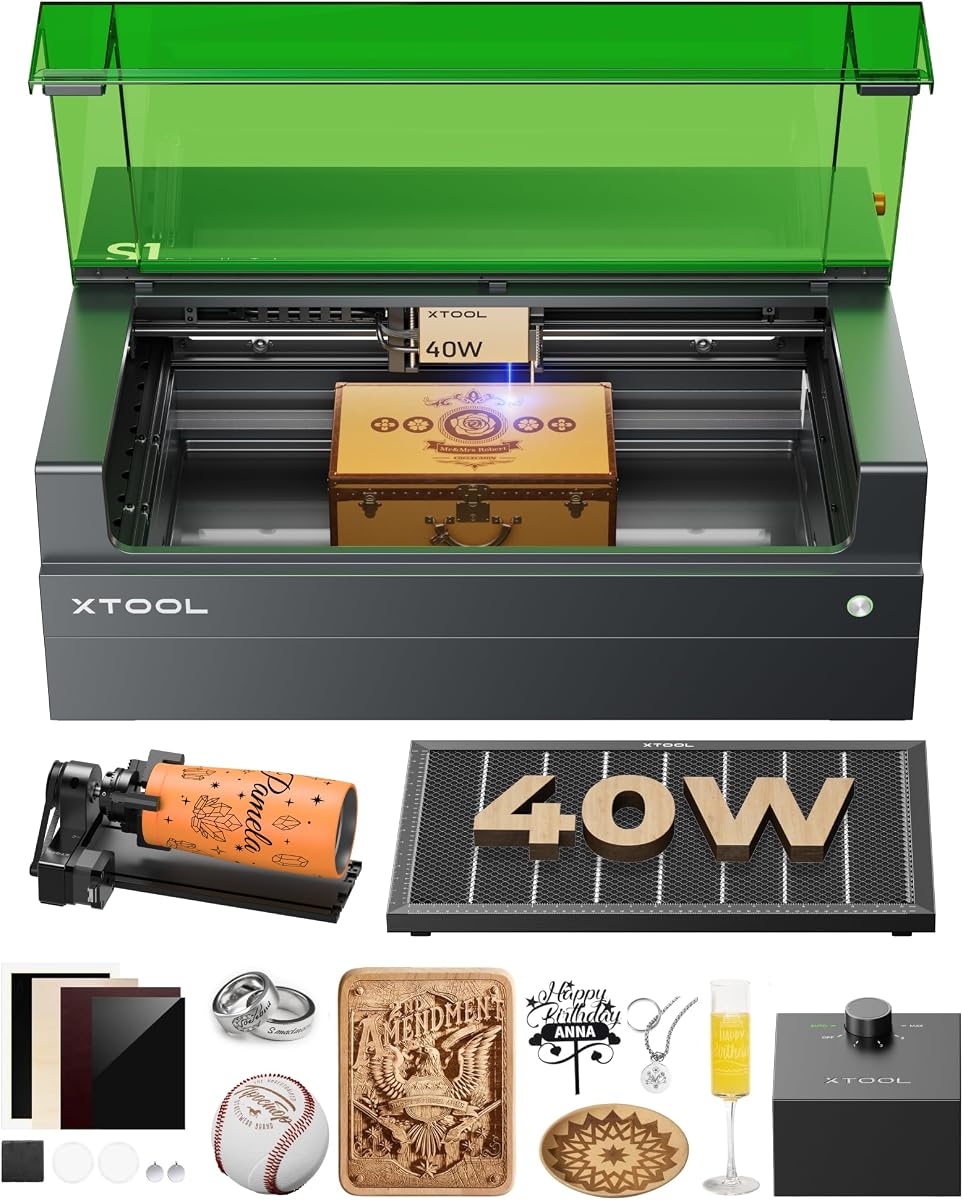
The xTool S1 stands as a premium laser engraver delivering unbeatable power with a 40W laser that slices through thick materials effortlessly. Its spacious bed size and blazing speeds make it ideal for large projects like door signs or batch production of items.
We may earn a commission when you buy through this link, at no additional cost to you.
Key strengths include the AutoPassthrough Technology allowing projects up to 118 inches and the AI-powered software that creates unique designs with just a few words. The Class 1 safety rating ensures peace of mind with flame sensors and enclosed design protecting eyes and workspace.
The higher price point and large footprint may not suit small spaces but the productivity gains justify the investment for serious makers. It is pre-tested on 400 materials eliminating guesswork and ensuring consistent results every time you use it.
If you need a professional grade engraver for scaling production the xTool S1 is unmatched. Its combination of power safety and software intelligence makes it a robust choice for both on-site customization and commercial use.
The 40W laser slices through 18mm cherry wood easily enabling single pass cutting that boosts productivity significantly.
The 23.93×15.16 bed accommodates large projects like door signs or up to 119 dog tags in one go.
We may earn a commission when you buy through this link, at no additional cost to you.
The BlazeX M3 is a high precision laser engraver tailored for desktop DIY and personalized jewelry. With 0.01mm ultra-fine accuracy it delivers exceptional detail across over 300 materials including wood leather and coated metal.
We may earn a commission when you buy through this link, at no additional cost to you.
Its key strength is the all-in-one starter kit that includes a protective enclosure tool kit and essential honeycomb bed. The Class 1 safety rating filters harmful radiation while smart sensors trigger automatic stops ensuring safe operation in homes or educational settings.
While it lacks metal engraving support beyond coated metals the accuracy is suitable for most creative projects. The setup is straightforward with step-by-step tutorials ensuring beginners can achieve impressive results from the first use.
If you need a reliable and safe engraver for detailed work the BlazeX M3 is a strong contender. It balances precision safety and ease of use making it ideal for creators starting their journey into laser cutting and engraving.
The comprehensive bundle includes protective enclosure and honeycomb bed for stable support and cleaner cuts right away.
Engineered with Class 1 safety rating it filters harmful radiation and reduces noise for a safe home workshop experience.
We may earn a commission when you buy through this link, at no additional cost to you.
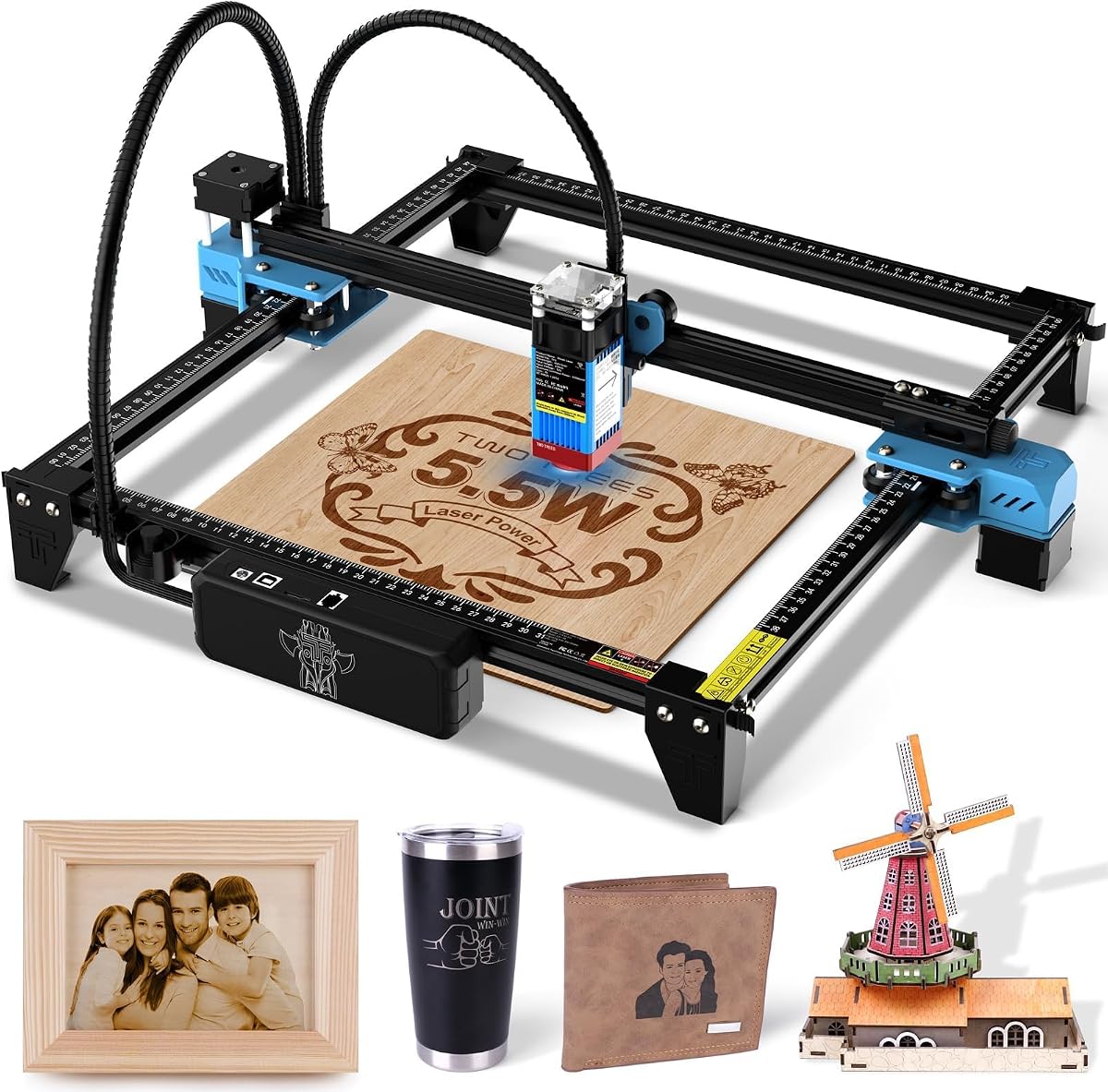
The Twotrees TTS-55 Pro delivers a powerful 5500mW laser with air assist support for enhanced cutting performance. Its advanced compression technology enables 0.1mm engraving accuracy and speeds up to 30000mm/min for rapid project completion.
We may earn a commission when you buy through this link, at no additional cost to you.
Key strengths include the smart 32-bit control board enabling offline TF card engraving and wireless Wi-Fi control. The 300x300mm working area is generous for hobbyists and small businesses looking to cut plywood acrylic or leather with precision.
Setup involves installing all tools with detailed guides but beginners may find the learning curve moderate. Air assist integration is recommended for cleaner cuts but the machine remains versatile for various materials with careful adjustment.
If you seek a balance of power and affordability the Twotrees TTS-55 Pro is compelling. It offers professional features like wireless control and high speeds at a competitive price point for makers ready to upgrade their toolkit.
The fast dual-core 32-bit MCU enables speeds up to 30000mm/min with online and offline engraving capabilities.
Built-in Wi-Fi allows mobile app or computer web control for seamless wireless operation on projects.
We may earn a commission when you buy through this link, at no additional cost to you.
The xTool F2 is an ultra-fast laser engraver with dual-laser versatility unlocking possibilities on 300+ materials. Its 15W diode and 5W IR lasers enable deep color marking on metal and 3D embossing with unmatched efficiency.
We may earn a commission when you buy through this link, at no additional cost to you.
Key strengths include the 50MP camera delivering 0.1mm alignment accuracy and speeds up to 6000mm/s. The enclosed leak-proof design with built-in fan ensures safe operation in workshops making it ideal for on-site customization at fairs or markets.
While the investment is higher the speed and precision make it worthwhile for batch processing. The fully assembled design ensures a quick start with minimal setup required for immediate use in your projects.
If you need professional grade portability and speed the xTool F2 excels. It combines advanced imaging with powerful lasers to deliver high-quality results in half the time making it perfect for commercial or personal use.
The 15W diode and 5W IR combo unlocks more possibilities enabling deep color marking and 3D embossing.
The fully enclosed leak-proof design allows safe operation in workshops or stores eliminating fumes for clean indoor use.
We may earn a commission when you buy through this link, at no additional cost to you.
The LONGER Ray5 is a high-performance laser engraver featuring multi-device control for managing multiple machines simultaneously. Its 10W laser module and 0.06mm spot size deliver fast engraving speeds of up to 10000mm/min.
We may earn a commission when you buy through this link, at no additional cost to you.
Key strengths include the 3.5 inch touchscreen and spacious 400x400mm working area suitable for various project sizes. The machine supports offline usage via USB TF card or WiFi ensuring flexibility whether you are connected or not during operation.
Safety features like emergency stop and motion protection enhance reliability during operation. Setup is straightforward with all necessary tools and guides provided ensuring you can start creating without frustration in your workspace.
If you want a balance of speed safety and flexibility the LONGER Ray5 is compelling. Its touch interface and connectivity options make it accessible for both beginners and experienced users looking to expand their capabilities.
The latest 240MHz ESP32 chipset enables multi-core architecture for faster response and lower energy consumption.
Includes emergency stop and motion protection ensuring automatic shutdown during abnormal vibrations or hazards.
We may earn a commission when you buy through this link, at no additional cost to you.
The ELIDOR Z6 is a compact laser engraver designed for home workshops and mobile projects. With 0.04×0.14mm laser spot and 0.01mm accuracy it delivers crisp text and detailed graphics on wood leather acrylic and more.
We may earn a commission when you buy through this link, at no additional cost to you.
Key strengths include its lightweight 2.13kg design weighing only 4.7 lbs making it easy to transport for craft fairs or classrooms. Compatible with popular software like LaserGRBL and LightBurn it offers professional flexibility for custom projects.
While it lacks enclosure safety features careful handling ensures safe operation. The 300x300mm working area is ideal for personalized gifts and keepsakes while keeping costs affordable for hobbyists.
If you need a portable affordable engraver the ELIDOR Z6 fits well. Its balance of precision weight and software support makes it a reliable choice for beginners seeking to create personalized items at home.
Featuring 300x300mm working area and 2.13kg weight it is perfect for home workshops and mobile engraving projects.
Works seamlessly with LaserGRBL and LightBurn supporting Windows macOS and Linux for easy design import.
We may earn a commission when you buy through this link, at no additional cost to you.
The AlgoLaser MK3 is a standalone laser engraver allowing sketch type and import designs directly on its built-in 3.5 HD touchscreen. No PC required for everyday projects making it accessible for users seeking simplicity and speed.
We may earn a commission when you buy through this link, at no additional cost to you.
Key strengths include 300+ lab-calibrated presets enabling one-click material selection for consistent results. The 95% pre-assembled design ensures a quick 10-minute setup with a flip-down focus column eliminating the need for lost focus blocks.
While it lacks some advanced design tools the convenience of standalone operation compensates for most use cases. Safety features like flame detection and overheat alerts ensure worry-free operation in workshops or classrooms.
If you want an easy-to-use standalone engraver the AlgoLaser MK3 excels. Its touchscreen simplicity and preset system make it perfect for beginners or professionals wanting a quick portable solution for personalized gifts.
Powered by intuitive AlgoOS system sketch and import designs directly on the built-in 3.5 HD touchscreen.
95% pre-assembled with flip-down focus column simplifies setup so you can start creating in about 10 minutes.
We may earn a commission when you buy through this link, at no additional cost to you.
The LaserPecker LP1 Plus is a pocket-sized laser engraver ideal for creators on the go. Its adjustable stand supports 360 multi-angle engraving enabling you to personalize wood leather and acrylic without prior experience.
We may earn a commission when you buy through this link, at no additional cost to you.
Key strengths include the 2-minute start anywhere capability powered by any power bank for outdoor projects. The cross-platform app is designed for maximum simplicity allowing you to import photos or doodles and start engraving quickly.
While limited to non-metal materials and requiring careful distance setting it excels in portability. The magnetic base secures small items ensuring stability and precision even in temporary or mobile setups.
If you want a portable studio for personalization the LaserPecker LP1 Plus is perfect. It turns everyday objects into personalized projects effortlessly making it a great companion for travelers and hobbyists.
So compact and lightweight it travels easily in your backpack as a mobile creativity studio wherever you do.
Go from box to first engraving in under 2 minutes powered by any power bank to create outdoors.
We may earn a commission when you buy through this link, at no additional cost to you.
Choosing the right laser engraver involves weighing multiple factors to ensure the machine fits your creative needs and workspace.
Laser power measured in milliwatts determines how quickly and deeply the engraver cuts materials. Higher wattage like 10W allows faster engraving and deeper cuts on wood and leather while lower wattage suits light engraving and simple projects. Speed affects how quickly you finish a design so models with higher mm/min rates save time on batch production.
Choose higher power if you plan to cut materials regularly but lower power may suffice for light surface engraving.
The working area defines how large your projects can be in one pass. Compact models offer 130x130mm suitable for small gifts while larger beds support 300x300mm or bigger for signs and home decor. Consider the maximum material size you typically use to avoid limiting future projects.
Select a working area that matches the scale of your typical projects for optimal efficiency.
Software compatibility ensures you can import and edit designs easily. Most models support LightBurn and LaserGRBL but some include proprietary free software. Check if the system works on your operating system whether Windows macOS or Linux to avoid compatibility issues during workflow.
Opt for software that matches your skill level and OS to streamline your engraving workflow.
Safety features like Class 1 enclosed design protect users from harmful laser radiation. Models with flame sensors automatic stop and ventilation reduce risks in home workshops. Beginners should prioritize safety ratings and enclosed systems especially if children or pets are around.
Prioritize enclosed and certified models to ensure safe operation in any environment.
Portability matters if you move your machine or work on-site. Lightweight models weigh under 5kg while larger ones are stationary. Setup time ranges from 2 to 30 minutes with pre-assembled units saving valuable time for immediate projects.
Choose a portable lightweight unit if mobility is key to your creative workflow.
Material compatibility determines what surfaces you can engrave. Most engravers handle wood leather and acrylic but metal engraving often requires specific wavelengths or power. Check the included presets or support for the materials you intend to use regularly.
Ensure the machine supports your desired materials to avoid disappointing results.
Connectivity options like Wi-Fi USB or TF card allow flexible file transfer. Some models offer standalone operation without a PC enabling mobile engraving. Touchscreens and app control can simplify operation for beginners needing intuitive interfaces.
Pick connectivity that fits your workflow whether wired wireless or standalone for ease of use.
Budget and warranty impact long term value and support. Entry level models offer basic features while premium ones deliver advanced safety and speed. Look for at least a 1-year warranty and responsive customer support to protect your investment over time.
Balance your budget with warranty terms to secure reliable support for your machine.
Start by assembling the laser engraver according to manufacturer guidelines ensuring all cables and components are secure. Adjust the laser focus to the correct distance using the included ruler to ensure precision engraving on materials.
Use compatible engraving software to import or design your artwork and select the material preset for optimal power and speed settings. Place your material on the bed and secure it with clamps or magnetic bases before starting the engraving process.
Clean the lens regularly with lint-free cloth to maintain laser quality and keep the ventilation system clear of dust or debris. Store the engraver in a cool dry place away from direct sunlight to prolong its lifespan and performance.
Most cheap laser engravers can engrave wood leather acrylic paper and some coated metals. However engraving on bare metal or glass typically requires higher power or specific wavelengths so always check material compatibility before purchasing.
Yes many modern engravers include Class 1 safety ratings and enclosed designs that protect users from harmful radiation. Ensure the machine has flame sensors ventilation and follow safety guidelines like wearing goggles for complete safety at home.
Many models require a computer running design software like LightBurn but some standalone units feature touchscreens for direct control. Check if the engraver supports offline mode or mobile app control if you prefer not to use a PC.
Clean the lens regularly using lint-free cloth and keep the ventilation system free of dust. Store the machine in a dry place away from sunlight and follow manufacturer instructions for calibration to maintain precision and performance over time.
Popular options include LightBurn LaserGRBL and proprietary software provided with the engraver. Always verify compatibility with your operating system whether Windows macOS or Linux to avoid issues during file importing and processing.
Time varies based on design complexity laser speed and area size. Simple engravings can take seconds while larger projects may require minutes. Models with faster speeds and higher power complete tasks quicker than basic ones.
The 10 laser engravers highlighted offer a variety of options balancing power speed safety and ease of use. Whether you need a budget-friendly entry model or a premium machine for professional work each pick delivers reliability and performance tailored to your creative needs.
Prioritize factors like working area laser power and safety features to align with your specific projects. Beginners should favor pre-assembled setups with software support while advanced users may prefer expandability and connectivity options.
Prices and availability fluctuate regularly so always check current listings before finalizing your purchase. Invest in a machine that supports your growth as a maker ensuring you can bring your creative ideas to life with confidence and efficiency.