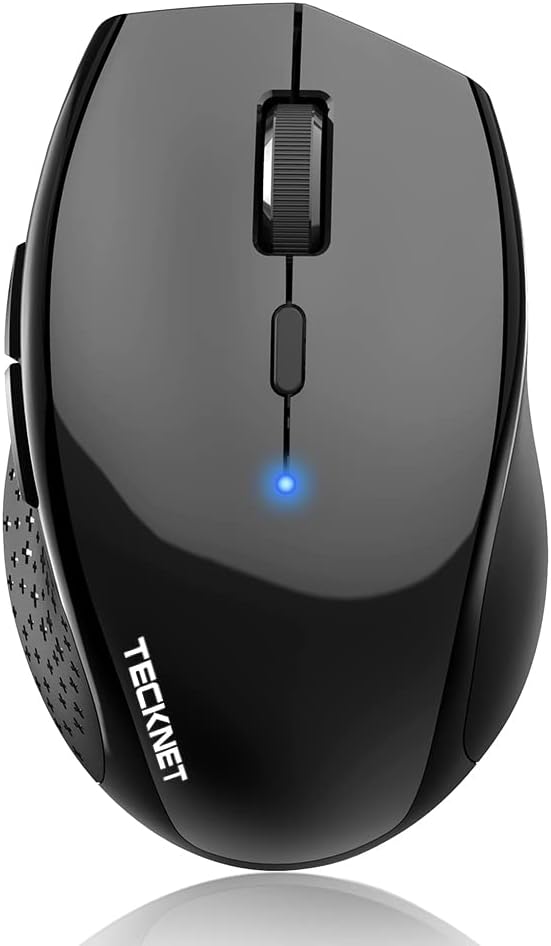
TECKNET Bluetooth Mouse
4.3Editor score
Three device switching
Silent click operation
Up to two year battery life
This guide compares the top battery powered Bluetooth mouse models for 2026 focusing on battery life ergonomics and silent performance for laptops and desktops.
Finding the right wireless peripheral can transform your daily workflow. A battery powered Bluetooth mouse offers the freedom to work without tangled cords while maintaining reliable connectivity. Modern options provide long battery life, ergonomic designs, and quiet operation for various environments.
We evaluated ten leading models based on connectivity stability, battery efficiency, and user comfort. Our analysis includes versatile track record, device compatibility, and build quality. Each selection aims to meet different needs from budget-conscious travelers to productivity-focused professionals.
Each review highlights key strengths and potential trade-offs to help you decide. We focus on features that impact daily use like DPI adjustment and multi-device pairing. Please note that pricing and availability may change over time so verify current details before purchasing.
4.3Editor score

4.5Editor score

4.4Editor score
The following comparison table provides a side-by-side overview of key specifications for each selected model. Review these details to understand connectivity options, DPI ranges, and battery expectations across the different brands.




The Logitech M196 is a compact wireless solution designed for portability and ease of use. With a solid rating and consistent performance, it stands out for its reliability across different operating systems. Its simple pairing process makes it accessible for users who need a straightforward connection.
We may earn a commission when you buy through this link, at no additional cost to you.
This model excels in comfort due to its ambidextrous shape which fits both left and right hands well. The optical tracking ensures smooth cursor movement on various surfaces without needing a mouse pad. Users appreciate the convenience of Bluetooth connectivity that eliminates the need for a USB receiver.
While it lacks advanced features like programmable buttons or adjustable DPI, the trade-off is a simpler and more affordable device. The battery life is strong offering up to twelve months on a single AA battery. This makes it suitable for long periods without frequent maintenance.
Anyone looking for a reliable and cost-effective mouse for travel or daily office work should consider this option. It pairs seamlessly with laptops and tablets including MacBook Neo devices. The focus on essential functions ensures it remains lightweight and easy to carry in any bag.
Works with MacBook Neo laptops and other Apple Windows and Chromebook devices for seamless integration.
Made with certified post-consumer recycled plastic to reduce environmental impact while maintaining durability.
We may earn a commission when you buy through this link, at no additional cost to you.
The TECKNET Bluetooth Mouse offers impressive features at a competitive price point. It supports seamless switching between three devices which is ideal for multitaskers. The silent click mechanism ensures a quiet workspace making it perfect for libraries or shared offices.
We may earn a commission when you buy through this link, at no additional cost to you.
Users benefit from six adjustable DPI levels allowing for precise control during detailed tasks or fast browsing. The contoured shape provides support for extended use reducing strain during long sessions. Compatibility spans Windows macOS Linux Chrome OS and Android for broad utility.
The primary trade-off is the requirement for two AA batteries which may be slightly cumbersome compared to single battery models. However the two year battery life compensates by reducing replacement frequency. The silent clicks are effective though some users note small hands might need a palm grip.
This mouse is a top choice for those needing reliable multi-device functionality without spending a premium. It works well for daily work and play with smooth tracking on most surfaces. Remember to remove the protective film on feet for the best glide experience before first use.
Toggle instantly between paired devices using the switch button without needing to re-pair each time.
Virtually silent clicks ensure peace for you and others in quiet environments.
We may earn a commission when you buy through this link, at no additional cost to you.
The wegear Bluetooth Mouse prioritizes comfort and quiet performance with its sculpted grip design. It connects via Bluetooth 5.0 and Swift Pair technology for easy setup. The silent buttons ensure efficiency without disturbing others in shared spaces.
We may earn a commission when you buy through this link, at no additional cost to you.
Productivity is enhanced by forward and backward buttons that help switch between web pages quickly. Three DPI levels allow users to adjust sensitivity based on task needs. The mouse is built to withstand extensive use with high click durability ratings.
One limitation is that forward backward buttons may not be recognized on Mac devices. Additionally it requires an AA battery which is not included in the package. The sleep mode helps conserve power effectively extending the overall usage time significantly.
Ideal for professionals who value ergonomic support and silence during work hours this mouse delivers consistent performance. It supports a wide range of operating systems and devices ensuring flexibility. The durable design ensures it remains reliable for daily interactions over a long period.
Sculpted grip conforms to your hand's natural contours for all-day comfort.
Left and right buttons engineered to last up to 3 million clicks for consistency.
We may earn a commission when you buy through this link, at no additional cost to you.
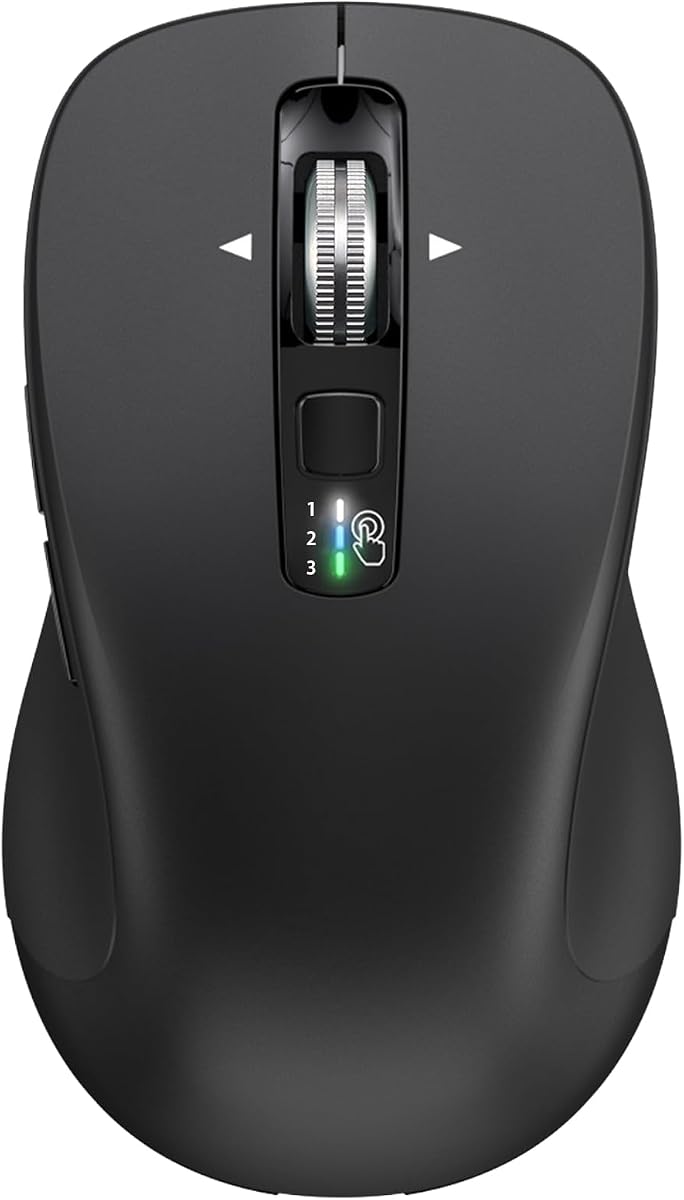
This TECKNET model features a unique 4-way scroll wheel designed for navigating wide spreadsheets and code. It offers dual connectivity via Bluetooth or a 2.4 GHz receiver for flexible setup. The quiet keys make it suitable for home offices and libraries.
We may earn a commission when you buy through this link, at no additional cost to you.
Users can choose from six DPI levels to match precision needs with an indicator light showing the current setting. The memory function saves your preferences so you do not need to readjust after turning it on. An integrated wrist rest adds to the ergonomic appeal.
The mouse is optimized for medium to large hands which may exclude smaller users. It requires two AAA batteries and the sleep mode varies between Bluetooth and 2.4G modes. The click durability is impressive with buttons rated for millions of clicks.
Programmers and accountants will appreciate the horizontal scrolling capability that saves time. The natural shape reduces wrist strain making long sessions more comfortable. With lifetime support and high durability this mouse is a solid investment for heavy daily use.
4-way scroll wheel allows both vertical and horizontal navigation for easier workflow.
Natural shape and integrated wrist rest reduce wrist strain by 40%.
We may earn a commission when you buy through this link, at no additional cost to you.
The Lenovo WL310 fits perfectly in your hand to reduce strain during long use. It connects via Bluetooth 5.0 for stable performance across Windows Mac and Chromebook systems. Silent clicks make it ideal for quiet workspaces or late-night projects.
We may earn a commission when you buy through this link, at no additional cost to you.
Users can switch between three DPI levels to optimize precision for gaming or design work. The design is both portable and stylish making it easy to carry in a laptop bag. It offers lag-free performance without needing a USB receiver.
While it lacks side buttons the core functionality is reliable and straightforward. The ergonomic fit supports extended sessions without discomfort. Battery usage is optimized to last long periods with consistent connectivity and tracking accuracy.
This mouse is great for students and professionals who need a compact and reliable companion. It pairs easily with major operating systems and offers a noise-free experience. Focus on comfort and portability makes it a strong contender in the wireless category.
Enjoy noiseless clicks ideal for quiet workspaces and shared environments.
Bluetooth 5.0 ensures stable lag-free wireless performance for all major systems.
We may earn a commission when you buy through this link, at no additional cost to you.
This vertical mouse places your palm at a near-vertical angle to reduce wrist pain. It supports seamless switching between devices using Bluetooth and USB modes. The high-performance chip allows smooth operation on different types of surfaces.
We may earn a commission when you buy through this link, at no additional cost to you.
Six adjustable DPI levels provide precise control with visual feedback via LED flashes. The silent clicks help avoid disturbances in quiet environments while other buttons remain standard. Deep sleep mode conserves power after inactivity to extend battery life effectively.
Designed for right-handed use only this mouse may not suit left-handed individuals. Using branded batteries is recommended to ensure longevity and proper performance. The LED indicator blinks when battery is low to give advance warning of replacement.
Those seeking ergonomic relief from repetitive strain should find this design beneficial. It works with Windows Mac Chrome and Linux laptops for broad utility. The 36 month warranty adds confidence for long-term use and support.
Near-vertical angle on desktop reduces pressure and pain caused by prolonged inverted usage.
Auto deep sleep mode conserves power and LED warns when battery is low.
We may earn a commission when you buy through this link, at no additional cost to you.
This model offers multi-mode connectivity allowing switches between devices via Bluetooth or USB receiver. The Nano receiver is stored inside the mouse for secure transport. It supports control of two devices with one USB and one Bluetooth connection.
We may earn a commission when you buy through this link, at no additional cost to you.
Tru-Wave tracking works on most surfaces for reliable cursor movement. Customizable DPI levels offer flexibility for different tasks ranging from work to gaming. The compact size makes it a great travel companion for professionals on the go.
It is not ideal for large hands so fit should be considered before purchasing. Clicks are audible which might disturb others in quiet environments compared to silent models. Back forward buttons function well on Windows and Android but are limited on Mac.
Ideal for users needing quick connectivity options without dongle hassle this mouse delivers. The warranty covers 36 months with registration for peace of mind. Verify system requirements especially for older Windows versions requiring manual driver installs.
Use Bluetooth or 2.4GHz USB receiver with adapter stored in the mouse.
Portable size fits easily in laptop bags for seamless travel use.
We may earn a commission when you buy through this link, at no additional cost to you.
The CITLLA mouse supports USB and dual Bluetooth connections for versatile device management. A premium 4-way metal scroll wheel allows fast vertical and horizontal navigation. Five buttons are programmable to streamline your workflow with shortcuts or macros.
We may earn a commission when you buy through this link, at no additional cost to you.
Users benefit from a rubber side grip that is sweat-proof and non-slip for comfort. Adjustable DPI settings cater to different precision needs across various tasks. Battery life extends up to 3 years and 4 months for infrequent changes.
The size is larger than average which might not suit users preferring compact peripherals. Battery control makes it energy efficient reducing the need to buy batteries frequently. Compatibility covers a wide range of systems including tablets and smartphones.
This mouse is suitable for users who need extensive customization options and a full-size feel. The metal scroll provides a tactile experience that enhances control. Check current pricing and availability before finalizing your purchase decision.
Boost productivity with a premium 4-way metal scroll wheel for navigation.
Rubber side grip is sweat-proof and non-slip for comfortable touch.
We may earn a commission when you buy through this link, at no additional cost to you.
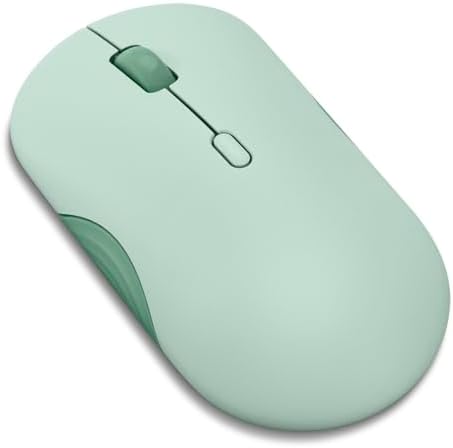
The Lenovo Yoga Silent Mouse combines beauty with utility for demanding professionals. It connects via Bluetooth 5.3 to three devices simultaneously for easy multitasking. Programmable buttons and whisper-quiet clicks make it ideal for focused work sessions.
We may earn a commission when you buy through this link, at no additional cost to you.
A soft-touch coating provides a premium feel and durability over time. Swift pairing and tap-to-pair features simplify setup on compatible devices. The design balances functionality with a smooth finish that complements any workspace.
While it is a premium option it delivers reliability with up to 36 months battery life. It meets Lenovo's uncompromising standards for quality and comfort. The Tidal Teal color offers a stylish alternative to traditional greys and blacks.
Invest in this mouse if you prioritize build quality and seamless multi-device performance. It is crafted for long hours and reliable across major operating systems. Check current pricing and availability to ensure it meets your current needs.
Wrapped in soft-touch coating and made to last over 1000 days on single battery.
Swift pairing for non-Yoga devices and tap-to-pair for Yoga PCs for ease.
We may earn a commission when you buy through this link, at no additional cost to you.
The Lenovo 350 transforms daily tasks with silent clicks and comfortable focus. It offers effortless switching between two devices with advanced Bluetooth 5.3 technology. The design ensures calm rhythm during use without disruptive noises.
We may earn a commission when you buy through this link, at no additional cost to you.
With up to 2400 DPI and 3-level adjustment it handles various tasks with ease. Customizable buttons allow some personalization for common actions. Battery life lasts up to 36 months making it a marathon-ready companion.
While the scroll wheel is standard it performs reliably for daily navigation needs. The finish and build quality reflect Lenovo's high standards for longevity. It provides seamless connectivity across major platforms for diverse environments.
This mouse is a steadfast choice for those seeking dependable silent performance. It remains powerfully efficient with minimal maintenance required over time. Verify current pricing and availability to ensure it matches your requirements today.
Built to last with 36 month battery life and 5 million clicks durability.
Cutting-edge Bluetooth 5.3 ensures strong secure and seamless performance.
We may earn a commission when you buy through this link, at no additional cost to you.
Selecting the right wireless mouse involves considering connectivity stability battery life and ergonomic comfort for your specific needs.
Bluetooth connectivity ensures a clean setup without extra dongles which is ideal for modern thin laptops. Some models also offer dual mode with a USB receiver for systems lacking Bluetooth ports or for faster response times.
Check your device compatibility to confirm which connection methods are supported for seamless pairing.
Battery powered models often run on AA or AAA cells offering long-term use before replacements are needed. Look for mice with auto-sleep features that conserve power during periods of inactivity.
A life expectancy of 12 months or more reduces maintenance frequency significantly for daily users.
Comfort during long sessions is crucial so choose a shape that fits your hand size naturally. Contoured or vertical designs can reduce wrist strain and improve posture over time.
Ensure the mouse is comfortable for both left and right hands if sharing devices.
Adjustable DPI levels allow you to control cursor speed and precision for different tasks like browsing or design work. Higher DPI is useful for high resolution screens while lower DPI offers stability for detailed work.
Look for models with multiple switchable levels to adapt quickly to changing workflow needs.
Many modern mice support switching between two or three devices allowing seamless workflow across computers. This feature eliminates the need to unplug and reconnect cables or dongles frequently.
Verify the switching method is quick and reliable to avoid interruptions during active use.
A durable mouse should withstand thousands of clicks and frequent travel without losing functionality. Materials like recycled plastic can offer environmental benefits while maintaining structural integrity.
Consider warranty support and materials used to ensure the device lasts for years.
Silent click mechanisms reduce auditory disturbance making them suitable for shared spaces or quiet offices. This feature is beneficial for late night work or environments where focus is key.
Test the tactile feel of clicks to ensure they remain responsive even when quiet.
A scroll wheel that supports both vertical and horizontal navigation can save time on spreadsheets or code. Metal wheels often provide better tactile feedback than plastic alternatives.
Check if the wheel has programmable shortcuts to enhance productivity in specific applications.
Begin by inserting fresh AA or AAA batteries into the battery compartment ensuring correct polarity for proper power flow. Turn on the mouse and enter pairing mode by holding the dedicated button until the LED indicator flashes to signal it is discoverable.
On your computer or tablet open the Bluetooth settings and select the mouse from the list of available devices to complete the connection. For dual mode mice insert the USB receiver into an available port if using 2.4GHz wireless and toggle the switch accordingly.
Regularly clean the sensor and scroll wheel with a dry cloth to maintain smooth tracking and accurate tracking. Replace batteries as soon as performance slows or LED warnings appear to avoid unexpected shutdowns during important tasks.
Yes most modern Bluetooth mice connect seamlessly to iPads and Android tablets that support Bluetooth pairing. Ensure the device supports the Bluetooth version required by the mouse for stable connectivity and proper functionality.
Depending on usage battery life can range from 12 months to over 3 years on a single AA battery. Models with auto-sleep features extend life significantly by conserving power during periods of inactivity.
Most Bluetooth mice support macOS but some side buttons may not function on Apple systems due to software limitations. Always check specific product compatibility notes to confirm full feature support for your Mac model.
Multi-device switching allows you to control multiple computers with one mouse which enhances productivity for multitaskers. It eliminates the need for multiple peripherals and simplifies workflow across different workstations or laptops.
Silent mice use dampened mechanisms that reduce sound but maintain similar tactile feedback to standard models. Users may need to adjust slightly to the softer feel but the difference is usually minimal after brief use.
Check the product dimensions to ensure the mouse fits comfortably in your hand without cramping. Contoured designs often specify if they are for medium or large hands so choose accordingly to reduce strain.
DPI refers to dots per inch and determines cursor sensitivity on your screen. Higher DPI allows faster movement across large screens while lower DPI offers more precision for detailed tasks.
The models in this guide rely on replaceable batteries and do not have rechargeable built-in packs. Using fresh branded batteries is recommended to ensure consistent performance and avoid sudden power loss.
We reviewed ten distinct models ranging from compact portable options to ergonomic vertical designs. Each offers unique strengths such as silent operation long battery life or multi-device connectivity to suit different needs.
Prioritize features that matter most to your workflow whether it is comfort precision or ease of connection. Investing in a reliable wireless mouse can significantly improve daily productivity and reduce physical strain.
Please verify current pricing and availability as these details change frequently across retailers. Always check return policies and warranties before finalizing your purchase to ensure satisfaction.