
ASUS TUF Gaming F16 High Spec
5.0Editor score
32GB DDR5 RAM Capacity
RTX 5060 8GB Graphics
Wi-Fi 6E Connectivity
The ASUS TUF Gaming Laptop series offers rugged durability and reliable performance for gamers seeking value. These machines balance high-end specs with military-grade testing to ensure they withstand daily wear and tear without breaking the bank for users.
We compared ten distinct models focusing on processor power, graphics capabilities, and screen refresh rates. Each entry was evaluated on cooling efficiency, build quality, and overall user satisfaction scores to provide a comprehensive ranking for potential buyers today.
Every selection highlights unique strengths whether you need raw FPS power or creative workstation capabilities. Note that availability and specific configurations can vary by region and retailer at any given moment during your shopping journey online.
5.0Editor score
5.0Editor score

4.4Editor score
As an Amazon Associate we earn from qualifying purchases.
This side-by-side comparison highlights the core specifications of every model in our lineup to help you quickly identify the machine that fits your specific gaming or productivity needs.



This model stands out as the top choice due to its balanced mix of high-end graphics and processing power. It received perfect ratings from users who appreciate the reliability and raw performance it delivers for modern titles.
We may earn a commission when you buy through this link, at no additional cost to you.
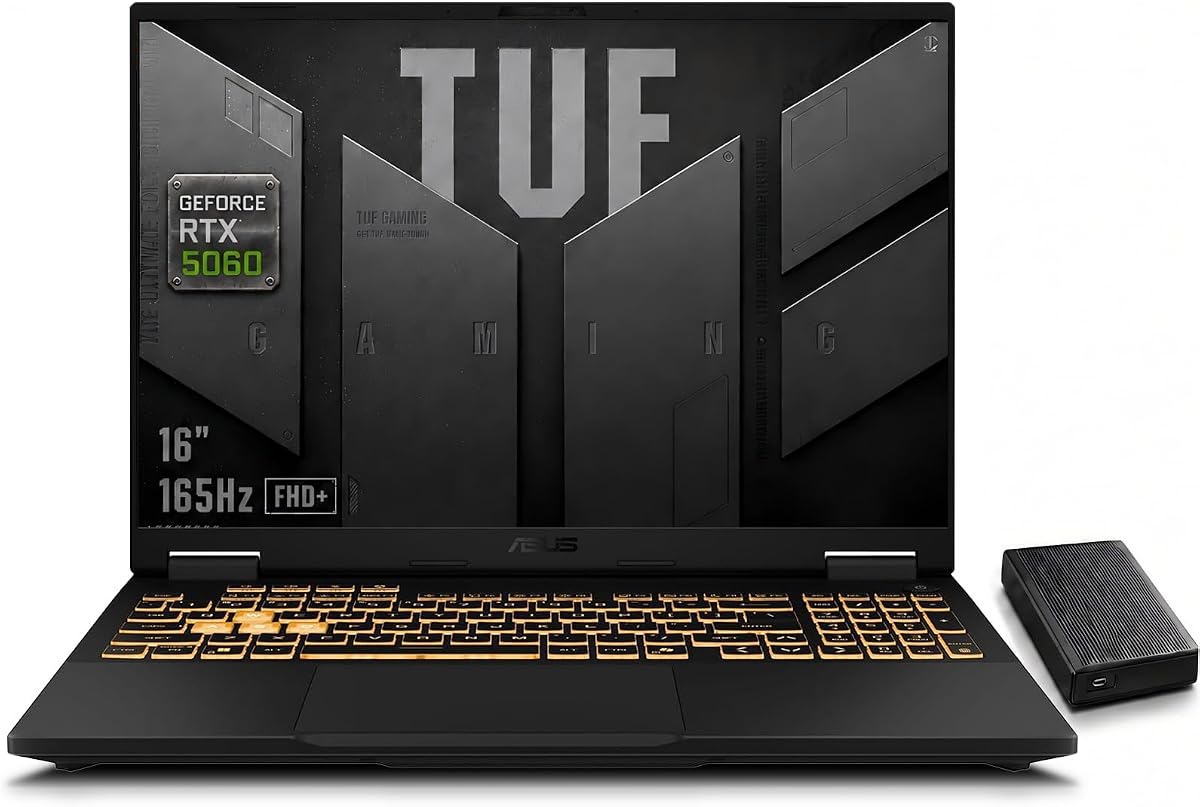
The Intel Core i7-14650HX processor handles demanding tasks with ease while the RTX 5060 ensures smooth frame rates. The 165Hz display makes competitive gaming feel fluid and responsive during intense matches.
While the price is higher than budget options the performance justifies the investment for serious gamers. The intelligent cooling system keeps temperatures in check even during long sessions without excessive noise.
Buyers looking for a machine that handles both gaming and creative work will find this ideal. It is recommended for those who need future-proof specs and a premium build quality.
The HX series processor provides desktop-class performance in a portable form factor for heavy workloads.
Adaptive sync and high refresh rates combine to reduce motion blur significantly in fast-paced games.
We may earn a commission when you buy through this link, at no additional cost to you.
This high-spec variant takes the F16 platform to the next level with double the memory of standard models. Users praise its ability to handle heavy multitasking and content creation without slowing down during use.
We may earn a commission when you buy through this link, at no additional cost to you.
The 32GB of DDR5 RAM ensures that even the most memory-intensive applications run smoothly. Combined with the RTX 5060 this system offers a seamless experience for editing and gaming simultaneously.
The cost is significant but it offers longevity for users who need more than basic gaming capabilities. The connectivity options including Thunderbolt 4 make it versatile for various peripherals and displays.
It is best suited for professionals who game or stream while working. We recommend this for users who want top-tier specs without compromising on future upgradeability.
Double the standard RAM allows for running multiple VMs and editing suites alongside games effortlessly.
Thunderbolt 4 support enables fast data transfer and connection to high-resolution external monitors easily.
We may earn a commission when you buy through this link, at no additional cost to you.
This model offers an accessible entry point into the TUF ecosystem without sacrificing essential gaming features. It has a strong rating from users who value durability and consistent performance at a lower cost.
We may earn a commission when you buy through this link, at no additional cost to you.
The Intel Core 5 processor paired with the RTX 4050 delivers smooth gameplay for most popular titles. The 144Hz screen ensures that visuals remain crisp during fast action sequences and competitive matches.
While it lacks the raw power of higher-end models it covers the basics effectively for casual gamers. The military-grade testing ensures it can handle the bumps and drops of a student or traveler lifestyle.
We recommend this for students or first-time buyers who want a reliable daily driver. It is an excellent choice for those prioritizing build quality and value over cutting-edge raw power.
The balance between cost and capability makes this a top contender for budget-conscious shoppers today.
Military standard testing gives confidence that the chassis will survive daily wear and tear well.
We may earn a commission when you buy through this link, at no additional cost to you.
This 2024 variant shares similar specs to the base model but often features a slightly different configuration. Users find it a solid option for basic gaming needs though the memory limitation is noticeable.
We may earn a commission when you buy through this link, at no additional cost to you.
The 8GB of RAM restricts multitasking capabilities significantly compared to 16GB models. However for single-task gaming the RTX 4050 performs well enough for 1080p titles without major stutter.
Upgrading the RAM is a simple fix for those who want to extend the lifespan of the machine. The build quality remains consistent with the rest of the TUF line providing a sturdy chassis.
This is a good choice if you plan to upgrade the memory yourself later. It is recommended for budget users who understand the trade-offs of lower memory capacity.
The system allows for easy memory upgrades which can significantly boost overall performance for users.
Despite the 16-inch screen it maintains a form factor that is easy to carry around campus or home.
We may earn a commission when you buy through this link, at no additional cost to you.
This AMD-powered model offers a strong alternative to Intel options with efficient multi-core performance. Users appreciate the inclusion of a larger SSD and the higher resolution display for productivity tasks.
We may earn a commission when you buy through this link, at no additional cost to you.
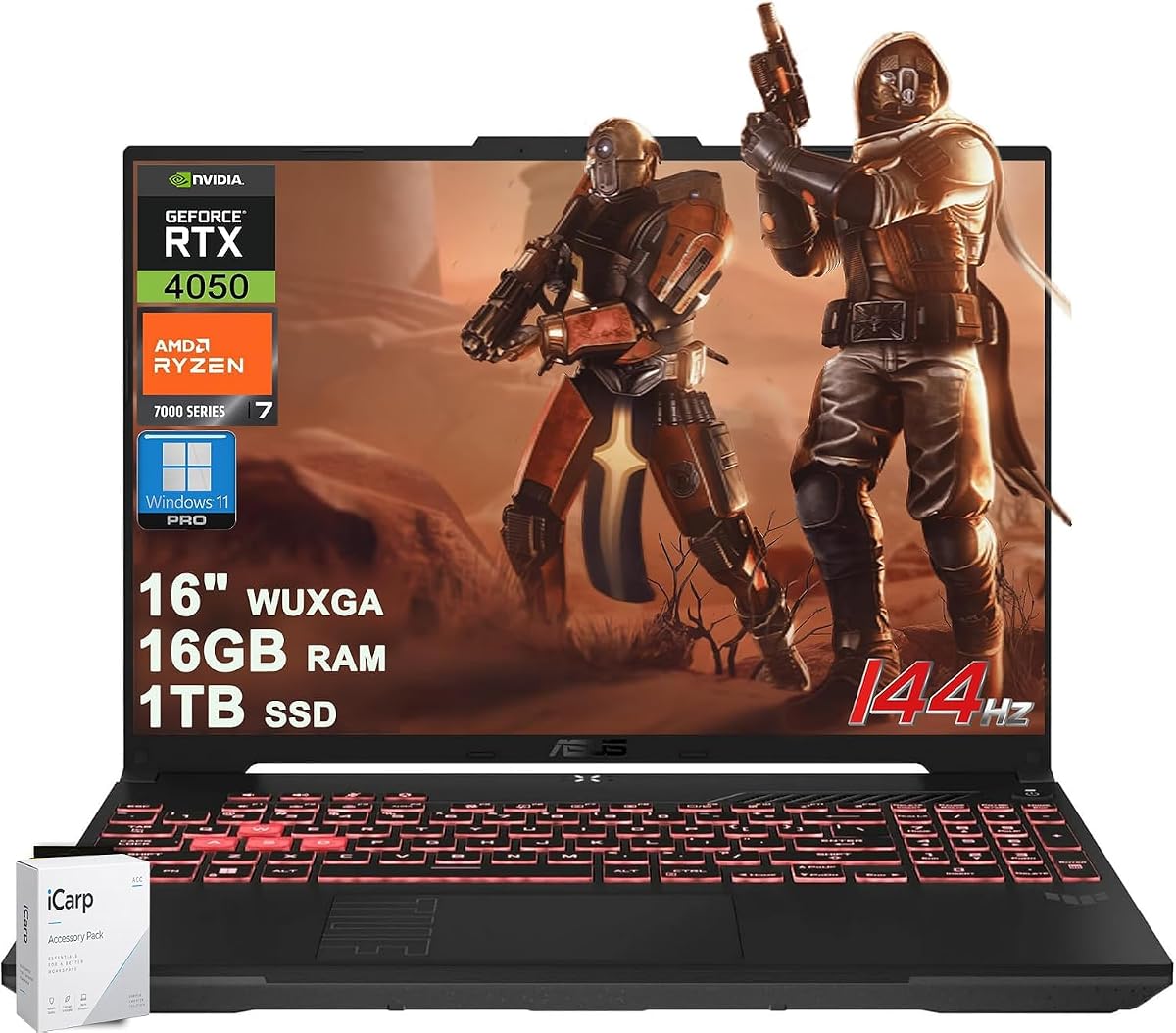
The Ryzen 7 7445HS handles heavy processing loads efficiently making it great for rendering and streaming. The 1TB storage ensures you have plenty of room for games and media without external drives.
Battery life on AMD gaming laptops can vary but the efficiency here is generally acceptable for a hybrid user. The AI noise cancelation is a nice touch for streamers who need clear audio during sessions.
We recommend this for users who prefer AMD architecture or need more storage out of the box. It is a strong pick for those who value resolution and storage over raw gaming power.
AMD processors often provide better battery life for non-gaming tasks which benefits mobile users.
The WUXGA panel offers more vertical space for multitasking and creative software interfaces today.
We may earn a commission when you buy through this link, at no additional cost to you.
This compact model brings high-end specs to a 14-inch form factor perfect for travel. Users love the portability combined with the generous memory and AI capabilities of the new processor.
We may earn a commission when you buy through this link, at no additional cost to you.
The unified memory architecture ensures fast access to data which is great for AI tasks and multitasking. The display offers a high resolution that makes text and images look sharp and clear.
While it lacks a dedicated GPU for heavy gaming the integrated graphics are surprisingly capable for light titles. The Copilot+ features position it as a future-proof device for productivity and AI workflows.
We recommend this for professionals who need a portable machine that can handle light gaming. It is ideal for those who prioritize screen real estate and memory capacity over raw FPS.
The new AI processor enables faster local processing for creative apps and productivity tools.
The smaller size makes it easier to fit in bags and carry around compared to larger models.
We may earn a commission when you buy through this link, at no additional cost to you.
This model uses a slightly older GPU but still delivers a capable experience for budget gaming. Users find it a reliable choice for those who need a standard laptop that can also run games well.
We may earn a commission when you buy through this link, at no additional cost to you.
The 16GB RAM ensures that multitasking is smooth even if the graphics card is not top tier. It is a great option for entry-level competitive gaming where performance matters more than graphical fidelity.
The older GPU means lower settings are needed for new titles but the 144Hz screen keeps gameplay smooth. The chassis remains durable and meets the military grade standards expected from the TUF series.
We recommend this for students or home users who want a solid all-rounder. It is a good pick for those who want 16GB RAM and a high refresh screen without the latest GPU cost.
This model strikes a balance between CPU and GPU allowing for a versatile daily experience.
It remains one of the most affordable ways to get a 144Hz gaming screen in a laptop today.
We may earn a commission when you buy through this link, at no additional cost to you.
This variant is defined by its extensive connectivity options including Thunderbolt 4 which is rare in budget gaming laptops. Users praise the robust build quality and the smooth performance for demanding applications.
We may earn a commission when you buy through this link, at no additional cost to you.
The 32GB RAM and RTX 5060 combination ensures that heavy workflows are handled with ease. It is a great machine for streamers who need multiple ports for capture cards and monitors.
The cooling system is effective but can get loud under load to maintain thermal stability. The keyboard with RGB backlighting adds to the aesthetic appeal and usability in low light environments.
We recommend this for creators who need connectivity and performance without external hubs. It is ideal for users who need to plug in multiple devices and high-speed peripherals.
The inclusion of Thunderbolt 4 and HDMI 2.1 allows for versatile multi-monitor setups easily.
The RGB keyboard adds a gaming vibe while the chassis remains solid and durable for travel.
We may earn a commission when you buy through this link, at no additional cost to you.
This model stands out for including Windows 11 Pro which is useful for business and professional users. It offers the same core performance as other A16 models but adds enterprise-level software features.
We may earn a commission when you buy through this link, at no additional cost to you.
The Ryzen processor provides excellent multi-threaded performance which is great for software development and rendering tasks. The high refresh display ensures that visuals remain sharp and responsive during use.
The professional OS features add security and management tools that are valuable in a work environment. However the storage capacity is modest compared to some other high-end models available on the market.
We recommend this for professionals who need a capable laptop that can also game. It is ideal for developers or engineers who need the Pro features and a reliable workstation.
Windows 11 Pro offers enhanced security and management features suitable for business users.
The CPU and GPU pairing makes it a strong candidate for technical workflows and simulations.
We may earn a commission when you buy through this link, at no additional cost to you.
This model combines high-end specs with an external drive for massive storage capacity. Users love having so much space for libraries and the raw power to run them smoothly without slowdown.
We may earn a commission when you buy through this link, at no additional cost to you.
The 32GB RAM and RTX 5060 ensure that you can run multiple heavy applications at once. It is perfect for users who want to keep everything on hand and do not want to delete files often.
The weight of the laptop and the extra drive make it less ideal for daily travel. However the performance and storage make it a strong choice for a desktop replacement or home server.
We recommend this for power users who need storage and speed above portability. It is ideal for those who want a single machine to handle gaming and large media libraries.
The internal SSD plus external drive provides ample space for large games and media.
Its power and features make it a viable alternative to a desktop setup for many users.
We may earn a commission when you buy through this link, at no additional cost to you.
Choosing the right TUF laptop involves understanding how specs impact real-world performance and longevity for your specific use case.
The processor dictates how well a laptop handles multitasking and background processes. Look for Core i7 or Ryzen 7 models for heavy workloads while i5 or Ryzen 5 are sufficient for casual gaming.
Choose a high HX processor for maximum performance or a standard H processor for better efficiency and battery life.
Total Graphics Power indicates how much power the GPU can draw which directly affects performance. Higher TGP values mean better frame rates in games and faster rendering for creative work.
Ensure the GPU has a high TGP to avoid throttling and maintain consistent performance during gaming sessions.
Memory capacity determines how many applications you can run simultaneously without slowdown. 16GB is a good baseline for gaming but 32GB is preferred for heavy multitasking and content creation.
Prioritize models with 16GB or 32GB of DDR5 RAM to ensure smooth performance for modern applications.
Refresh rate affects how smooth motion looks on screen which is critical for competitive gaming. A higher refresh rate reduces motion blur and makes gameplay feel more responsive and fluid.
Select a display with at least 144Hz refresh rate to maximize the benefits of modern gaming hardware.
TUF laptops are known for passing military-grade tests for durability and reliability in harsh conditions. This ensures the chassis and components can withstand drops and vibrations better than standard laptops.
Choose a TUF model if you need a machine that can survive daily commuting and travel use.
Cooling systems prevent overheating which can lead to throttling and reduced performance over time. Look for systems with multiple fans and heat pipes to keep temperatures low during heavy loads.
An intelligent cooling system is essential for maintaining peak performance during long gaming sessions.
The availability of ports like USB-C and HDMI affects your ability to connect external monitors and accessories. More versatile ports allow for easier integration into a home or office setup.
Check for Thunderbolt 4 or USB4 if you need high-speed data transfer or external display support.
Solid State Drives offer faster load times than traditional hard drives. A larger capacity ensures you can store your entire game library on the internal drive without using external storage.
Opt for a minimum of 512GB SSD storage with expansion slots for future upgrades if possible.
Always use the original power adapter to ensure stable power delivery and prevent hardware damage during charging cycles. Keep the intake vents clear of obstructions to maintain optimal cooling performance.
Regularly clean the keyboard and trackpad with a soft dry cloth to prevent dust buildup that can affect input responsiveness. Use a can of compressed air to blow out dust from the vents every few months.
Avoid placing the laptop on soft surfaces like beds where airflow may be restricted. Use a cooling pad if you frequently run heavy applications for extended periods to reduce thermal stress.
Yes many TUF models offer sufficient processing power and memory for professional tasks. The build quality and reliability make them suitable for daily work use.
The TUF cooling system is designed for efficiency and noise reduction. It typically features multiple heat pipes and high-speed fans to manage heat effectively.
Most models allow for RAM upgrades through accessible slots on the motherboard. This enables you to increase memory capacity as your needs grow.
Battery life varies by model and usage typically ranging from 5 to 9 hours for basic tasks. Gaming significantly reduces battery life to 2 to 4 hours depending on load.
Yes the high refresh rate displays and capable GPUs make them ideal for competitive esports. The fast response times ensure smooth and responsive gameplay.
Yes newer models feature AI-enhanced technologies and processors designed for AI tasks. This includes better upscaling and intelligent performance tuning.
Most models come with a standard one-year limited warranty. Extended warranties may be available through the retailer or manufacturer.
The ASUS TUF series provides a robust range of options from budget-friendly entry models to high-end workstations. Choosing the right one depends on your specific performance needs and budget constraints.
Prioritize the GPU and RAM if you plan on running modern titles or heavy creative applications. For casual use a lower tier model offers excellent value and durability.
Always verify current availability and configurations before making a purchase decision. Prices and stock can change frequently so checking the retailer site is recommended.