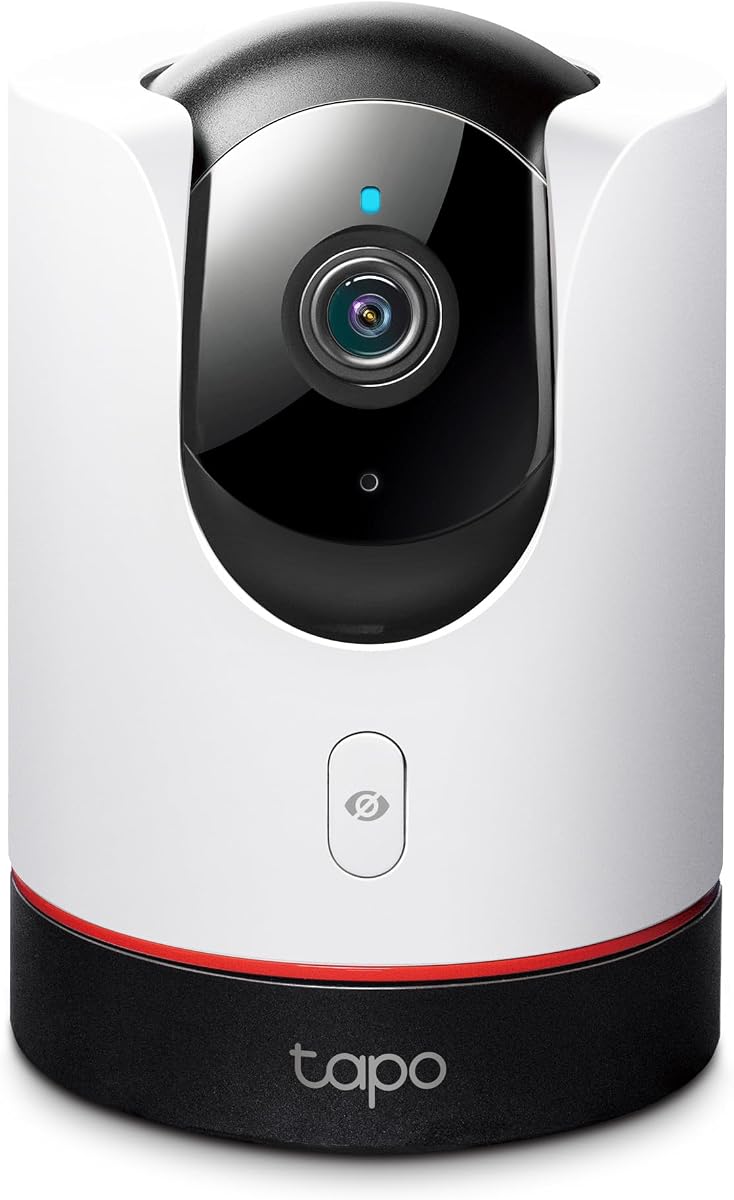
TP-Link Tapo 2K+ Pan/Tilt Security Camera Apple HomeKit, C225
4.5Editor score
360 Degree Horizontal View
2K QHD Live View
Physical Privacy Mode
This guide compares the top Apple Homekit Security Cameras for October 2026, evaluating resolution, night vision, storage options, and HomeKit Secure Video
Finding the right security camera for your Apple ecosystem can be challenging with so many options available on the market today. You need a device that offers reliable monitoring, strong privacy features, and seamless integration with your iPhone or iPad for real-time alerts and control.
We have analyzed ten leading models that support HomeKit Secure Video, focusing on video quality, smart detection capabilities, and ease of setup. Our comparison includes indoor and outdoor options from trusted brands like Aqara, Eve, TP-Link, Logitech, and eufy to ensure you find a camera that fits your specific needs.
Each pick in this list highlights key strengths and potential trade-offs to help you make an informed decision for your home security setup. Please note that product availability and pricing can change frequently, so verify current details on the retailer site before purchasing your new device.
4.5Editor score
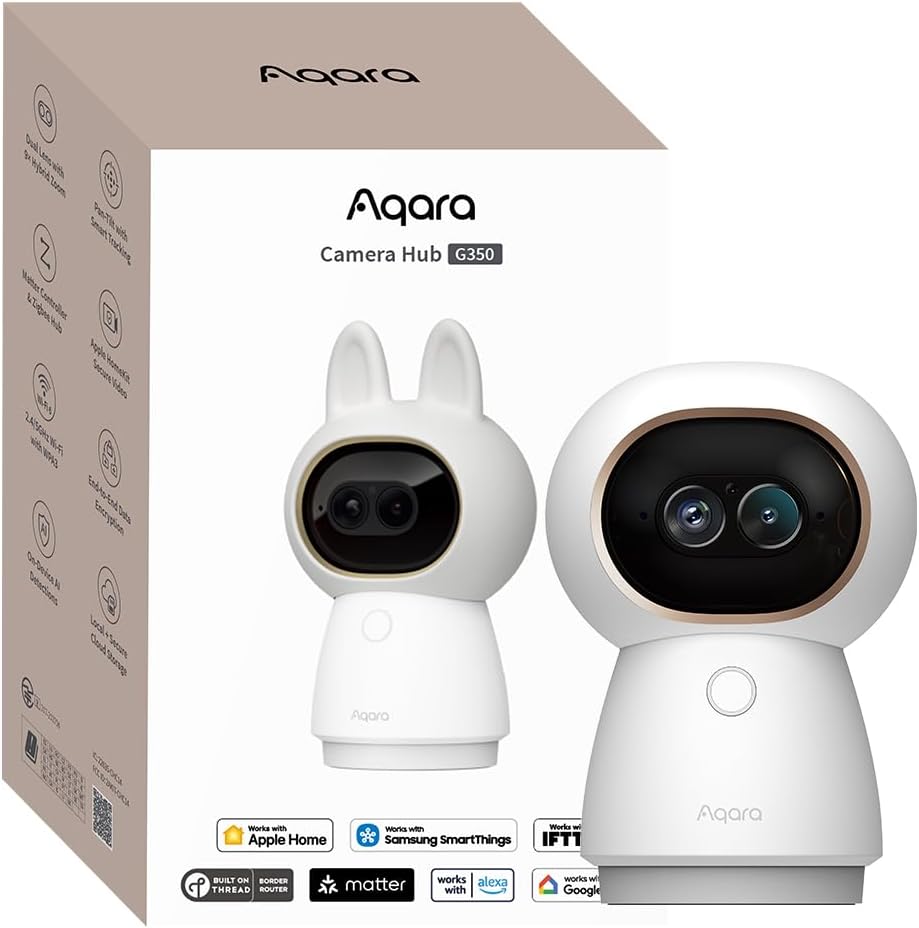
4.3Editor score

4.5Editor score
The following table provides a side-by-side comparison of the top ten Apple Homekit Security Cameras available this month. We have summarized key specifications for each model to help you quickly identify which device offers the resolution, storage, and connectivity features you require for your home environment.



The Aqara Indoor Security Camera G350 stands out as a top contender in the Apple Homekit Security Cameras market with its impressive 4K dual-lens system. It offers a unique combination of wide-angle and telephoto views, allowing you to see both the big picture and specific details without losing clarity.
We may earn a commission when you buy through this link, at no additional cost to you.
Its AI capabilities are processed locally on the device, which ensures that your video data remains private and secure. The camera supports Matter and Thread protocols, making it a versatile hub for other smart home devices while maintaining seamless integration with the Apple Home app.
While the G350 is feature-rich, it relies on an Aqara app for initial setup and advanced configuration, which might be a minor hurdle for users who prefer native HomeKit only workflows. Additionally, the absence of infrared LEDs means it uses a different approach for night vision that may not suit every low-light environment.
For homeowners who want high-resolution footage and robust privacy controls, this camera is an excellent choice. It balances premium features with practical utility, making it a standout option for those serious about home security and smart automation.
The combination of a 133-degree wide-angle lens and a 2.5K telephoto lens allows for detailed monitoring of your entire room.
All AI processing happens locally on the device, ensuring that your personal data remains private and under your control at all times.
We may earn a commission when you buy through this link, at no additional cost to you.
The TP-Link Tapo C225 offers remarkable value for those seeking an affordable yet capable Apple Homekit Security Camera. It delivers 2K QHD resolution with a 360-degree pan and tilt function, ensuring you can monitor every corner of a room without blind spots.
We may earn a commission when you buy through this link, at no additional cost to you.
A standout feature is its innovative physical privacy mode, which mechanically blocks the lens to guarantee privacy when the camera is not in use. The starlight sensor enhances low-light performance, providing clear images even in dimly lit conditions without the need for bright infrared LEDs.
Although it is budget-friendly, the camera relies on a 2.4GHz Wi-Fi connection, which may limit performance in congested networks. Additionally, you must use the Tapo app for initial configuration, which adds a step before integration with the Apple Home app.
This model is perfect for users who want essential security features without breaking the bank. Its design and functionality make it a reliable choice for nurseries, living rooms, or any space requiring discreet and comprehensive monitoring.
This camera was awarded the prestigious Red Dot Design Award in 2022 for its brilliant performance and expert-recognized design.
Advanced AI technology accurately identifies people, pets, and vehicles while recognizing abnormal sounds like a baby crying.
We may earn a commission when you buy through this link, at no additional cost to you.
The Aqara 4MP Camera Hub G5 Pro PoE represents a high-end solution for Apple Homekit Security Cameras that prioritizes clarity and reliability. Its true color night vision allows for detailed imagery even in low-light conditions, distinguishing it from standard infrared-only models.
We may earn a commission when you buy through this link, at no additional cost to you.
This camera supports Power over Ethernet, which simplifies installation by using a single cable for both power and data. It also functions as a robust hub for Matter, Zigbee, and Thread devices, centralizing your smart home control while maintaining strict privacy standards through local processing.
The primary drawback is the cost, which is higher than indoor consumer models. You may also need a separate PoE switch to utilize its full wired capabilities, adding to the initial setup effort for some users.
For those who demand professional-grade performance and integrated smart home management, this camera is unmatched. It combines advanced video features with robust connectivity, making it ideal for comprehensive home security systems.
The 1/1.8 sensor and f/1.0 large aperture identify intruders even in low-light without requiring bright white lights.
The powerful built-in Neural Processing Unit supports visual and sound detection even during internet outages.
We may earn a commission when you buy through this link, at no additional cost to you.
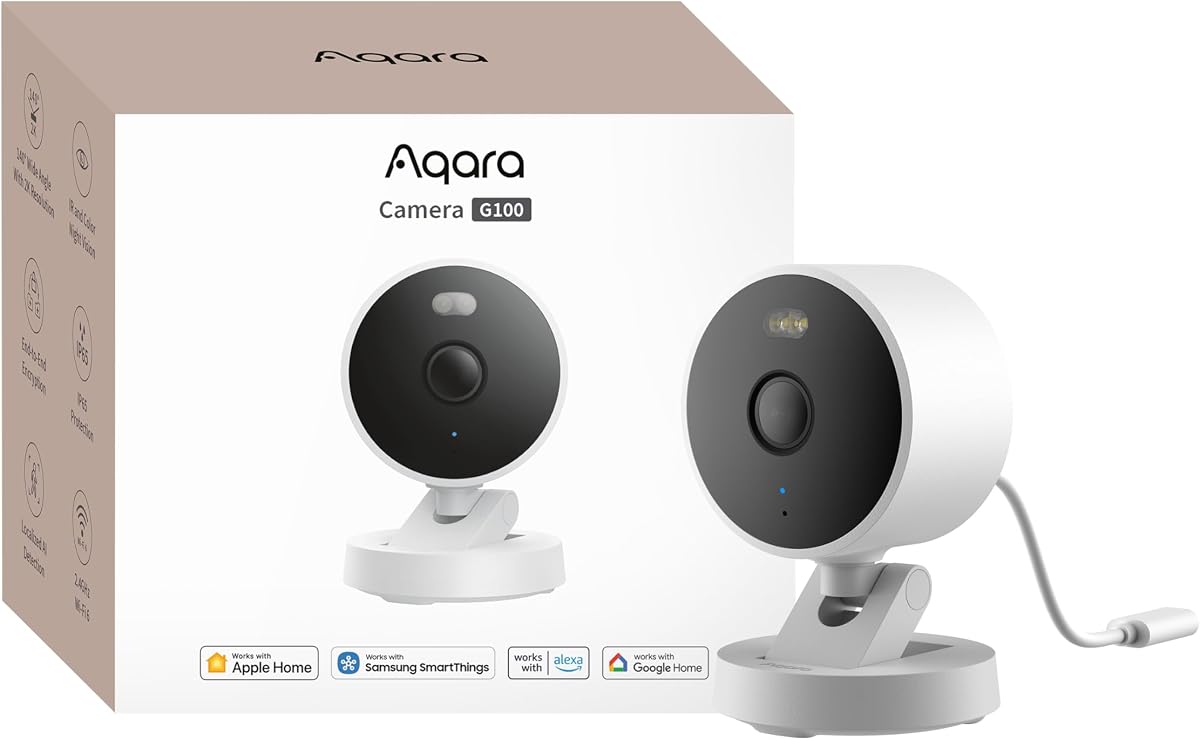
The Aqara 2K Indoor/Outdoor Security Camera G100 is a versatile option for those needing a single camera for multiple environments. Its IP65 protection ensures durability against rain and dust, making it suitable for entryways or backyards as well as interior spaces.
We may earn a commission when you buy through this link, at no additional cost to you.
It features a dual night vision system with both spotlight and infrared modes, giving you the choice between color detail or covert monitoring. The inclusion of Wi-Fi 6 ensures stable performance even in busy network environments, reducing latency during live views.
However, the power adapter is not included in the box, which may add to the initial cost. Additionally, the night vision modes must be manually enabled in the app rather than switching automatically, requiring some initial configuration effort.
This camera is a solid choice for users seeking a balance of indoor and outdoor utility. Its robust build and flexible recording options make it a practical addition to any home security setup.
With durable weather-resistant housing, the G100 is both an indoor camera and outdoor security camera for flexible mounting.
HomeGuardian Plan unlocks cloud-based recognition for pets, vehicles, packages, and faces with AI event tagging.
We may earn a commission when you buy through this link, at no additional cost to you.
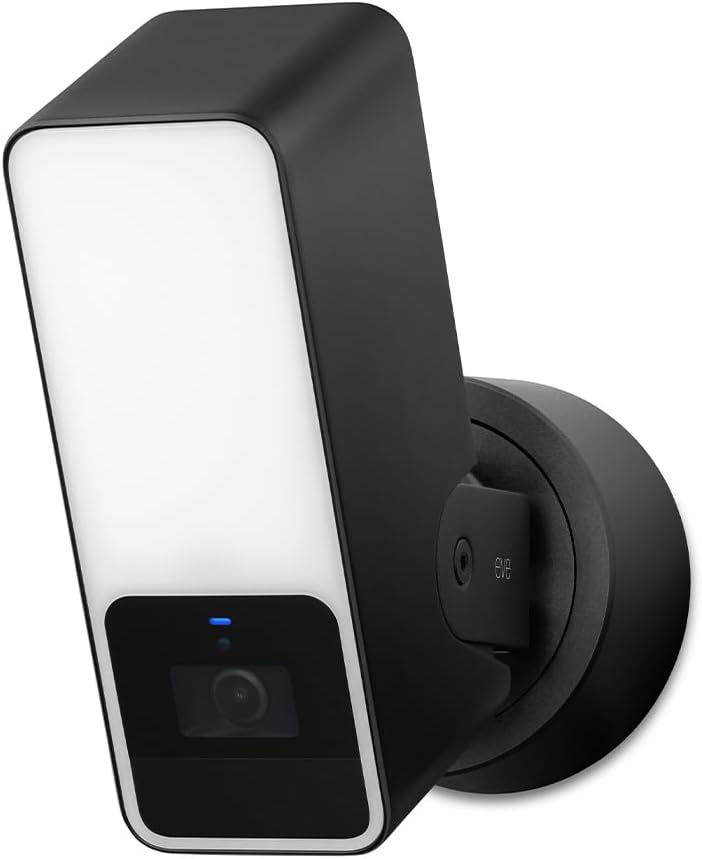
The Eve Cam is designed exclusively for Apple HomeKit Secure Video, prioritizing privacy above all else. It processes video locally within your home rather than the cloud, ensuring that your footage remains under your control and protected by end-to-end encryption.
We may earn a commission when you buy through this link, at no additional cost to you.
This camera supports people and pet recognition, allowing you to customize notifications and avoid alerts for irrelevant movement. It integrates seamlessly with the Apple Home app, providing instant notifications on your iPhone or iPad when activity is detected.
However, it requires an iCloud+ subscription to use HomeKit Secure Video fully, which may be an ongoing cost to consider. Some users might find the resolution lower compared to other modern models, which could impact detail in distant areas.
For users who prioritize privacy and deep Apple ecosystem integration, the Eve Cam is a strong candidate. It simplifies the security experience while maintaining strict standards for data protection and local processing.
Keep a close eye on your home with the indoor cam Eve Cam and get notifications on your iPhone or iPad.
Video analysis is performed securely in your home, ensuring your personal data remains private at all times.
We may earn a commission when you buy through this link, at no additional cost to you.
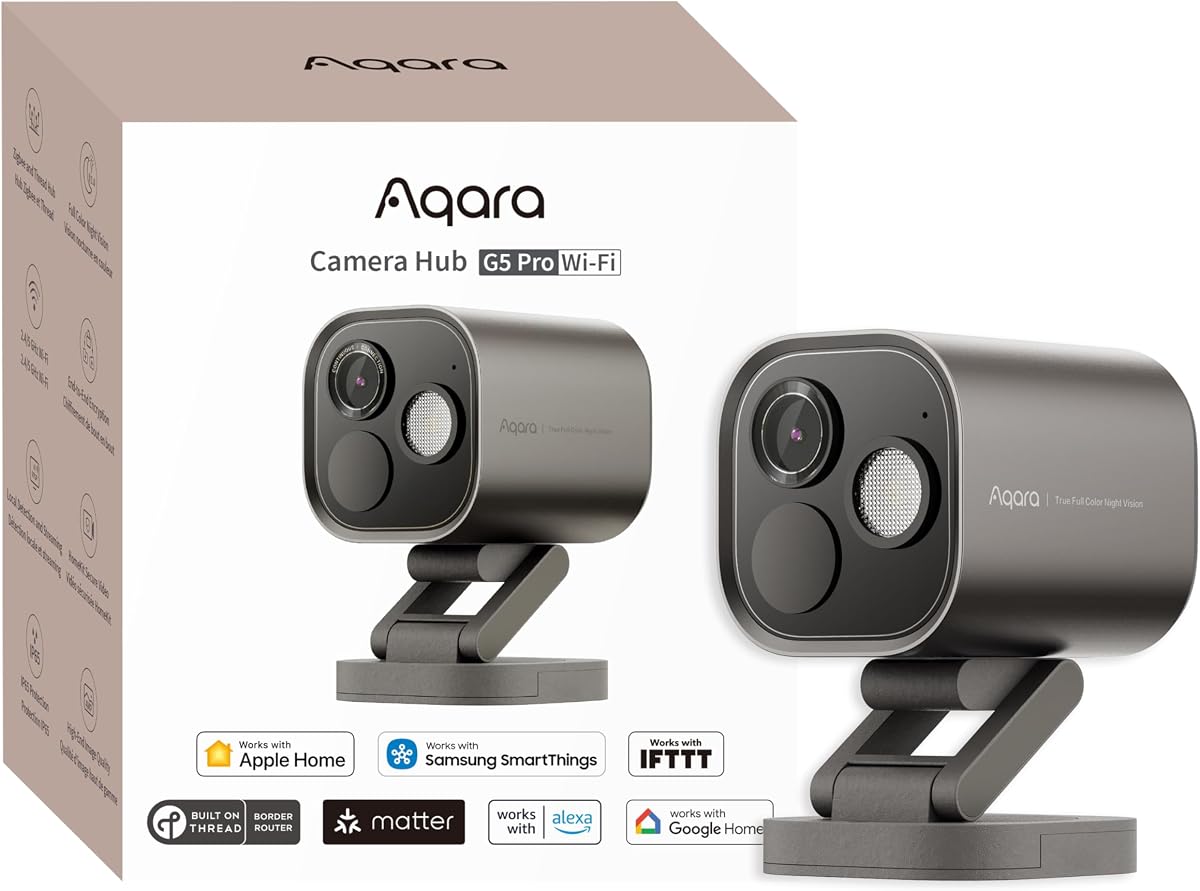
The Aqara 4MP Camera Hub G5 Pro WiFi offers a powerful wireless solution for high-resolution home monitoring. It delivers 4MP clarity with true color night vision, ensuring clear visibility even in low-light without relying on standard infrared lighting.
We may earn a commission when you buy through this link, at no additional cost to you.
Supporting dual-band Wi-Fi allows for more flexible connectivity options depending on your network environment. It also acts as a bridge for Matter and Zigbee devices, integrating third-party smart home accessories into the Aqara Home app seamlessly.
While it includes an encrypted internal storage option, continuous recording requires a microSD card or local device setup. The camera needs a USB-C power connection, which might limit placement to areas near an outlet.
This model is ideal for users who want high-quality video and smart home integration in a wireless package. Its combination of resolution, storage flexibility, and bridging capabilities makes it a versatile tool for modern homes.
The 1/1.8 sensor and f/1.0 aperture identify intruders even in low-light using a built-in dimmable spotlight.
Acts as a hub for both Aqara Zigbee and Thread dual protocols connecting up to 80 sub-devices.
We may earn a commission when you buy through this link, at no additional cost to you.
The Logitech Circle View is built for durability and integrates natively with Apple HomeKit for secure video storage. It features an IP64 weatherproof rating and wide dynamic range sensor, allowing clear views even in high-contrast outdoor lighting conditions.
We may earn a commission when you buy through this link, at no additional cost to you.
Its 180-degree field of view covers more area than standard cameras, reducing blind spots around your home. The design includes a privacy tilt feature, allowing you to physically point the lens down to disable monitoring when needed.
One limitation is that it does not support continuous recording, relying instead on motion detection for clips. It also requires a wired power supply, which may make installation more involved compared to battery-powered options.
This camera is a solid choice for users looking for a rugged outdoor solution within the Apple ecosystem. Its focus on privacy and seamless HomeKit integration makes it a reliable choice for monitored spaces.
Featuring best-in-class Logitech TrueView video with 180-degree field-of-view optics and 1080p HD resolution.
Tilt camera down or press the rear on/off button for instant privacy.
We may earn a commission when you buy through this link, at no additional cost to you.
The Aqara 2K Indoor Security Camera E1 is designed specifically for indoor monitoring with full support for HomeKit Secure Video. It features a 360-degree viewing angle, allowing you to cover an entire room from a single vantage point.
We may earn a commission when you buy through this link, at no additional cost to you.
Supporting Wi-Fi 6 ensures smooth live views and lower latency even in congested networks. You can store footage locally on a microSD card for continuous recording or use encrypted cloud options depending on your preference.
While it offers robust features, the required power supply is not included in the box. Setup and full control rely on the Aqara Home app, which adds an extra layer of configuration for some users.
This camera is ideal for homeowners seeking a dedicated indoor device with strong privacy and connectivity features. Its balance of resolution, flexibility, and HomeKit integration makes it a practical choice for daily monitoring.
The Pan/Tilt motor allows for a full 360-degree viewing angle which enhances the person tracking feature.
Built-in NPU supports advanced features such as filtering motion events and triggering automations in case of person detection.
We may earn a commission when you buy through this link, at no additional cost to you.
The eufy Security 4K Indoor Camera E30 captures every detail with its true 4K recording capability. It includes AI tracking that follows movement automatically, providing a complete view of activities without manual intervention.
We may earn a commission when you buy through this link, at no additional cost to you.
Unlike many competitors, it offers all functions without requiring a subscription. You can store footage locally on an SD card, maintaining privacy and avoiding monthly fees while ensuring you have access to critical clips.
While HomeKit support is available, it is limited to 1080p resolution, which may not utilize the camera full 4K potential within the Apple ecosystem. However, it still integrates well for basic viewing and alerts.
This camera is perfect for users who want high-resolution footage without ongoing costs. Its combination of 4K clarity and local storage makes it a strong value proposition for indoor security needs.
Capture every detail day or night with crystal-clear 4K recording for superior video quality.
Store your footage locally with an SD card and enjoy all functions without any monthly fees.
We may earn a commission when you buy through this link, at no additional cost to you.
The Aqara 4MP Camera Hub G5 Pro PoE delivers professional-grade performance for Apple Homekit Security Cameras. It utilizes Power over Ethernet technology to simplify installation by combining power and data into a single network cable.
We may earn a commission when you buy through this link, at no additional cost to you.
Its true color night vision provides clear imaging in low light without the need for bright infrared LEDs. The camera also functions as a powerful hub for Matter and Thread devices, centralizing your smart home control securely.
The main trade-off is the higher price point and the need for a PoE switch to enable its primary wired functionality. This setup is best suited for users who want a robust and permanent installation.
This model is recommended for those who value reliability and high-resolution imaging. It combines advanced video capabilities with smart home integration to create a secure and efficient monitoring solution.
Thanks to Power over Ethernet technology, this camera can transmit videos and receive power via only a single network cable.
The powerful built-in Neural Processing Unit supports visual and sound detection even during internet outages.
We may earn a commission when you buy through this link, at no additional cost to you.
Selecting the right camera for your Apple ecosystem involves considering resolution, storage options, and privacy features. This guide outlines the key factors to evaluate to ensure you choose a device that meets your security needs.
Video resolution determines the clarity of your footage, with options ranging from 1080p to 4K. Higher resolution allows you to identify details like faces or license plates more easily, especially when zooming in. However, note that HomeKit Secure Video often caps recording resolution at 1080p even if the camera supports higher specs.
Look for cameras with wide aperture lenses to ensure better performance in low-light conditions without relying solely on infrared.
HomeKit Secure Video is a critical feature that ensures your footage is encrypted end-to-end and stored privately in iCloud. It allows for intelligent event detection and automatic recording when motion is triggered. Ensure any camera you select explicitly supports this protocol for seamless integration with the Apple Home app.
Verify that your current Home hub and iCloud subscription meet the requirements for storing video clips properly.
Outdoor cameras must be weatherproof to withstand rain, dust, and temperature changes. Look for an IP rating of at least IP64 or IP65 to ensure durability. Indoor cameras generally do not need this level of protection but may offer different privacy features or mounting options.
Choose a model that fits your specific installation environment to avoid unnecessary replacement costs later.
Night vision is essential for monitoring 24/7. Some cameras use standard infrared LEDs that produce black-and-white footage, while others offer color night vision using spotlights. Consider whether you need covert monitoring or if color clarity is more important for your security needs.
Check if the night vision modes need to be manually enabled or if they switch automatically based on ambient light.
Storage is a major consideration as HomeKit Secure Video uses iCloud storage which may require a paid subscription. Many cameras also offer local storage via microSD cards or NAS to avoid cloud costs. Evaluate which method fits your budget and privacy preferences.
Local storage provides continuous recording options that HomeKit alone may not support effectively.
Advanced cameras use AI to distinguish between people, pets, and vehicles to reduce false alerts. Look for models that process data locally on the device to maintain privacy while providing accurate notifications.
Ensure the AI features are included in the base model or check if a subscription is required to unlock them.
Consider how the camera connects to your network and power source. Wi-Fi cameras offer flexibility but may suffer in congested networks, while wired or PoE options provide stability. Check if the camera supports dual-band Wi-Fi for better performance.
Verify that power adapters or Ethernet cables are included or factor them into your total purchase cost.
Some cameras also function as hubs for other smart devices like lights or sensors. If you plan to expand your home automation, look for models that support Matter, Thread, or Zigbee protocols to centralize control.
This added functionality can simplify your smart home setup and reduce the need for additional hardware.
To set up your new camera, download the manufacturer app if required and follow the pairing instructions to add the device to your Apple Home app. Ensure your Home hub is active and your iCloud subscription supports HomeKit Secure Video to enable recording features.
Regularly check your lens for dust or debris and wipe it gently with a soft cloth to maintain video clarity. For outdoor units, inspect the housing periodically for weather damage and ensure the mounting bracket remains secure against wind or rain.
Adjust motion zones and detection settings in the app to minimize unnecessary alerts from shadows or passing cars. Test the two-way audio features and night vision modes to ensure they meet your expectations before relying on them for critical security.
Not all cameras require a subscription. HomeKit Secure Video requires an iCloud+ subscription for cloud storage, but many models also support local storage via microSD cards. This allows you to record footage without paying monthly fees if you prefer local control.
HomeKit Secure Video ensures that your footage is encrypted end-to-end and processed locally for privacy. Regular HomeKit cameras may not offer the same level of encryption or intelligent event detection. Secure Video also allows unlimited camera support on your iCloud subscription.
A Home hub such as an Apple TV, HomePod, or iPad is required to access remote features and recordings. Without a hub, the camera may work locally when connected to the same Wi-Fi network but will not allow remote viewing or HomeKit Secure Video integration.
Choose an outdoor camera if you need to monitor entryways or yards, ensuring it has an IP weatherproof rating. Indoor cameras are better for living spaces and often include features like pan-tilt motion tracking or privacy shutters designed for internal use.
Most Wi-Fi cameras will stop streaming live video when the internet goes down. However, some models support local recording via SD cards that continue to save footage until the connection is restored. Check the product specs for offline recording capabilities.
Privacy is a major concern, which is why HomeKit Secure Video uses local processing and encryption. Look for cameras that support physical privacy shutters or modes to disable recording when you are home to maintain comfort and control over your private spaces.
The best Apple Homekit Security Cameras offer a balance of high resolution, privacy features, and seamless integration with your iPhone or iPad. Models like the Aqara G350 and TP-Link C225 stand out for their versatility and value across different budget ranges.
When making your decision, prioritize features like HomeKit Secure Video support and storage flexibility to ensure your system meets your long-term needs. Local processing and encryption should be top considerations if privacy is a primary concern for your household.
Remember to check current pricing and availability before purchasing as product details can change frequently. Verify that your existing home setup meets the requirements for the camera you choose to ensure a smooth installation experience.