
Alienware 34 240Hz QD-OLED
4.5Editor score
QD-OLED panel
240Hz refresh
Curved immersion
Finding the right display can transform your gaming experience. Alienware offers a range of high-performance monitors designed to deliver vivid colors, smooth motion, and immersive visuals for players seeking competitive advantage.
We have evaluated ten top models based on refresh rates, panel types, color accuracy, and build quality. Our analysis covers everything from ultra-fast IPS panels to cutting-edge QD-OLED technology to help you make an informed decision.
Each pick highlights key features, pros, and cons to guide your choice. Keep in mind that pricing and availability change frequently so check current listings before finalizing your purchase to get the best value today.
4.5Editor score

4.6Editor score
4.4Editor score
As an Amazon Associate we earn from qualifying purchases.
Here is a side-by-side look at all ten models to highlight their unique strengths and specifications for easy comparison.


The Alienware AW2725DM stands out as a top all-round gaming monitor with its QHD Fast IPS panel delivering sharp visuals and reliable performance for diverse gaming needs.
We may earn a commission when you buy through this link, at no additional cost to you.
Its 180Hz refresh rate paired with G-SYNC support ensures fluid motion without tearing which is crucial for competitive shooters and immersive single-player experiences alike.
While it lacks the infinite contrast of OLED, its color coverage and HDR certification provide a vivid image that satisfies most users without the risk of burn-in.
This model is ideal for gamers who want a balanced upgrade over basic displays, offering excellent specs at a reasonable price point for most setups.
With DCI-P3 95% coverage you see games as developers intended ensuring rich hues and realistic skin tones across the screen.
The low blue light solution helps reduce eye strain during marathon gaming sessions allowing you to focus longer on gameplay.
We may earn a commission when you buy through this link, at no additional cost to you.
The AW3425DW delivers an immersive ultra-wide experience with its QD-OLED panel offering infinite contrast and vibrant colors that elevate visual fidelity beyond standard IPS displays.
We may earn a commission when you buy through this link, at no additional cost to you.
A 240Hz refresh rate ensures motion clarity that keeps fast-paced scenes crisp while the 1800R curve wraps around your field of view for deeper engagement.
Though the price is higher and OLED carries a burn-in risk, the visual payoff for single-player adventures and competitive play is unmatched in this category.
Buy this if you want top-tier visuals and have the budget to support a premium setup that prioritizes immersion and performance.
The 1800R curve matches natural eye movement helping you track objects across the wide screen without needing to turn your head constantly.
With 99.3% DCI-P3 coverage every color pops on screen making games look richer and more dynamic than ever before.
We may earn a commission when you buy through this link, at no additional cost to you.
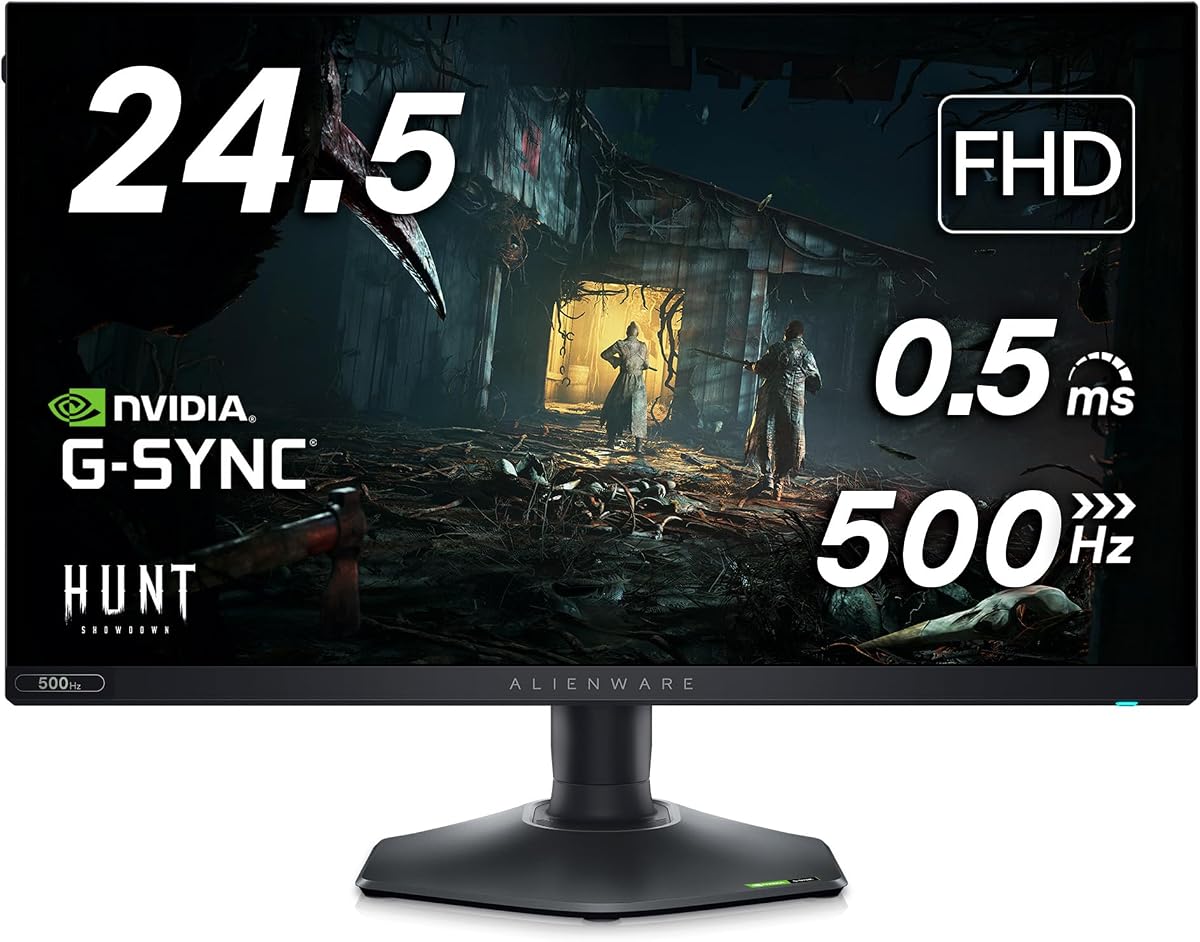
The AW2524H targets competitive gamers who prioritize speed over resolution offering a 480Hz refresh rate that minimizes motion blur to an extreme degree.
We may earn a commission when you buy through this link, at no additional cost to you.
Its Fast IPS panel keeps colors consistent while the Reflex Latency Analyzer helps optimize your system for the lowest possible latency for peak performance.
While FHD is less sharp than QHD the speed advantage is significant for esports titles where reaction time matters more than visual fidelity.
This is the perfect choice for budget-conscious pros who need the fastest possible refresh rate to gain an edge in multiplayer games.
The 480Hz rate ensures that movement is rendered nearly instantly giving you a split-second advantage in fast-paced shooters.
NVIDIA Reflex technology analyzes your system to reduce input lag ensuring your commands register on screen faster.
We may earn a commission when you buy through this link, at no additional cost to you.
The AW3423DW remains a strong contender with its QD-OLED panel delivering deep blacks and vibrant colors that define premium gaming visuals.
We may earn a commission when you buy through this link, at no additional cost to you.
Its 175Hz refresh rate and 0.1ms response time ensure smooth gameplay while the G-SYNC Ultimate certification guarantees tear-free visuals on NVIDIA GPUs.
Creator mode allows for precise color work making it versatile for gamers who also edit content or want accurate representation of media.
Even with newer models available its visual performance is still top-tier making it a smart pick for those who value contrast above all.
Creator Mode offers native DCI-P3 and sRGB spaces allowing you to switch between gaming vibrancy and color-accurate work.
The 1M:1 contrast ratio means dark scenes in games reveal more detail without losing depth or appearing washed out.
We may earn a commission when you buy through this link, at no additional cost to you.
The AW2726DM brings OLED quality to a compact 27-inch form factor ideal for gamers who want high resolution without sacrificing desk space.
We may earn a commission when you buy through this link, at no additional cost to you.
With 240Hz refresh and QD-OLED technology you get fast motion handling and deep blacks that make games look incredibly lifelike.
Nano color tech expands the color range ensuring that hues are accurate and rich across both games and multimedia content.
Choose this if you want the best of both worlds in a standard size that fits most gaming setups perfectly.
The 27-inch footprint fits well on most desks while still offering enough visual space for comfortable gaming and multitasking.
Nano color technology enhances the panel to deliver colors that pop while remaining true to the source material.
We may earn a commission when you buy through this link, at no additional cost to you.
The AW2725Q offers 4K resolution on a 27-inch screen providing the highest pixel density for incredibly sharp text and detailed game textures.
We may earn a commission when you buy through this link, at no additional cost to you.
QD-OLED technology ensures vibrant colors and deep blacks while Dolby Vision enhances HDR content for a cinematic viewing experience.
With a renewed status the price may be lower but you get top-tier visuals that push the limits of current display technology.
This monitor suits users who prioritize image clarity and color purity above refresh rate speed for immersive media and gaming.
The 166 PPI density means text and UI elements look crisp which helps both in gaming and productivity tasks.
Dolby Vision support allows compatible content to display optimized brightness and color for a more lifelike image.
We may earn a commission when you buy through this link, at no additional cost to you.
The AW2523HF is a competitive favorite with 360Hz refresh and 0.5ms response time ensuring that action stays smooth and ghosting-free.
We may earn a commission when you buy through this link, at no additional cost to you.
AMD FreeSync Premium prevents tearing while the Fast IPS panel offers consistent colors across wide viewing angles for multi-player setups.
The hexagonal base maximizes desk space and the retractable headset hanger keeps peripherals organized for an efficient workflow.
This model remains a solid pick for FPS players who need speed and ergonomic adjustments without paying for unnecessary resolution.
The hexagonal base reduces footprint allowing more room for mouse movement which is crucial for precise aiming.
SRGB 99% coverage ensures that visuals remain accurate from any angle making shared viewing easier for teams.
We may earn a commission when you buy through this link, at no additional cost to you.
This bundle version of the AW2523HF includes HEX accessories like a USB-C hub and LED light adding extra value to the high-speed monitor.
We may earn a commission when you buy through this link, at no additional cost to you.
The core experience is the same with 360Hz refresh and Fast IPS technology ensuring smooth play for competitive shooters and fast-paced titles.
The USB hub expands connectivity while the LED light can customize your ambient setup without needing extra purchases.
It is a good choice for those who want a one-stop solution for both display and desk organization accessories.
The 7-in-1 USB hub adds ports for peripherals and allows fast data transfer helping keep your desk tidy.
The included LED light helps set the mood by adding a custom glow around your workspace for immersion.
We may earn a commission when you buy through this link, at no additional cost to you.
The AW2725Q offers 240Hz native or 280Hz overclocked refresh rates giving a competitive edge for fast-paced multiplayer experiences.
We may earn a commission when you buy through this link, at no additional cost to you.
VESA DisplayHDR 600 ensures deeper contrast and brighter highlights enhancing visual depth in games that support high dynamic range content.
Triple sync certification means it works with NVIDIA and AMD GPUs seamlessly ensuring no stutter or tearing across platforms.
With customizable RGB and a fully adjustable stand it suits gamers who want performance plus style on their desk.
Overclocking to 280Hz reduces motion blur even further making it easier to track moving targets in fast games.
HDR 600 delivers brighter peaks and richer shadows helping you spot enemies in dark corners easily.
We may earn a commission when you buy through this link, at no additional cost to you.
The AW3420DW is a trusted curved ultra-wide that offers immersive visuals with 21:9 aspect ratio for seamless panoramic gameplay.
We may earn a commission when you buy through this link, at no additional cost to you.
Its 120Hz refresh combined with G-SYNC provides smooth motion that reduces artifacts and ensures a stable image across titles.
Color accuracy and Nano technology ensure that media looks vibrant and accurate even if refresh rates are lower than newer models.
This is a good option for those who want a reliable curved ultra-wide without chasing the latest bleeding-edge features.
The 21:9 aspect ratio wraps content around your view making games and movies feel more cinematic and engaging.
NVIDIA G-SYNC ensures that frame rates stay consistent and smooth preventing screen tearing during intense scenes.
We may earn a commission when you buy through this link, at no additional cost to you.
Choosing the right gaming monitor depends on your play style, budget, and hardware capabilities. Here are key factors to consider.
IPS panels offer wide viewing angles and good color accuracy which is great for most games. OLED panels provide infinite contrast and faster response times ideal for premium visual experiences.
Choose IPS for balanced performance and value while OLED suits those wanting deep blacks and vibrant colors.
Refresh rate determines how many frames are shown per second. Higher rates like 240Hz or 360Hz reduce motion blur which is critical for competitive shooters.
If you play fast-paced games prioritize high refresh rates. For single-player titles standard rates like 120Hz may suffice.
Resolution affects image sharpness. QHD (1440p) is a sweet spot offering crisp visuals without extreme GPU demands. 4K offers more detail but needs powerful hardware.
FHD (1080p) is suitable for smaller screens or strict budgets but may lack clarity on larger displays.
Adaptive sync like G-SYNC or FreeSync aligns the monitor with your GPU to prevent screen tearing. Most models support NVIDIA and AMD GPUs.
Ensure compatibility with your graphics card for tear-free gameplay. Triple sync is best for multi-platform users.
27-inch screens fit most desks comfortably. Ultra-wide 34-inch monitors offer immersive views but require space. 21:9 ratios maximize side-to-side visibility.
Consider your desk dimensions and game types. Wide screens are great for racing and sim games but less ideal for competitive shooters.
Modern monitors need DisplayPort or HDMI 2.1 for high refresh rates and resolutions. USB hubs can add convenience for peripherals.
Check your GPU ports to ensure you can use all features. USB Type-C with power delivery can simplify setup.
A stand that adjusts height tilt and swivel helps you maintain a comfortable posture. This reduces fatigue during long gaming sessions.
Look for monitors with pivoting capabilities if you plan to share the screen or switch to portrait mode occasionally.
HDR adds depth with brighter highlights and darker shadows. DisplayHDR 400 is basic while 600 or TrueBlack offers better contrast.
HDR content varies in quality. Ensure the monitor meets your expectations for brightness and color depth.
Start by connecting via DisplayPort or HDMI 2.1 to ensure full refresh rate and resolution support. Use the OSD joystick to fine-tune settings like brightness and sync options.
Keep the monitor clean with a microfiber cloth to avoid scratches. Avoid harsh chemicals that could damage the screen coating or casing finish.
Adjust the stand height so the top of the screen is at eye level to reduce neck strain. Use ergonomic settings to reduce eye fatigue during long sessions.
Yes most models support both AMD FreeSync and NVIDIA G-SYNC compatible modes. This ensures tear-free gaming across different hardware setups for maximum flexibility.
While OLED panels are risk-sensitive they include features like pixel shift and screen savers to minimize static image retention. Using them with varied content reduces potential risks significantly.
QD-OLED combines quantum dots with OLED to deliver richer colors and deeper contrast than standard panels. This results in more vibrant and lifelike gaming visuals.
Use a soft microfiber cloth to wipe the screen gently. Avoid using paper towels or harsh chemicals that could scratch or damage the display coating.
Many models offer accurate color coverage and Creator Mode making them suitable for content creation. Look for high sRGB or DCI-P3 coverage for best results.
Yes high refresh rates often require DisplayPort or HDMI 2.1 cables. Using older cables may limit performance or cause signal issues.
Whether you need speed for competitive play or immersion for single-player titles Alienware offers robust options across panels and sizes.
Prioritize refresh rate for esports or OLED contrast for cinematic experiences based on your personal gaming habits and setup space.
Always verify current pricing and availability before purchasing since these factors change frequently across retailers.