
Frameo 10.1 Inch WiFi
4.7Editor score
Secure Photo Sharing App
32GB Large Storage Built In
Senior Friendly Touch Controls
Modern digital frames have evolved into smart art displays that blend technology with home decor. These devices let you showcase photos and AI generated art without cluttering walls with physical prints or frames.
We compared ten leading models based on display quality, connectivity, storage, and AI features. Our analysis focuses on how well each frame handles both static images and dynamic content generation for a seamless viewing experience.
Each pick highlights unique strengths like battery life, touch interaction, or cloud integration. Prices and availability change frequently, so verify current details before purchasing to ensure you get the best value for your needs.
4.7Editor score
![Magic Frame[Old Photo Alive]](https://m.media-amazon.com/images/I/81RI%2B%2B-D%2BBL._AC_SL1200_.jpg)
4.4Editor score

5.0Editor score
As an Amazon Associate we earn from qualifying purchases.
This side by side comparison outlines the key specifications of all ten reviewed frames to help you identify which model aligns best with your specific requirements and budget constraints.
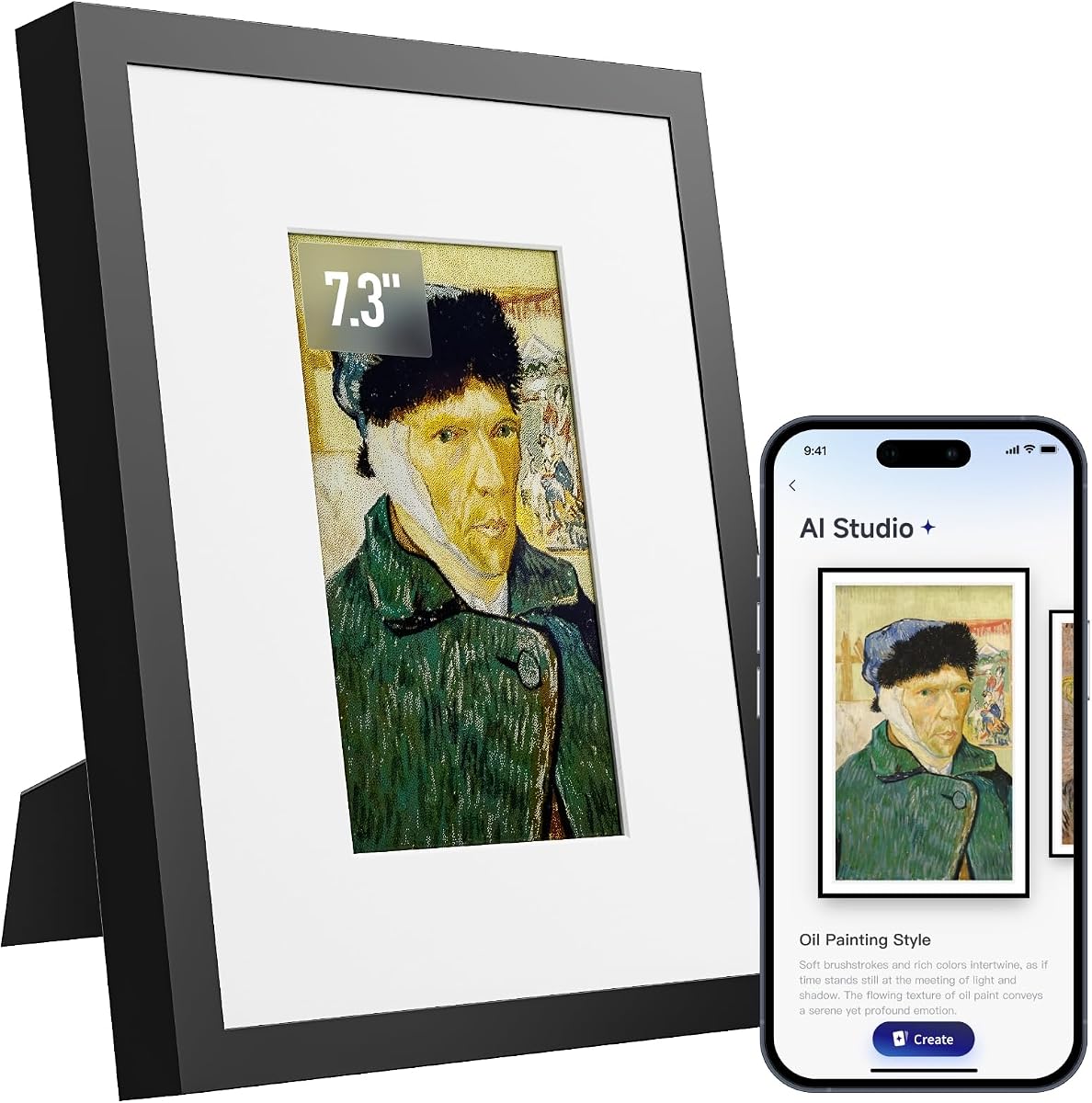


This frame stands out by transforming static images into moving video clips using AI technology. It holds a 4.4 star rating and offers a unique way to relive memories with motion and color restoration.
We may earn a commission when you buy through this link, at no additional cost to you.
The standout feature is the ability to animate photos with templates for solo or group portraits. You receive 2000 credits initially which allows for about 20 video creations. The unlimited cloud storage ensures you can share many photos with family without worrying about space.
While the AI videos are engaging, the credits run out and require a subscription or purchase to continue making new animations. The app interface is easy to use but relies on an internet connection to function fully for sharing.
This frame is ideal for families who want to preserve old memories in a dynamic format. It makes a thoughtful gift that brings old photos to life. We recommend it for those who value animation features over raw resolution.
The AI motion feature animates faces in portraits making them wave or smile which adds an emotional touch to static images.
Receiving 2000 credits in the box means you can create around twenty videos immediately without needing to pay extra upfront costs.
We may earn a commission when you buy through this link, at no additional cost to you.
Frameo offers a high quality experience at a competitive price point. With a 4.7 rating, it is known for reliability and ease of use. The 32GB memory provides ample space for thousands of photos without needing cloud subscriptions.
We may earn a commission when you buy through this link, at no additional cost to you.
The Frameo app is the core of the sharing experience allowing family to send photos instantly from their phones. It uses an invite only system so you control who sends content. The touchscreen is responsive and designed for older adults to navigate easily.
One limitation is the 15 second video limit when sharing via the app. Longer videos must be loaded via SD card if needed. Also you cannot use this frame without the Frameo app which limits flexibility compared to open systems.
This model is perfect for grandparents who want to see photos from family without technical hassle. The secure sharing and simple setup make it a top choice for families. It delivers excellent value for its price range.
Only invited friends and family can send photos ensuring your memories remain private and safe from public access or spam.
The 32GB storage holds over 80000 photos so you can keep years of memories on the device without worrying about filling up space.
We may earn a commission when you buy through this link, at no additional cost to you.
KoKonna leads the market with a perfect 5.0 rating and premium build quality. It uses a 6 color E Ink screen that looks like a real painting rather than a digital image. This is ideal for a calm home environment.
We may earn a commission when you buy through this link, at no additional cost to you.
The unlimited cloud storage is a major benefit as it removes the need for paid subscriptions to save photos. The battery can last up to three years on a single charge which allows placement anywhere without a power outlet.
The E Ink screen refreshes slower than LCDs which might be noticeable if you update photos frequently. The screen size is also smaller than standard frames which limits its impact on large walls. However the battery life offsets this trade-off.
This frame is best for art lovers who want a subtle elegant display that blends into home decor. The AI app allows you to create custom art to match your style. We recommend it for those prioritizing battery life and aesthetics.
The E Ink display has no glare and mimics real paper making it comfortable to view for hours without eye strain or backlighting.
Unlike many competitors KoKonna includes unlimited cloud storage without extra fees so you can keep all your memories accessible forever.
We may earn a commission when you buy through this link, at no additional cost to you.
The 15.6 inch version of the Frameo line offers a larger canvas for your photos. With a 4.5 rating it delivers a clear Full HD experience. The 64GB storage ensures you have plenty of room for high resolution images.
We may earn a commission when you buy through this link, at no additional cost to you.
It includes a built-in speaker which allows you to play videos with sound for a more immersive experience. The Frameo app keeps sharing secure and easy. The large screen makes it a great focal point in a living room.
The Type-C power port requires careful handling to avoid damage as noted in the instructions. The reliance on the Frameo app means you cannot use this without their ecosystem. But the size and storage are compelling features for families.
This model is best for those who want a big screen for the living room. It works well for displaying family videos and photos on a larger scale. The speaker adds a nice touch for watching shared clips.
The 15.6 inch display with Full HD resolution provides crisp details that make group photos and videos look sharp from any angle.
With 64GB of internal memory you can store around 100000 photos which is enough for years of family memories without deleting old ones.
We may earn a commission when you buy through this link, at no additional cost to you.
This Pastigio frame offers a flexible 15.6 inch display that supports non-WiFi transfers. It maintains a 4.5 rating and includes a reactive feature for feedback. The design allows for easy photo updates via SD card if internet is unavailable.
We may earn a commission when you buy through this link, at no additional cost to you.
The 15.6 inch FHD screen provides bright and clear images for all viewing angles. You can use an SD card to load photos without setting up the app which is helpful for less tech savvy users. The React feature lets you send emojis back to friends.
The app is straightforward but lacks advanced features found in competitors. The sleep mode is a simple energy saving tool that works well. While it is not the most feature rich it is reliable for basic display needs.
This frame is suitable for those who prefer physical transfer options alongside WiFi. It is a solid choice for sharing memories without relying solely on the cloud. We recommend it for households with stable WiFi but backup needs.
You can load photos via SD card USB drive or computer which provides options if WiFi is slow or unavailable for your setup.
The React feature allows you to send emojis instantly to family when they send photos helping to maintain connection and show appreciation.
We may earn a commission when you buy through this link, at no additional cost to you.
SwitchBot offers a unique wireless E Ink frame that can be placed anywhere without a plug. It has a battery life of up to two years and integrates with Alexa for voice commands. The 3.8 rating suggests mixed experiences with image clarity.
We may earn a commission when you buy through this link, at no additional cost to you.
The electronic ink screen is easy on the eyes and does not emit blue light. This makes it suitable for bedside tables or desks where ambient lighting is low. The app allows for AI art generation which adds a creative element.
Because the pixels are larger on E Ink the image quality is lower than LCDs. You need to view it from a distance for the best effect. The subscription for AI art adds cost to the initial purchase price.
This frame is best for those who want to avoid power cords and use voice control. It is a good fit for home decor lovers who value battery life. We recommend it for low-traffic areas where clarity is less critical.
The battery powered design means you can place the frame on any surface without worrying about finding a power outlet nearby.
Compatible with Alexa you can control settings or change images using voice commands which adds convenience for hands free operation.
We may earn a commission when you buy through this link, at no additional cost to you.
Magic AI Frame impresses with a 4.8 rating and four distinct motion templates like Spellcasting or Sky Riding. It includes 64GB local storage and unlimited cloud storage. This makes it a strong contender for creative memory display.
We may earn a commission when you buy through this link, at no additional cost to you.
The AI templates add a magical touch to family photos turning them into short videos. You get a credit system that allows you to try different styles. The touch screen is responsive and the HD resolution is sharp for a 10.1 inch display.
Credit costs may add up if you want to generate many videos. The app is required to manage credits and shares. While effective it is not as open as some other systems. However the quality of animations is generally good.
This frame is perfect for those who want to make fun animated memories. It combines good hardware with creative software. We recommend it for tech savvy families who enjoy interactive photo features.
The four templates like Moving Magic Poster create movie-like effects that add surprise and delight to standard portrait photos.
With 64GB local storage and unlimited cloud you can keep favorites on the device while accessing others via the internet easily.
We may earn a commission when you buy through this link, at no additional cost to you.
This Magic Frame features a motion sensor that lights up when you approach. It has a 4.6 rating and offers robust storage options. The screen is Full HD and the app is designed for easy sharing with unlimited cloud space.
We may earn a commission when you buy through this link, at no additional cost to you.
The motion activation adds a layer of interactivity making the frame feel alive when you walk by. You get 2000 credits initially for creating AI videos. The storage is generous for both local and cloud needs.
The motion sensor might require adjustment to detect properly in different lighting. The app is required for all sharing functions. While the tech is modern it is not as polished as premium competitors.
This model is great for those who want a reactive display. It saves power by staying off when not in view. We recommend it for entryways where family and guests will see it frequently.
The frame detects movement and wakes up to show a photo making it a welcoming addition to hallways or entryways in the home.
Combining 64GB local storage with unlimited cloud ensures you have plenty of room for both current photos and archived memories.
We may earn a commission when you buy through this link, at no additional cost to you.
This compact frame uses E Ink technology for a classic look. It has a wooden frame design that fits well in traditional decor. The AI optimization enhances uploaded photos to look their best on the e paper screen.
We may earn a commission when you buy through this link, at no additional cost to you.
The small size makes it perfect for a desk or bedside table. Power usage is very low which supports long battery life. It lacks many advanced features but excels at basic display functions with style.
The lack of a rating makes it hard to gauge user satisfaction. The screen is small which limits its use for sharing large family photos. But for a single personal photo it is a charming option.
This frame is best for those who want a quiet and elegant display. It works well in offices or private spaces. We recommend it for users who prioritize design and simplicity over size.
The AI algorithm adjusts color and contrast automatically to ensure photos look clear and vibrant even on the low contrast E Ink screen.
The handmade wooden frame gives it a traditional look that blends seamlessly into home decor without the tech feel of plastic devices.
We may earn a commission when you buy through this link, at no additional cost to you.
This model offers a balanced feature set at a low price. It has a 4.5 rating and an auto brightness sensor that adjusts to ambient light. The 32GB memory is sufficient for regular use and sharing via the AiMOR app.
We may earn a commission when you buy through this link, at no additional cost to you.
The auto brightness feature ensures the screen is never too bright or dark. It rotates photos automatically for portrait or landscape orientation. The interface is simple enough for seniors to use without much help from family.
The screen resolution is standard HD which is adequate but not the sharpest available. The app is functional but does not offer advanced tools like AI video or cloud upgrades. It is a solid reliable everyday frame.
This frame is best for those on a budget who want basic functionality. It is easy to set up and maintain. We recommend it for grandparents or offices where simple photo display is the main goal.
The built in sensor changes screen brightness based on room light to reduce glare and save power automatically.
The layout is straightforward with large touch targets making it easy for older users to navigate and view photos without frustration.
We may earn a commission when you buy through this link, at no additional cost to you.
Selecting the right frame requires looking at display quality storage options and sharing capabilities to ensure it fits your lifestyle.
Frames use either IPS screens for bright images or E Ink for a paper look. IPS is better for photos while E Ink is better for long battery life and eye comfort.
Choose IPS for video and E Ink for static displays that need to last weeks without charging.
Some frames offer unlimited cloud storage for free while others charge a subscription. Check if you need extra space beyond what the local memory holds.
Unlimited free storage reduces ongoing costs and keeps sharing simple for all family members without extra fees.
Modern frames often include AI to turn photos into videos or create art. Look for credits included with the purchase so you can test features immediately.
AI features are fun but check if they require extra payments after the credits run out.
Most frames use a specific app for sharing. Ensure the app is compatible with both iOS and Android devices in your family.
Choose a frame with a stable app that allows multiple users to send photos without technical hurdles.
Local storage varies from 32GB to 64GB. Higher capacity allows you to keep more photos offline which is useful if you want to avoid constant syncing.
Look for models with at least 32GB of internal memory to avoid filling up quickly with high resolution photos.
Battery powered frames allow placement anywhere. E Ink models often last years while LCD models may need weekly charging.
If you do not want to plug in a frame regularly choose a battery powered model with long lasting energy.
The app should be easy to navigate especially for older users. Simple interfaces with large buttons and clear menus are preferred.
Select a frame with a senior friendly app to ensure everyone in the family can use it easily.
Set up your frame by connecting to WiFi and downloading the companion app on your phone. Follow the on-screen instructions to pair the frame with your account.
Start sending photos via the app by selecting images from your gallery. Use the sharing invite to let family members connect and send their own memories.
Clean the screen with a soft cloth and avoid using harsh chemicals. Keep the frame out of direct sunlight to protect the display from potential damage.
Some frames charge for advanced features like unlimited cloud storage or AI video credits. However many models include free basic features that allow you to share photos without a monthly fee.
Yes most digital frames support video playback up to 15 seconds when shared via the app. Longer videos may require an SD card or USB drive to play properly.
IPS screens offer bright vivid colors suitable for photos and videos. E Ink screens look like paper and consume less power making them ideal for long battery life.
Download the frame app and pair it with your device. Once paired you can upload photos directly from your gallery to the frame instantly.
Some frames are compatible with Alexa allowing you to use voice commands for basic controls. Check the product details to confirm voice assistant support.
Use a soft dry cloth to wipe the screen gently. Avoid using cleaning sprays or abrasive materials that could scratch the surface or damage the display.
We recommend the Magic Frame[Old Photo Alive] for its unique video features and the KoKonna for its premium E Ink display. The Frameo offers a solid budget option for families.
Consider your priority whether it is battery life resolution or creative AI tools. Each frame has strengths that cater to different needs and spaces.
Prices and stock change so verify the latest details on Amazon before buying to ensure you get the best deal available now.