
ARCTIC P8 Silent
4.6Editor score
Optimized for static pressure
Virtually silent motor
High quality bearing design
This guide compares the top 80mm case fans for quiet cooling and airflow to help you choose the best fan for your compact PC build or server rack.
Finding the right 80mm case fan is essential for compact PC builds that need efficient cooling without excessive noise. These small fans must deliver strong airflow while fitting into tight spaces like ITX chassis or server racks.
We compared ten leading 80mm fans based on performance, noise levels, build quality, and features like PWM control. Each product was evaluated for its suitability in various scenarios from home PCs to industrial applications.
Each pick below shows key specs and real-world benefits to help you decide quickly. Keep in mind that prices and availability change frequently so check current listings before buying your next cooling solution.
4.6Editor score

4.9Editor score

4.8Editor score
This side-by-side comparison highlights the key differences between our top ten picks to help you find the perfect fit for your specific cooling needs and budget constraints.



The Noctua NF-A8 PWM stands out as the premier choice for users seeking silent yet effective cooling in compact builds. With a stellar 4.9 rating it consistently delivers exceptional performance while maintaining minimal noise levels.
We may earn a commission when you buy through this link, at no additional cost to you.
Its advanced acoustic optimization frame and Flow Acceleration Channels ensure superior airflow without the typical whine associated with small fans. The included Low-Noise Adaptor allows further speed reduction for nearly silent operation.
While the price is higher than competitors the investment is justified by the over 150,000 hour MTTF and included accessories like anti-vibration mounts and extension cables. The brown and grey aesthetic may not suit all builds.
Anyone building a high-end HTPC or ITX system should prioritize this fan for its reliability and acoustic excellence. It remains the gold standard for 80mm cooling solutions in 2026.
The fan is designed to minimize noise even at high speeds using optimized blade shapes and frame geometry for a whisper-quiet experience.
With a mean time to failure exceeding 150,000 hours this fan offers years of dependable service reducing the need for replacements.
We may earn a commission when you buy through this link, at no additional cost to you.
This 5-pack from Arctic offers incredible value for builders needing multiple fans for large server racks or multi-chassis setups. Each fan is engineered for high static pressure making them ideal for radiators or dense filters.
We may earn a commission when you buy through this link, at no additional cost to you.
The Fluid Dynamic Bearing with oil capsule ensures longevity and reduced friction compared to standard sleeve bearings. At 3000 RPM these fans deliver significant cooling power when maximum airflow is required.
The main trade-off is the 3-pin connection which prevents PWM speed control unless using external controllers. However the cost savings and performance make this a top contender for budget-conscious bulk buyers.
Ideal for mining farms or enterprise server maintenance these fans provide reliable cooling across multiple units without breaking the bank. They are perfect for applications where quantity matters most.
The blades are redesigned to push air through resistance ensuring efficient cooling even in tightly packed hardware configurations.
Buying a five-pack reduces the per-unit cost significantly compared to single fan purchases ideal for large scale cooling projects.
We may earn a commission when you buy through this link, at no additional cost to you.
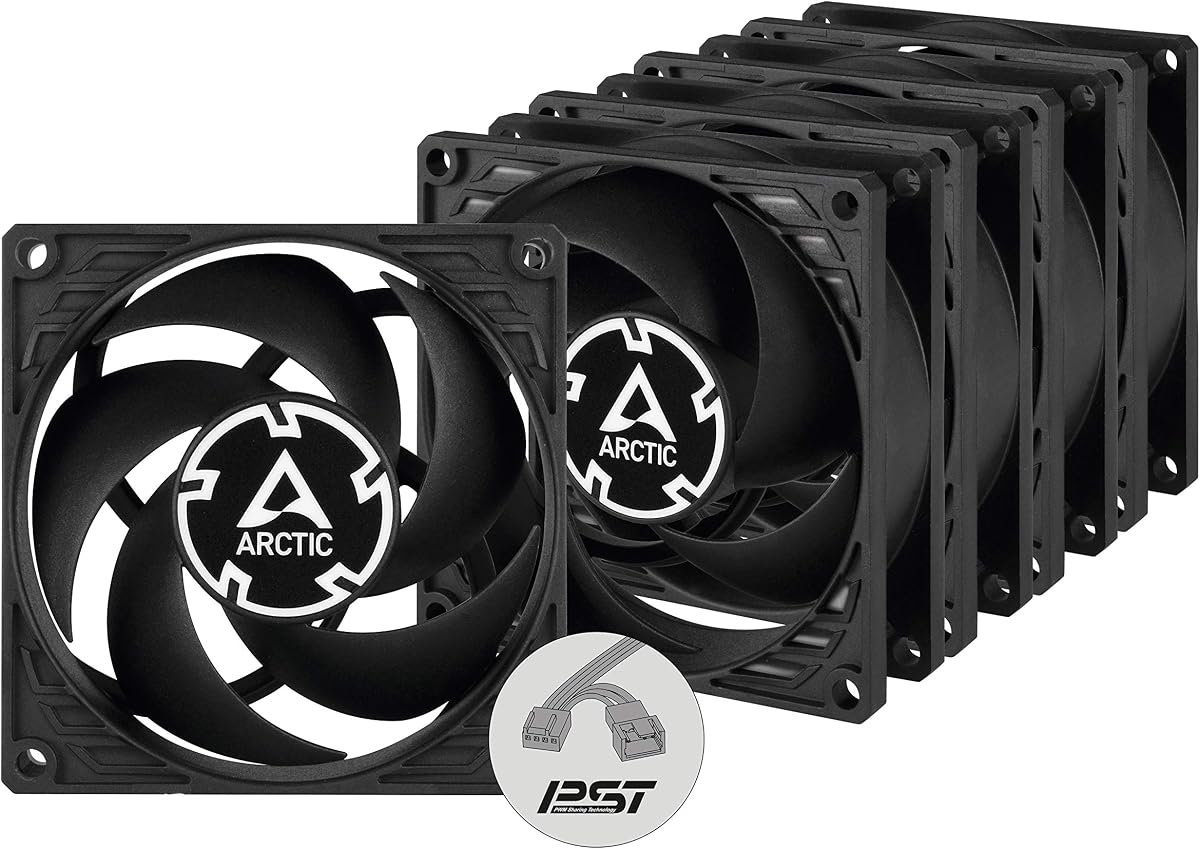
The P8 PWM PST bundle combines the value of a five-pack with the convenience of PWM Sharing Technology allowing synchronous speed control via a single header. This simplifies cabling in complex setups.
We may earn a commission when you buy through this link, at no additional cost to you.
Powered by a Neodym-Iron-Boron-Magnet ring this motor runs more efficiently than predecessors ensuring stable performance across the 200 to 3000 RPM range. Airflow remains consistent without vibration issues.
The ability to daisy-chain fans is a significant advantage for users with limited motherboard headers. While the upfront cost is higher the convenience and performance justify the expense for serious builders.
Use this set for custom water cooling loops or ITX cases requiring precise thermal management. The PST feature ensures all fans adjust together based on system temperature changes.
This allows multiple fans to connect to one header and sync speeds reducing cable clutter and simplifying control via motherboard software.
The new magnet ring design improves energy efficiency and allows for broader speed regulation without sacrificing cooling output.
We may earn a commission when you buy through this link, at no additional cost to you.
The NF-R8 redux-1800 offers the renowned quality of Noctua at a more accessible price by streamlining the packaging and included accessories. It retains the high performance expected from the brand.
We may earn a commission when you buy through this link, at no additional cost to you.
With a max speed of 1800 RPM this fan provides an excellent balance of airflow and quietness. The PWM support ensures automatic speed control based on real-time thermal needs.
While it lacks some accessories like the Low-Noise Adaptor found in other models it includes essential mounts and cables. The focus is on core performance and reliability rather than extra frills.
Perfect for those wanting brand reliability without the premium price tag this fan fits any standard 80mm slot. It is a smart choice for budget builds requiring top-tier cooling.
By focusing on the core fan design Noctua reduces costs while maintaining the engineering that earned over 100 awards.
Ideal for chassis ventilation and NAS replacements this fan handles varied environments with consistent performance and low noise.
We may earn a commission when you buy through this link, at no additional cost to you.
Designed specifically for silent operation this Kingwin fan targets office desktops and home servers needing reliable cooling without distraction. The blade design maximizes airflow to reduce heat buildup effectively.
We may earn a commission when you buy through this link, at no additional cost to you.
Its rugged black frame and long life bearing ensure consistent performance in demanding environments like crypto mining rigs. It fits standard mounts making replacement and installation straightforward.
While it lacks advanced features like PWM connectors the focus on airflow and durability serves specific use cases well. The noise levels are kept low even during continuous high load operation.
Best for industrial or mining applications where continuous running is key this fan provides a budget-friendly solution for bulk cooling needs. It offers solid performance for the price point.
Optimized blades deliver excellent ventilation while keeping noise levels minimal for office and home server environments.
The robust frame and long life bearing support continuous operation in high-performance environments like GPU farms.
We may earn a commission when you buy through this link, at no additional cost to you.
The P8 Silent model focuses heavily on acoustic comfort with a noise level as low as 0.08 Sone at 1600 RPM. This makes it ideal for quiet home PCs where noise is a primary concern.
We may earn a commission when you buy through this link, at no additional cost to you.
Its high air resistance capabilities ensure it performs well on heatsinks and radiators without losing efficiency. The motor is developed in Germany for reduced friction and quieter operation.
Since it uses a 3-pin connector speed control is limited compared to PWM options. However for static low-noise environments this trade-off is often acceptable for the silent benefits.
Buy this if you need a single fan for a specific silent slot where PWM is not required. It offers exceptional quietness for a fraction of the cost of premium models.
Enhanced bearing design and alloy lubrication reduce friction ensuring the motor produces almost no unwanted noise.
The fan maintains effective cooling even when air is forced through restricted spaces like dense radiators or filters.
We may earn a commission when you buy through this link, at no additional cost to you.
This chromax black edition transforms the classic Noctua fan into a sleek all-black unit suitable for modern gaming or workstations. It retains all the acoustic and performance benefits of the original A-series.
We may earn a commission when you buy through this link, at no additional cost to you.
The swappable anti-vibration pads allow you to match the fan to your build color scheme with red white blue or green options included. This customization adds value beyond standard cooling.
Performance remains top-tier with Flow Acceleration Channels delivering high airflow with minimal noise. The price reflects the premium features but offers excellent aesthetics alongside reliability.
Ideal for black-themed builds where standard brown fans look out of place this option solves the aesthetic issue without compromising cooling performance. It is the best choice for visual enthusiasts.
Swappable pads let you easily match the fan vibration mounts to your PC case colors for a seamless visual finish.
The all-black frame and blades blend perfectly into dark enclosures hiding the fan from view when the case is closed.
We may earn a commission when you buy through this link, at no additional cost to you.
This five-pack provides a cost-effective way to upgrade an entire server rack or multi-fan PC chassis to a silent standard. Each unit prioritizes quiet operation with optimized static pressure for better cooling.
We may earn a commission when you buy through this link, at no additional cost to you.
The virtually silent motor ensures that even with multiple fans running the noise remains unobtrusive. This is essential for environments like home labs or quiet workspaces.
While the speed is capped at 1600 RPM the efficiency of the airflow compensates for the lack of higher velocity. The bundle price makes it a strong competitor in the silent fan category.
Buy this for large scale silent upgrades where you need multiple identical units. It offers consistent performance across all five fans without requiring complex controls.
Getting five units at this price allows you to replace an entire system quietly and affordably for large projects.
Each fan is tuned to push air through resistance maintaining cooling efficiency even with restricted airflow paths.
We may earn a commission when you buy through this link, at no additional cost to you.
The P8 Max is engineered for maximum performance with a range extending from 500 to 5000 RPM. It is the most powerful 80mm fan available making it perfect for high-density server cases.
We may earn a commission when you buy through this link, at no additional cost to you.
The Fluid Dynamic Bearing ensures long service life even at these extreme speeds. Below 5 percent PWM the fan stops completely for passive cooling options when the system is idle.
At full speed noise increases significantly so it is best used in environments where cooling priority outweighs silence. The wide range offers flexibility for varying thermal loads.
Choose this for 2U server racks or industrial cooling where heat density is high. It delivers the highest airflow possible for an 80mm form factor.
With a speed range up to 5000 RPM this fan provides the highest cooling power available for compact 80mm slots.
Designed specifically for 2U server racks it effectively dissipates heat in high component density environments.
We may earn a commission when you buy through this link, at no additional cost to you.
This Thermalright fan features a unique 15mm thin profile making it ideal for tight spaces like downward CPU coolers where depth is limited. It still delivers strong airflow at 28.4CFM.
We may earn a commission when you buy through this link, at no additional cost to you.
The S-FDB V2 bearings solve the problem of blade shaking in thin fans ensuring durability and minimal vibration during operation. The gray design fits modern aesthetics well.
While noise is slightly higher than premium ultra-silent models it remains low at 23.3dBA. The PWM control allows motherboard speed adjustment for a balanced thermal and acoustic output.
Best for specialized builds needing thin clearance this fan provides a solution where standard 25mm models will not fit. It supports maximized heat dissipation performance in tight spaces.
The 15mm depth allows installation in tight CPU coolers or narrow chassis sections where space is strictly limited.
Carefully developed S-FDB V2 bearings prevent blade shaking ensuring consistent performance and durability for thin fans.
We may earn a commission when you buy through this link, at no additional cost to you.
Selecting the right 80mm fan requires balancing size clearance airflow requirements and noise preferences. This guide outlines the key factors to consider for optimal performance.
Standard 80mm fans are usually 25mm thick. Always measure your clearance before buying as some cases or CPU coolers only support 15mm thin profiles.
Ensure the fan fits the exact space available to avoid mounting issues or interference with other components inside your PC.
Noise is measured in decibels or sones. Look for fans below 20 dB for silent builds and consider models with Low-Noise Adaptors for further reduction.
Prioritize low noise ratings if your PC is in a bedroom or office where silence is more important than maximum cooling power.
PWM fans use a 4-pin connector for automatic speed control based on system temperature. This allows better thermal management than fixed speed 3-pin models.
If you want dynamic cooling that adjusts to load ensure the fan has a 4-pin PWM connector compatible with your motherboard headers.
Static pressure indicates the ability to push air through resistance such as dust filters or dense radiators. High pressure is vital for heatsinks.
Choose high static pressure fans for restricted areas and standard airflow fans for open cases to ensure maximum cooling efficiency.
Fluid Dynamic Bearings offer longer life and lower noise than sleeve bearings. Always check the MTTF rating to estimate expected lifespan.
Opt for high quality bearings if you need the fan to run continuously without maintenance or replacement for several years.
Buying five-packs can save money for large projects but single units offer more flexibility for mixed setups. Evaluate your total fan needs first.
Bundles are ideal for server racks or replacing multiple fans at once while single units fit specific small upgrades.
If aesthetics matter choose models with color customization options like swappable pads or all-black designs to match your case.
Standard brown models offer great performance but may clash with modern white or black builds.
Check what is included in the box such as anti-vibration mounts and extension cables. These accessories reduce noise and simplify installation.
If mounts are not included budget for buying them separately to ensure vibration dampening and proper alignment.
Mount the fan securely using anti-vibration pads or screws to prevent rattling. Ensure the airflow direction matches your case intake or exhaust layout for optimal circulation.
Clean the blades and frame regularly to remove dust buildup that reduces airflow and increases noise. Use compressed air to blow out dirt from the bearings without removing the fan.
Check cables for proper connection to the headers. If using PWM adjust speeds in BIOS or software to balance cooling with acoustic comfort for your environment.
80mm refers to the width and height of the fan measured from corner to corner. This standard size fits many compact cases and specific mounting slots.
Yes you can usually plug a 4-pin fan into a 3-pin header but it will run at full speed without PWM control. Some boards support voltage control for limited speed adjustment.
Quality 80mm fans can be very quiet especially those below 20 dB. However cheaper models running at high RPM may produce noticeable noise or vibration.
Arrows on the fan frame indicate airflow direction. Point the blades toward the inside for intake or outward for exhaust to ensure proper case circulation.
Use rubber anti-vibration mounts and lower fan speeds via PWM. Adding a Low-Noise Adaptor or adjusting BIOS settings can also help significantly reduce sound levels.
Static pressure is the force a fan uses to push air through resistance. High static pressure fans are best for pushing air through radiators or dust filters.
Our top picks highlight diverse options from the premium Noctua NF-A8 PWM to the budget-friendly ARCTIC bundles. Each offers reliable cooling tailored to specific needs and priorities.
Prioritize noise levels and size constraints for silent builds. For performance choose models with high static pressure and PWM control to manage heat efficiently.
Prices and availability shift often so verify current listings on Amazon before finalizing your purchase. Selecting the right fan ensures long-term reliability and comfort.