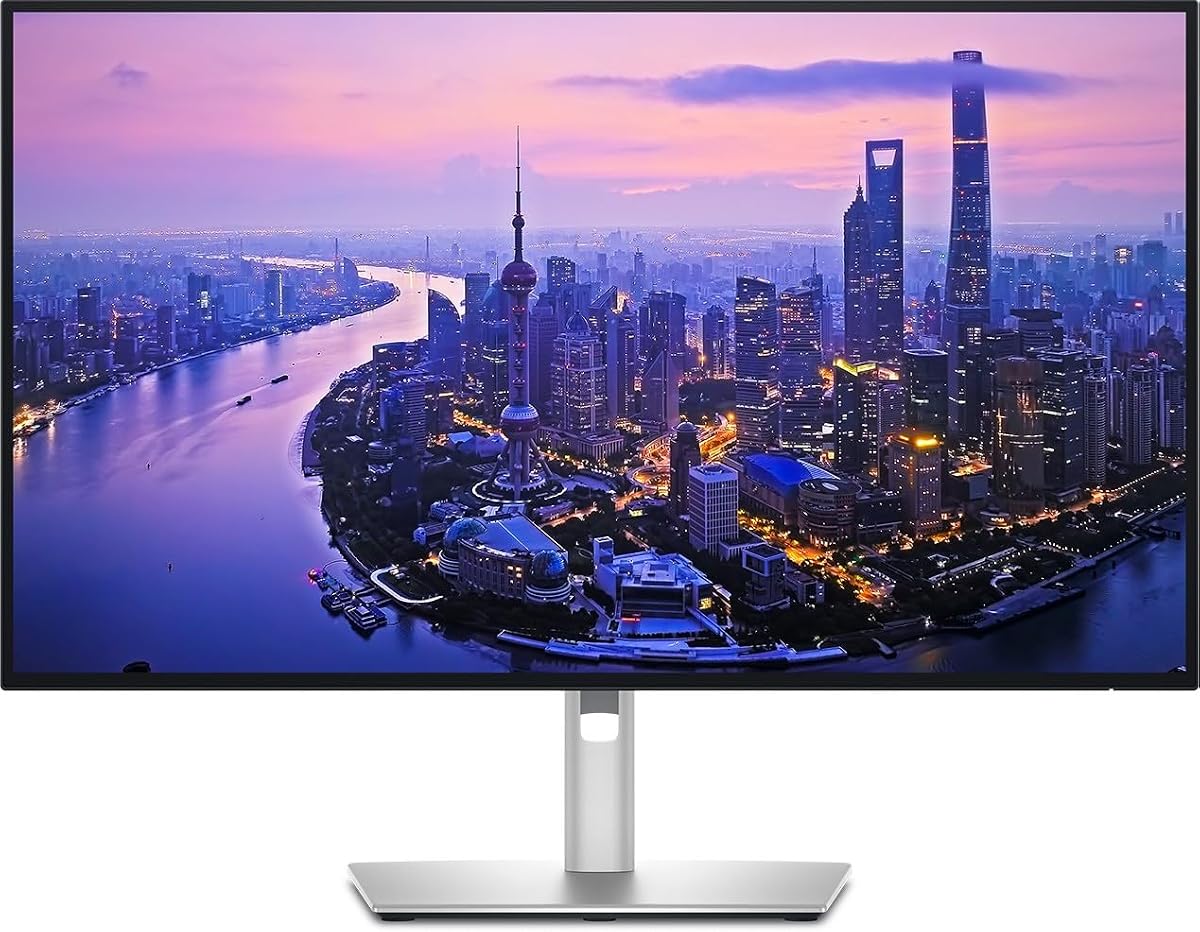
Dell UltraSharp U2725QE
4.4Editor score
140W power delivery
Daisy chain support
Ambient light sensor
Finding the right display for your workspace is crucial for productivity and comfort. 4K monitors with Thunderbolt connectivity offer exceptional resolution and fast data transfer rates for modern workflows.
We have evaluated various models based on color accuracy, connectivity options, and ergonomic design. This list highlights the best options available for different needs and budgets.
Each pick showcases specific strengths like color precision or hub functionality. Prices can fluctuate, so check current listings for the latest offers and availability today.
4.4Editor score

4.6Editor score

4.5Editor score
As an Amazon Associate we earn from qualifying purchases.
This side-by-side comparison highlights key specifications across all selected models to help you choose the perfect monitor for your specific workflow needs.


The Dell UltraSharp 32 Thunderbolt Hub Monitor stands out as the top choice for professionals needing precise color and versatile connectivity. Its exceptional rating reflects outstanding performance in both creative and development workflows.
We may earn a commission when you buy through this link, at no additional cost to you.
This model delivers vibrant colors with 99% Display P3 coverage and a factory-calibrated Delta E of less than 1.5. The IPS Black panel provides 47% deeper blacks than standard IPS, ensuring shadows feel richer and details pop.
While the price is higher than standard options, the built-in KVM allows you to switch between two machines seamlessly. This feature reduces clutter and boosts efficiency significantly for power users.
It is ideal for creators, developers, and executives who demand high fidelity and multi-device management. We recommend this monitor for any workspace prioritizing visual excellence and connectivity.
The factory calibration ensures that what you see on screen matches your output perfectly, essential for photo and video editing.
With the KVM switch, you can control a laptop and a desktop with one set of peripherals, saving desk space and effort.
We may earn a commission when you buy through this link, at no additional cost to you.
The Dell UltraSharp U2725QE offers premium features that justify its status for high-end professionals. It combines stunning visuals with powerful single-cable connectivity for modern workstations.
We may earn a commission when you buy through this link, at no additional cost to you.
With Thunderbolt 4, this monitor transmits video and data at speeds up to 40 Gbps while delivering up to 140W power. This allows you to fully charge laptops while working on 4K content without extra bricks.
The 120Hz refresh rate ensures smooth scrolling and multitasking. Although it lacks the KVM of the 32-inch version, its ambient light sensor adjusts brightness automatically for comfort.
Buy this if you need maximum power delivery and color accuracy. It is perfect for creative professionals who want a clean desk and top-tier visual performance.
The 140W output can power even the most demanding laptops, eliminating the need for separate chargers.
The ambient light sensor ensures the screen brightness matches your room lighting, reducing eye strain over long hours.
We may earn a commission when you buy through this link, at no additional cost to you.
The ViewSonic VP2488-4K is a compact powerhouse for Mac users seeking reliable 4K performance on a budget. It brings professional color standards to a more accessible price point.
We may earn a commission when you buy through this link, at no additional cost to you.
It features Pantone Validated color precision with 100% sRGB and 98% DCI-P3 coverage. This makes it suitable for professional-tier creative outputs where color fidelity is paramount.
The Thunderbolt 4 port supports data transfer speeds up to 40 Gbps and provides 100W power to charge your MacBook. The stand allows full ergonomic adjustments for health and comfort.
Choose this monitor if you need a portable yet capable display for travel or tight desks. It delivers Mac-level color accuracy without the high cost of larger options.
Designed to align with Mac visual performance standards, ensuring a seamless experience for Apple users.
The 24-inch form factor saves desk space while still providing crisp 4K text and image clarity.
We may earn a commission when you buy through this link, at no additional cost to you.
The Dell S2725QC is an excellent entry-level option for those wanting 4K resolution without the premium Thunderbolt price. It balances cost with performance effectively.
We may earn a commission when you buy through this link, at no additional cost to you.
With a 120Hz refresh rate and 99% sRGB coverage, it offers smooth visuals for work and play. The ComfortView Plus reduces blue light emissions for better eye comfort during long sessions.
While it lacks Thunderbolt, the USB-C port still provides 65W power delivery. This is sufficient for many ultrabooks, though not for high-power mobile workstations.
This monitor is best for general office work or secondary displays. It provides a sharp image and good ergonomics at a very competitive price point.
ComfortView Plus technology helps reduce eye strain during extended work hours without compromising color accuracy.
Re-engineered sound quality provides spacious audio with deeper frequency response for immersive media consumption.
We may earn a commission when you buy through this link, at no additional cost to you.
The Dell UltraSharp U2725QE delivers stunning color accuracy with 100% sRGB and Display P3 coverage. This makes it a reliable choice for photographers and designers.
We may earn a commission when you buy through this link, at no additional cost to you.
The built-in Thunderbolt hub supports high-speed data transfer and daisy-chaining. You can connect storage devices and accessories through the single display to simplify your desk.
Ergonomically, it offers tilt, swivel, height, and pivot adjustments. However, user ratings vary, suggesting some may find the price high for the features offered.
Select this monitor if you prioritize color accuracy and a clean setup. It serves as a robust connectivity hub for complex creative workflows.
Allows you to connect multiple 4K monitors using a single Thunderbolt cable, keeping your workspace organized.
Constructed with sustainable materials, aligning with modern environmental standards while maintaining premium performance.
We may earn a commission when you buy through this link, at no additional cost to you.
The LG 27UP850K-W stands out for its built-in webOS platform, transforming your monitor into a smart display. This is rare in the professional monitor category.
We may earn a commission when you buy through this link, at no additional cost to you.
With HDR400 support and 95% DCI-P3 coverage, it delivers vibrant visuals. The 90W USB-C power is sufficient for most laptops, making it a good hub.
While it lacks Thunderbolt, the connectivity is versatile with HDMI and DisplayPort. The integrated speakers are also notable for a monitor in this range.
This monitor is great for users who want a hybrid device for work and entertainment. It reduces the need for a separate streaming box.
The webOS platform allows direct streaming of apps without needing an external device.
HDR400 support enhances dynamic range, making highlights brighter and shadows darker for a better viewing experience.
We may earn a commission when you buy through this link, at no additional cost to you.
This Dell UltraSharp model is optimized for Mac users seeking seamless integration. It matches the color standards of Apple displays well.
We may earn a commission when you buy through this link, at no additional cost to you.
With factory calibration and full ergonomic adjustments, it ensures a professional setup. The USB-C port handles video, data, and power delivery effectively.
It is a solid choice for those invested in the Apple ecosystem. The design and connectivity align perfectly with modern Mac laptops.
Choose this if you need reliable color for Mac and prefer a sleek design. It offers a unified experience for creators and professionals.
Designed to work beautifully with macOS, ensuring color profiles match seamlessly.
Full adjustability allows you to position the screen perfectly for comfort during long tasks.
We may earn a commission when you buy through this link, at no additional cost to you.
The Samsung ViewFinity S7 offers a massive 32-inch screen for maximum productivity. It is highly rated for clarity and accuracy in professional tasks.
We may earn a commission when you buy through this link, at no additional cost to you.
HDR10 optimizes contrast, revealing more than 1 billion colors. The Eye Saver Mode minimizes blue light and flicker to prevent strain.
While it lacks Thunderbolt connectivity, the HDMI and DisplayPort options are standard. The large size allows for complex diagrams and design work.
Buy this for large desks where space is ample. It is excellent for professionals needing a large canvas for content creation.
The 32-inch size provides ample space for multitasking and detailed work without needing multiple monitors.
Certified Eye Saver Mode reduces harmful blue light, making long sessions more comfortable.
We may earn a commission when you buy through this link, at no additional cost to you.
The Dell U3225QE combines a large 32-inch screen with an integrated Thunderbolt hub. It is designed to look premium in executive environments.
We may earn a commission when you buy through this link, at no additional cost to you.
The slim bezel and premium finish complement any office. The Thunderbolt hub simplifies connectivity for peripherals and devices effectively.
With crisp text and sharp images, it reduces the need for multiple screens. It balances performance with aesthetics for high-end setups.
Choose this for executive offices where style and function matter. It provides a seamless and professional visual experience.
The sleek design elevates the workspace, making it a centerpiece of any office.
The integrated hub ensures all your devices connect without needing extra docking stations.
We may earn a commission when you buy through this link, at no additional cost to you.
The Samsung TU87F Series is unique with two Thunderbolt 3 ports, enabling a simple dual 4K setup. This is ideal for complex workflows.
We may earn a commission when you buy through this link, at no additional cost to you.
With PBP and PIP modes, you can view two sources simultaneously on one display. The 90W power delivery keeps your devices charged efficiently.
The adjustable stand ensures comfort, while HDR10 enhances visual fidelity. It is a versatile choice for those needing multi-device support.
Choose this if you need dual monitors without extra docks. It simplifies your setup while maintaining high performance.
Allows seamless connectivity for two 4K monitors using daisy-chaining.
Picture-by-Picture lets you view content from two sources simultaneously without switching.
We may earn a commission when you buy through this link, at no additional cost to you.
Selecting the right monitor involves evaluating resolution, connectivity, color accuracy, and ergonomics to match your specific workflow.
4K resolution offers 3840 by 2160 pixels, providing sharp text and detailed images. Sizes range from 24 inches for compact desks to 32 inches for expansive workflows.
Choose a size that fits your desk and viewing distance. A larger screen helps multitasking while a smaller one saves space.
Thunderbolt 4 provides speeds up to 40 Gbps for data and video. It supports daisy-chaining multiple monitors and charging your laptop with up to 140W.
Ensure your laptop has a compatible port. This simplifies cable management and boosts overall productivity significantly.
Look for covers like 100% sRGB or 99% DCI-P3. Factory calibration ensures Delta E less than 1.5 for reliable color reproduction.
High accuracy is essential for creative work. It ensures your edits match printed results accurately.
While most 4K monitors are 60Hz, some offer 120Hz. This provides smoother scrolling and motion for video editing and gaming.
Prioritize higher refresh rates if you work with video or game frequently for better responsiveness.
Adjustable stands with tilt, swivel, and height adjustment are crucial for comfort. A pivoting stand helps for vertical coding or design.
Ergonomics reduce physical strain. Ensure the monitor fits your posture and eye level.
USB-C ports range from 65W to 140W. Higher wattage ensures full charging for powerful laptops without extra bricks.
Check your laptop requirements. High-performance machines need higher wattage for effective charging.
IPS panels offer wide viewing angles and accurate colors. VA panels offer deeper blacks but may have slower response times.
Choose IPS for color-critical work. VA is suitable for media consumption in dim rooms.
Features like KVM switches allow multiple device control. Built-in webOS offers streaming apps without external devices.
Identify features that match your workflow. These can save time and improve daily operations.
Connect your laptop using a certified Thunderbolt cable to ensure full power and data transfer. This simplifies your setup and minimizes clutter.
Adjust the stand to align the top of the screen with your eye level. This prevents neck strain and promotes better posture.
Clean the screen with a microfiber cloth and a small amount of distilled water. Avoid harsh chemicals to protect the coating and panel.
Most premium Thunderbolt monitors support daisy chaining, allowing you to connect multiple screens with one cable. However, budget models may lack this feature. Check the product specifications to confirm support.
Yes, Thunderbolt monitors work with any laptop that has a Thunderbolt 4 or USB-C port supporting video output. Windows and Linux laptops are fully compatible as well.
Not necessarily. While 140W charges high-performance laptops effectively, standard ultrabooks often need only 65W. Choose a model that matches your laptop requirements.
Accurate color ensures that your digital work looks consistent across different devices and prints. This is vital for designers, photographers, and video editors.
Many models feature blue light reduction and anti-flicker technology. These features minimize fatigue during long work sessions, making them more comfortable.
Use a soft microfiber cloth to remove dust. For smudges, lightly dampen the cloth with distilled water. Avoid direct spraying to prevent liquid damage.
The top picks cover various needs from premium precision to budget-friendly connectivity. Each option offers distinct advantages for professionals and enthusiasts.
Prioritize color accuracy and connectivity based on your specific workflow. A high-wattage Thunderbolt hub simplifies your desk significantly.
Prices and availability may change frequently. Always check current listings before purchasing to ensure you get the best deal available today.