
INNOCN 49C1G
4.4Editor score
32:9 Aspect Ratio
144Hz Refresh Rate
USB Type C 65W
Finding the right display can transform your workspace or gaming setup. A large curved monitor offers an immersive experience that flat screens simply cannot match. We look at key features to help you find the perfect fit.
We analyzed ten leading models based on resolution, refresh rate, and panel technology. Our team compared connectivity options, ergonomic stands, and color accuracy to ensure a comprehensive overview. This list covers various budgets and use cases.
Each pick highlights specific strengths like gaming performance or productivity tools. Prices and availability change frequently so check current listings before buying. We focus on real user feedback and technical specifications for accuracy.
4.4Editor score
4.2Editor score

4.1Editor score
As an Amazon Associate we earn from qualifying purchases.
This table provides a side-by-side look at the key specifications of each model to help you make an informed decision.




This LG monitor stands out for its smart capabilities and solid build quality. With a 4.3 star rating it is highly regarded for daily tasks and media consumption.
We may earn a commission when you buy through this link, at no additional cost to you.
The built-in webOS system allows you to stream apps directly without a PC. Its HDR10 support ensures vibrant colors suitable for creative work and general use.
While it offers 100Hz refresh rates it lacks some high-end gaming features found in other models. The curvature is gentle which may not appeal to hardcore gamers seeking immersion.
Ideal for users who want a clean desk setup with streaming capabilities built right into the screen. It balances productivity and entertainment effectively.
Access apps like Netflix and Disney+ directly through the webOS interface for a seamless entertainment experience.
With 99% sRGB coverage the display delivers accurate colors ideal for design and content creation tasks.
We may earn a commission when you buy through this link, at no additional cost to you.
This INNOCN model offers a huge 49-inch screen at a competitive price point. It is rated well for those seeking ultrawide immersion without breaking the bank.
We may earn a commission when you buy through this link, at no additional cost to you.
The 32:9 aspect ratio provides massive space for multitasking and gaming. Connectivity is robust with USB-C power delivery and multiple video inputs for flexibility.
However the resolution density is lower than 34-inch models which might affect text sharpness. The sheer size requires significant desk space to accommodate comfortably.
Perfect for professionals needing multiple windows open or gamers wanting a panoramic view. It delivers high value for the screen size offered.
The 32:9 ratio lets you run several apps side by side without needing dual monitors.
USB-C allows for single cable connection to laptops while delivering power and video.
We may earn a commission when you buy through this link, at no additional cost to you.
The Samsung Odyssey G93SC represents the pinnacle of ultrawide gaming technology. Its OLED panel offers unmatched contrast and color performance for immersive visuals.
We may earn a commission when you buy through this link, at no additional cost to you.
With a 240Hz refresh rate and near instant response times it eliminates motion blur effectively. G-Sync compatibility ensures smooth gameplay without screen tearing or lag.
The main trade-off is the cost and potential longevity concerns inherent to OLED screens. Users must manage static content to avoid burn-in over time.
Recommended for enthusiasts who want the absolute best visual quality for gaming. It sets a new standard for ultrawide display performance and design.
True blacks provide deep contrast that makes dark scenes in games look incredibly realistic.
0.03ms response times mean your actions are reflected on screen almost instantly for competitive play.
We may earn a commission when you buy through this link, at no additional cost to you.
This INNOCN monitor is a top contender for budget-conscious shoppers seeking a large screen. It receives high praise for offering solid gaming performance at a low cost.
We may earn a commission when you buy through this link, at no additional cost to you.
The 144Hz refresh rate ensures smooth visuals during gameplay. Its extensive port selection including USB-C makes it easy to connect various devices.
Pixel density is lower than standard monitors which may make text appear less sharp. It is a good option for those prioritizing screen size over crispness.
Great for gaming setups on a budget or secondary displays for streaming. It delivers excellent value for money in the ultrawide category.
Provides a massive viewing area at a price point accessible to most users.
144Hz refresh rate reduces stuttering and provides fluid motion for competitive titles.
We may earn a commission when you buy through this link, at no additional cost to you.
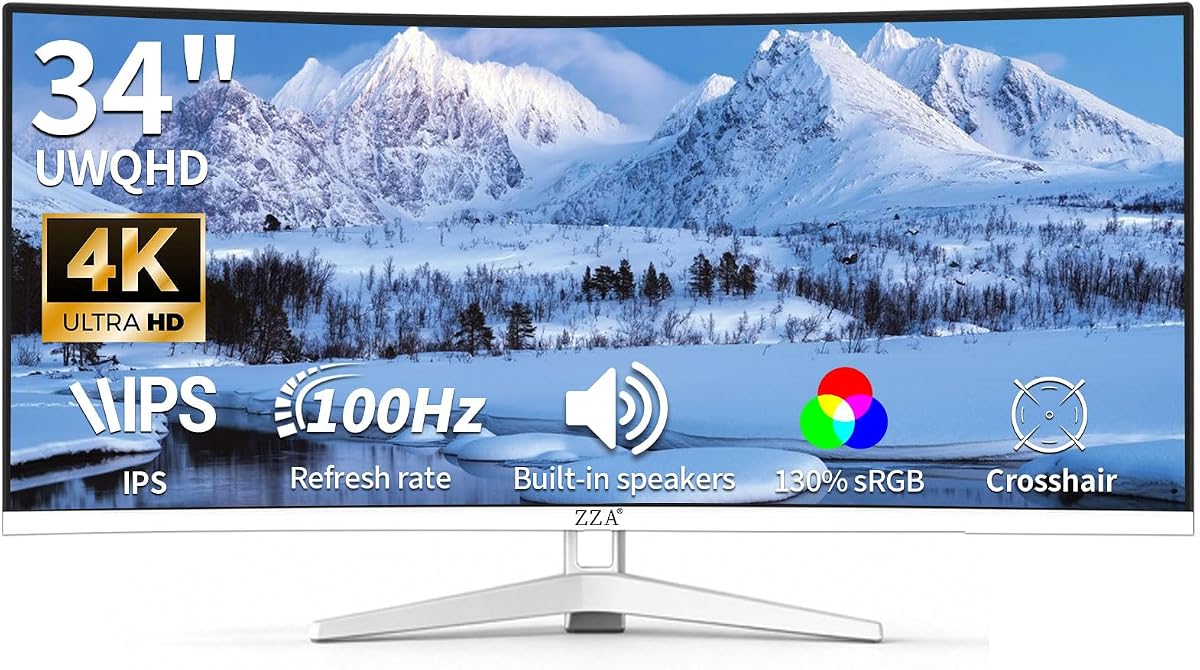
The ZZA monitor stands out with its distinct white frame design and solid performance metrics. It has gained a reputation for reliable quality at an attractive price.
We may earn a commission when you buy through this link, at no additional cost to you.
Its built-in speakers reduce cable clutter on your desk. The color gamut exceeds standard sRGB offering vibrant visuals for media consumption.
Lack of advanced ergonomic adjustments limits comfort options compared to higher-end models. Users may need an aftermarket mount for better positioning.
Recommended for users who want a stylish look without spending too much. It balances aesthetics and functionality well for home offices.
The white finish offers a clean aesthetic that fits modern and minimalist room setups.
Integrated speakers provide convenient sound output without needing external speakers nearby.
We may earn a commission when you buy through this link, at no additional cost to you.
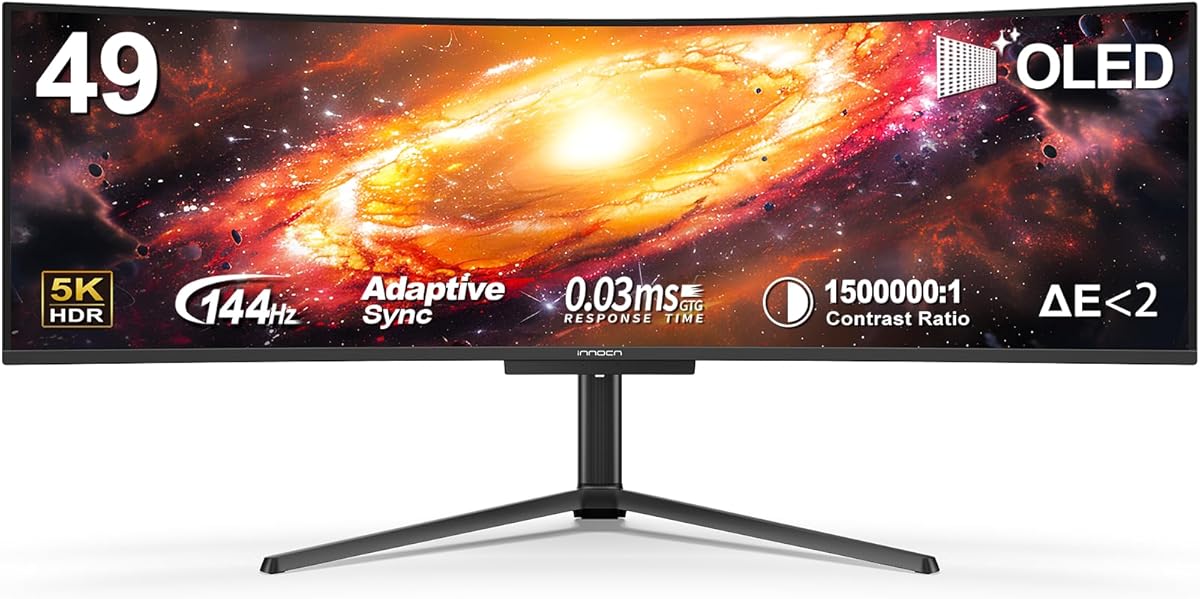
This INNOCN model brings OLED technology to the 49-inch segment at a competitive price. It is well received for its vibrant colors and deep blacks.
We may earn a commission when you buy through this link, at no additional cost to you.
The 5K2K resolution ensures sharp detail across the wide screen. A 90W USB-C port simplifies laptop connectivity by delivering power and video through one cable.
OLED panels require careful management to avoid burn-in risks with static images. It requires a dedicated graphics card to run at full resolution.
Ideal for media enthusiasts wanting premium visuals without the flagship price tag. It is a strong alternative to more expensive OLED competitors.
QD-OLED technology delivers colors that pop and blacks that are truly black for immersion.
A single cable handles display output and laptop charging reducing cable clutter.
We may earn a commission when you buy through this link, at no additional cost to you.
The Sceptre C345B is designed for gamers seeking high speed without high costs. It performs well in competitive scenarios due to its fast refresh rate.
We may earn a commission when you buy through this link, at no additional cost to you.
A 1ms response time ensures minimal ghosting during fast action scenes. The 240Hz rate delivers incredibly smooth motion for FPS and racing games.
It lacks the color richness and contrast of more expensive panels. The stand offers basic adjustability which might not suit all desk setups.
Perfect for budget gaming setups where speed matters most. It provides a solid entry point into high refresh rate ultrawide gaming.
240Hz refresh rate ensures fluid visuals that help track moving targets easily.
1ms response time reduces input lag and ghosting for responsive gameplay.
We may earn a commission when you buy through this link, at no additional cost to you.
This LG model is highly rated for its build quality and ergonomic features. Users appreciate the ease of setup and comfort for long work sessions.
We may earn a commission when you buy through this link, at no additional cost to you.
The stand allows height and tilt adjustments which helps reduce neck strain. USB-C connectivity with power delivery simplifies laptop connections significantly.
The 100Hz refresh rate is decent but not class leading for gaming. HDR support is basic and might not deliver dramatic contrast improvements.
Recommended for office workers and creators who prioritize comfort and connectivity. It is a reliable daily driver for productivity tasks.
Height and tilt adjustments help you find the perfect viewing angle to reduce fatigue.
USB-C port allows you to connect and charge your laptop with a single cable.
We may earn a commission when you buy through this link, at no additional cost to you.
The LG 34U60ZB-B offers a balanced mix of performance and features. It is appreciated for its color coverage and smooth motion handling.
We may earn a commission when you buy through this link, at no additional cost to you.
120Hz refresh rate provides a noticeable upgrade over standard 60Hz screens. The curved design enhances immersion and reduces eye strain during long sessions.
The stand lacks height adjustment which can be inconvenient for some users. Input options are limited compared to newer models with USB-C hubs.
A solid choice for those seeking reliable performance from a trusted brand. It serves well for general work and casual gaming.
120Hz refresh rate makes scrolling and video playback look fluid and smooth.
99% sRGB coverage ensures accurate colors for photo editing and design work.
We may earn a commission when you buy through this link, at no additional cost to you.
Samsung ViewFinity S5 delivers consistent performance for both work and play. It is rated well for its eye care features and smooth visuals.
We may earn a commission when you buy through this link, at no additional cost to you.
FreeSync Premium technology ensures tear-free gaming by syncing refresh rates. Eye Saver Mode reduces blue light to protect your eyes over long periods.
The lack of USB-C might be a dealbreaker for laptop users needing charging. Stand adjustments are limited compared to more ergonomic models.
Recommended for users wanting a reliable Samsung display with good eye care. It balances performance and health features well for daily use.
Eye Saver Mode minimizes blue light to reduce strain during long working hours.
FreeSync Premium keeps your GPU and screen in sync for smooth gaming.
We may earn a commission when you buy through this link, at no additional cost to you.
Choosing the right monitor involves balancing size, resolution, and features to fit your specific needs and budget.
Ultrawide monitors typically come in 21:9 or 32:9 ratios. 49-inch models are usually 32:9 providing massive screen real estate similar to two 27-inch screens side by side.
Consider your desk space and distance from the screen before buying larger sizes.
Resolution determines clarity. 5K2K offers sharp text while lower resolutions may look pixelated on large panels.
Higher resolution requires a powerful graphics card to drive content effectively.
Gamers should look for 144Hz or higher refresh rates. Response times below 5ms reduce ghosting in fast action scenes.
Standard office tasks do not require high refresh rates.
OLED offers perfect blacks and vibrant colors but costs more. VA panels provide good contrast at a lower price point.
Choose based on your budget and quality expectations.
USB-C with power delivery is essential for laptop users. Ensure there are enough HDMI and DisplayPort slots for all your devices.
Check cable length requirements for your desk setup.
A stand that adjusts height and tilt is crucial for comfort. VESA mount compatibility allows you to use third-party monitor arms.
Adjustability helps prevent neck strain during long sessions.
HDR enhances contrast and color range. Look for HDR400 or higher for noticeable improvements.
True HDR requires high brightness and local dimming for best results.
Speakers save desk space but rarely match external audio quality. Software features like KVM switches help manage multiple PCs.
Prioritize features that fit your workflow.
Start by mounting your monitor at eye level to reduce strain on your neck and back. Ensure the stand is stable and tightened properly before use.
Use a soft microfiber cloth to wipe dust off the screen gently. Avoid harsh chemicals that can damage the anti-glare coating on the display.
Adjust settings like brightness and blue light filters to match ambient light levels. This reduces eye fatigue during extended periods of screen time.
Yes they are excellent for multitasking because they offer space for multiple windows side by side. This reduces the need for dual monitors and simplifies desk setups.
Absolutely they are popular for immersive gaming experiences. Ensure your PC has a powerful GPU to handle the high resolution and refresh rates required.
High resolution models like 5K2K require powerful graphics cards. Check minimum requirements for your preferred resolution to ensure smooth performance.
USB-C allows single cable video and power delivery for laptops. It simplifies connections and reduces cable clutter on your desk significantly.
Yes the curve enhances immersion especially on larger screens. It aligns with your natural field of view for better comfort.
Clean dust weekly with a dry cloth and deeper clean monthly if needed. Avoid excessive pressure to protect the screen surface.
We highlighted top picks ranging from budget options to premium OLED displays. Each model offers unique benefits depending on your primary use case.
Prioritize resolution and refresh rate if you are a gamer. Consider ergonomics and connectivity if you focus on productivity.
Remember that prices fluctuate often so check current deals before purchasing. Your right choice depends on balancing needs and budget.