
NGTeco Standalone Time Clock
4.3Editor score
USB data export
No WiFi required
500 user capacity
This guide compares the top ten biometric fingerprint scanner time clock systems to help small business owners select secure efficient attendance tracking
Finding the right biometric fingerprint scanner time clock is crucial for modern businesses seeking to streamline attendance tracking. These devices eliminate buddy punching and reduce payroll errors by verifying employee identity through unique biological traits.
We evaluated ten leading models based on accuracy, connectivity options, ease of use, and reporting capabilities. Our comparison focuses on systems that offer reliable performance for small to mid-sized enterprises across various industries.
Each pick highlights key strengths and potential limitations to help you make an informed decision. Remember that product availability and specifications may change over time so verify details before purchasing.
4.3Editor score

4.7Editor score

4.1Editor score
The following table provides a side by side comparison of all ten models included in this guide. Each entry lists critical specifications to help you quickly identify the system that best fits your operational needs.



This NGTeco model stands out for its rapid and accurate fingerprint scanning technology. It achieves recognition in just half a second which minimizes wait times during shift changes. The device combines standalone functionality with smart app control for a balanced user experience.
We may earn a commission when you buy through this link, at no additional cost to you.
The auto-calculated work hours feature significantly reduces administrative burden for managers. Real-time punch detection ensures that attendance records are precise without manual intervention. The ability to edit punches via the app adds flexibility for handling minor scheduling adjustments quickly.
While the core features are robust, some advanced capabilities like GPS check-ins require a separate subscription. However the free tier covers most essential needs for small businesses. The local network requirement for syncing means internet dependency is minimized for daily operations.
This unit is ideal for businesses that value speed and reliability without complex setups. The dedicated US support team provides peace of mind for ongoing troubleshooting. It delivers a premium experience at a competitive price point for growing teams.
The advanced sensor handles wet or dry fingerprints efficiently ensuring consistent performance throughout the day.
You can align tracked hours with any payroll cycle and export timesheets via email or USB easily.
We may earn a commission when you buy through this link, at no additional cost to you.
The NGTeco standalone model is designed for businesses that want simplicity without recurring costs. It operates independently of the internet making it perfect for locations with limited connectivity. You can start using it within minutes after unboxing.
We may earn a commission when you buy through this link, at no additional cost to you.
All attendance data is exported via a USB drive in Excel format for seamless payroll integration. This approach eliminates the need for expensive software licenses or complex network configurations. The internal backup system ensures no data is lost during unexpected power outages.
The limitation here is the lack of remote monitoring capabilities since it is strictly offline. Managers must physically retrieve the USB drive to access reports which adds a small step to the workflow. However this trade-off significantly reduces ongoing expenses.
This device is best suited for small businesses prioritizing cost-efficiency and reliability over remote features. The industrial-grade build quality ensures it withstands daily wear in busy environments. It offers a straightforward solution for accurate time tracking without hidden fees.
Get started in minutes with no WiFi or complex software required for any setup process.
Internal backup preserves every punch during power loss keeping your employee records secure and retrievable.
We may earn a commission when you buy through this link, at no additional cost to you.
This system offers unmatched flexibility with five different ways for employees to clock in. Face palm fingerprint badge and PIN options ensure everyone can find a convenient method. The biometric features significantly reduce the risk of buddy punching and time theft.
We may earn a commission when you buy through this link, at no additional cost to you.
Remote accessibility allows managers to monitor workforce attendance from anywhere via the web portal. Automated alerts for early or late punches help maintain strict schedule compliance. The CSV export functionality streamlines payroll processing by providing clean data formats.
While the features are extensive the system requires a subscription after the initial free trial. This ongoing cost might be a consideration for very small businesses with tight budgets. The network setup process is slightly more involved than standalone units.
It is the top choice for businesses needing high security and detailed reporting capabilities. The lifetime warranty provides excellent long-term protection against hardware failures. This model combines advanced technology with practical tools for efficient business management.
Using multiple biometric authentication options helps eliminate time theft and buddy punching effectively.
Keep tabs on your workforce no matter where you are with the web based punch in clock.
We may earn a commission when you buy through this link, at no additional cost to you.
The uAttend JR2000 focuses heavily on integrating time tracking with payroll tasks seamlessly. It automates tax filings and attendance data handling which simplifies compliance work for managers. The cloud-based nature means you can access reports from any device with internet access.
We may earn a commission when you buy through this link, at no additional cost to you.
Real-time data access provides immediate visibility into who is clocked in or out at any moment. The interface is designed to be intuitive for both new users and experienced managers alike. Automatic backups ensure that your employee data is never lost due to local hardware issues.
However the lower rating suggests there may be some inconsistency in user satisfaction. Reliance on cloud services means performance depends on internet stability. Some users find the feature set slightly complex for simple attendance needs.
This system is best for businesses that need deep integration with payroll and tax systems. The all-in-one approach reduces the need for multiple separate software tools. It offers strong value if the payroll integration meets your specific requirements.
Automate payroll with time and attendance data and handle tax filings with ease.
View track and manage employee attendance in real-time from any device for flexibility.
We may earn a commission when you buy through this link, at no additional cost to you.
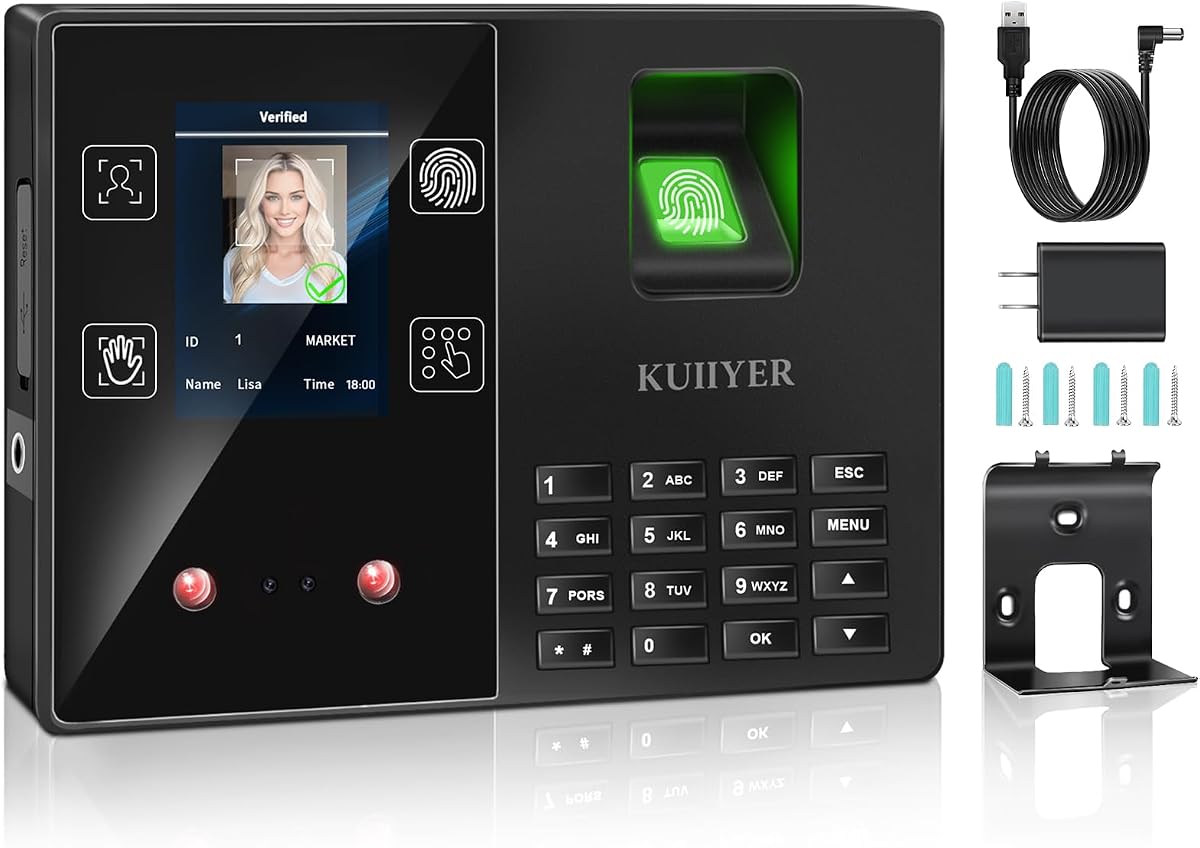
This model supports up to one thousand users making it suitable for larger teams or multi-shift operations. The infrared camera ensures face and palm recognition work even in dim lighting conditions. A TFT color LCD display provides a clear and modern interface for users.
We may earn a commission when you buy through this link, at no additional cost to you.
Intelligent voice announcements confirm identity clock-in status clearly reducing confusion on the floor. The system does not require monthly fees which helps keep operational costs predictable over time. USB flash drive storage allows for easy data management without complex network setups.
The lower rating indicates potential issues with consistency or build quality over extended use. While features are abundant the user experience might not be as polished as premium brands. Setup can be slightly technical due to the variety of configuration options.
It is a solid choice for businesses needing high capacity without recurring subscription costs. The multi-language support caters well to diverse workforces. Just ensure you are comfortable with the offline-only data retrieval process.
Latest biometric technology with dual camera provides accurate identification in under one second.
Manage reports via USB flash drive ensuring security without needing apps or network.
We may earn a commission when you buy through this link, at no additional cost to you.
This device acts as a dedicated USB scanner that integrates directly with existing attendance software. Its compact form factor fits neatly on any office desktop without taking up much space. Plug and play functionality simplifies the hardware connection process significantly.
We may earn a commission when you buy through this link, at no additional cost to you.
It supports multiple user enrollments with an advanced algorithm for stable verification. The lightweight nature makes it portable enough for temporary setups or remote offices. This option is ideal if you already have a software platform in place.
The main limitation is that it is not a standalone system and needs a computer to function. You cannot use it independently for physical time tracking without a connected PC. This dependency might limit flexibility in industrial or warehouse settings.
It is best for office environments where employees are already working at computers. The seamless software integration can streamline verification processes. Ensure your existing software supports this specific device before purchasing.
Plug and play USB interface allows easy connection with computers for quick setup.
Lightweight design makes it convenient for office desktop use and portable access.
We may earn a commission when you buy through this link, at no additional cost to you.
Designed with privacy in mind this device keeps all data local without internet connectivity. It comes with five RFID cards as an alternative for employees who prefer not to use biometrics. The automatic hour calculation removes the need for manual math entirely.
We may earn a commission when you buy through this link, at no additional cost to you.
Getting started takes only minutes as the process is straightforward with step-by-step tutorials. The system supports multiple languages including English Spanish and German for diverse teams. USB transfer allows for secure offline management of employee records.
The lack of remote access means you cannot check attendance while away from the office. This is a deliberate choice to enhance security but reduces flexibility for remote managers. It relies on physical data retrieval for updates.
This clock is perfect for businesses that prioritize data privacy above remote features. The absence of monthly fees makes it financially attractive for long-term use. It serves small to mid-sized teams well with reliable offline tracking.
No Internet Needed and data stays local and secure via USB transfer.
Ready to use out of the box with no complicated network setup or software.
We may earn a commission when you buy through this link, at no additional cost to you.
This model offers free cloud service which includes auto time calculations and AWS storage. You can access real-time punch data from anywhere using just a web browser. It supports up to 200 users making it suitable for growing small businesses.
We may earn a commission when you buy through this link, at no additional cost to you.
The system handles offline functionality by storing punches locally and syncing when the network returns. This ensures no data is lost even if the internet connection drops temporarily. Shift configuration is flexible to accommodate rotating or split-shift workflows.
The lower rating suggests some users may find the interface less intuitive than competitors. Advanced features like GPS check-ins require a separate TimeEntrix subscription. However the core attendance features remain free which is a significant benefit.
It is an excellent choice for businesses wanting cloud convenience without monthly fees. The bank-grade data security protects sensitive workforce information well. Just be aware of the user limit if you plan significant expansion soon.
Access real-time punch data from anywhere via web browser with accurate hour calculations.
Powered by AWS US servers with end-to-end encryption keeping data secure.
We may earn a commission when you buy through this link, at no additional cost to you.
This device focuses on delivering a straightforward offline experience for small teams. You can be up and running in minutes following the provided step-by-step video guide. All attendance records are exported via USB for secure offline management.
We may earn a commission when you buy through this link, at no additional cost to you.
Automatic hour tracking eliminates manual calculations and reduces the risk of payroll errors. The system supports five languages which makes it accessible for diverse employee groups. No monthly fees ensure the total cost of ownership remains low over time.
The basic design lacks remote access or cloud synchronization options entirely. Managers must be physically present or use USB retrieval to review data. It is purely a local solution without digital connectivity beyond USB.
It is ideal for small businesses that need a no-fuss time clock. The reliable support and warranty provide confidence in the purchase. Prioritize this if simplicity and privacy are your top concerns.
Get up and running in minutes with no technical experience needed.
Built for diverse teams with easy language switching options.
We may earn a commission when you buy through this link, at no additional cost to you.
This model distinguishes itself with dual-band WiFi support for faster and more stable connections. A built-in 2000mAh battery ensures the device keeps running during power outages. Remote management via app and web portal allows flexibility for busy managers.
We may earn a commission when you buy through this link, at no additional cost to you.
Automatic report generation simplifies administrative tasks by providing ready-to-use data. You can configure overtime rules including dual OT1 and OT2 rates for precise payroll. AWS cloud storage protects your data with strong encryption standards.
While the hardware is robust advanced features like GPS check-ins require a separate subscription. Reliance on internet connectivity means network stability is critical for continuous operation. Offline data sync helps mitigate but does not remove this dependency.
It is highly suitable for businesses requiring reliable connectivity and detailed reporting. The battery backup prevents data loss during unexpected power failures. Consider this model if you need seamless remote access capabilities.
Equipped with both 2.4GHz and 5GHz WiFi for fast stable connectivity.
Built-in battery keeps the time clock running even during power cuts.
We may earn a commission when you buy through this link, at no additional cost to you.
Selecting the right time clock involves evaluating several key factors to ensure it meets your operational needs.
Decide whether you need cloud connectivity for remote access or prefer standalone offline units. Cloud systems allow remote monitoring but require stable internet while standalone units ensure data privacy.
Choose cloud models for remote management or standalone for privacy and offline reliability.
Different systems offer various authentication modes including fingerprint face palm and PIN. Multiple options provide flexibility and accessibility for all employees regardless of physical limitations.
Select models with multiple modes to accommodate diverse workforce needs effectively.
Check how many employee profiles the device can store to ensure it fits your team size. Most devices range from a few hundred to several thousand users depending on the model.
Verify user capacity matches your current staff and potential growth plans.
Look for easy data export methods like USB drive or email CSV files. Simple export processes integrate better with payroll software and reduce administrative workload.
Prioritize devices with straightforward export options to streamline payroll processing.
Evaluate the availability of customer support and warranty length to protect your investment. Lifetime support and multi-year warranties indicate strong manufacturer confidence in their hardware.
Ensure reliable support access to resolve hardware or software issues quickly.
Check if the unit includes internal backup batteries to prevent data loss during outages. This feature is critical in areas with unstable electricity to maintain accurate records.
Choose models with power backup to maintain tracking during electrical interruptions.
Be aware that while hardware may be purchased once advanced software features might require subscriptions. Review the full cost of ownership including monthly or annual fees.
Calculate total costs including potential subscriptions to avoid unexpected expenses.
A clear and intuitive display makes clocking in easier for employees and reduces training time. Look for models with color screens and simple menus for better usability.
Prioritize user-friendly interfaces to minimize confusion and improve compliance.
Begin by mounting the device securely on a wall at a comfortable height for your staff. Use the provided screws and anchors to ensure it remains stable during daily use.
Enroll employees by following the on-screen instructions to capture fingerprints or facial data. Ensure the scan is clear and complete by placing fingers firmly on the sensor.
Regularly clean the scanner lens with a soft cloth to maintain accuracy and prevent dust buildup. Keep the area around the device free of obstructions to avoid scanning delays.
Yes many models like the NGTeco Standalone operate offline using USB drives for data export. However cloud models require internet access for remote features but often store data locally during outages.
Most systems include alternative methods such as PIN codes or RFID cards. This ensures employees with temporary injuries or dry skin can still clock in without issues.
Backup batteries typically last from a few hours to a full day depending on the model. Some units like the NGTeco Auto Report include larger batteries for extended protection.
Many systems export CSV files that are compatible with major payroll tools. Specific integration features may require subscription upgrades for seamless automated syncing.
Biometric data is stored locally on the device or encrypted cloud servers. The system uses unique traits for verification without sharing personal details with third parties.
Capacity varies by model with some supporting up to one thousand users. Larger enterprises may need to install multiple units to accommodate all staff members.
Most providers offer warranty support and often include lifetime technical assistance. Check the specific terms for availability hours and contact methods before buying.
Yes many systems allow managers to edit punches via mobile apps or web portals. Access controls ensure only authorized personnel can make these adjustments for security.
We have reviewed ten top systems offering various features from standalone simplicity to advanced cloud capabilities. The NGTeco Time Clock stands out for speed while the NGTeco Standalone offers great value.
Consider your specific business needs such as remote access requirements or budget constraints when choosing. Prioritize devices with reliable power backup and strong warranty support for peace of mind.
Remember to check current product details and availability as specifications may change over time. Select the model that best aligns with your workflow to ensure efficient time tracking.