
HP OfficeJet Pro 8125
3.9Editor score
Optimizes web page formatting
Dual-band Wi-Fi connectivity
Instant Ink trial included
This guide compares the top AI printers for home and office, evaluating smart features, print quality, and connectivity to help you choose the right model.
Modern printing has evolved beyond simple document output into intelligent systems that optimize workflows. AI printers now handle formatting, security, and ink management automatically. These devices save time and reduce waste for busy professionals and households alike.
We analyzed ten leading models based on smart capabilities, speed, and reliability. Our comparison includes ink tank systems, traditional inkjets, and specialized machines. Each product offers unique advantages for different printing needs and budgets.
Each pick highlights key strengths and potential limitations to help you decide. Prices fluctuate frequently so always verify current offers before purchasing. This guide ensures you select a printer that matches your specific requirements and expectations.
3.9Editor score

4.0Editor score

4.7Editor score
This side-by-side comparison highlights key specifications across all ten selected models. Review each option carefully to understand how features vary between budget, mid-range, and premium solutions for your needs.




The HP OfficeJet Pro 8125 delivers solid performance for home offices at a competitive entry point. With a 3.9 rating from users it balances speed and smart features effectively. Its standout quality is the AI capability that optimizes print formatting for precision.
We may earn a commission when you buy through this link, at no additional cost to you.
Key strengths include reliable dual-band Wi-Fi that resolves connection issues automatically. The large 2.7-inch touchscreen makes navigation intuitive for daily tasks. HP AI easily removes unwanted content from web pages ensuring prints are just how you want.
Trade-offs exist such as slower color speeds compared to premium models. Some users note cartridge restrictions may limit third-party options. These are acceptable given the price and the included Instant Ink trial.
This printer suits home users needing professional documents without enterprise costs. The security features protect your data while sustainability adds value. It is a practical choice for small business or home office setups.
HP AI optimizes print formatting to remove unwanted content from web pages. This ensures precision without wasted pages or awkward layouts in your output.
Dual-band Wi-Fi automatically detects and resolves connection issues. This keeps you connected seamlessly for wireless printing from smartphones or laptops.
We may earn a commission when you buy through this link, at no additional cost to you.
The HP Smart Tank 5003 offers incredible value with up to three years of ink included right out of the box. Rated 4.1 by users it reduces long-term costs significantly. This model is best for high-volume printing needs without frequent refills.
We may earn a commission when you buy through this link, at no additional cost to you.
Key strengths include the mess-free refill system where you simply plug in bottles. It eliminates squeezing or spilling common with traditional cartridges. You get up to 6000 pages of color or black printing.
Some users may find the physical footprint larger than standard inkjets. There is also a slight risk of spills during refilling if not careful. These are manageable trade-offs for the substantial savings provided.
Choose this if you print often and want to avoid running out. The AI capabilities ensure quality output while the tank system saves money. It is ideal for families or busy home offices.
With up to 3 years of ink included you avoid frequent purchases. This makes it best for low-cost high-volume printing over time.
HPs easy-access refill system lets you plug in bottles directly. It drains without squeezing or spilling for a mess-free experience.
We may earn a commission when you buy through this link, at no additional cost to you.
The HP Envy 6155 shines for home users prioritizing visual quality and design. Rated 4.2 it handles homework and borderless photos with vibrancy. Its standout quality is the True-to-Screen tech that matches your display.
We may earn a commission when you buy through this link, at no additional cost to you.
Key strengths include smooth navigation on the 2.4-inch touchscreen interface. Wireless printing via dual-band Wi-Fi ensures reliable connectivity for smartphones. HP AI helps optimize formatting to save ink and paper.
Trade-offs include a lower print speed of 10 ppm black and 7 ppm color. The 100-sheet input tray is smaller than office models. These fit well with typical home usage patterns though.
This printer suits households needing colorful documents and photos. The sustainable design and Instant Ink trial add value. It balances aesthetics and function effectively for home environments.
HP P3 technology ensures documents and photos look vibrant. They match exactly how they appear on your screen.
This model is made with at least 60% recycled plastic content. It reflects HP commitment to sustainable manufacturing practices.
We may earn a commission when you buy through this link, at no additional cost to you.
The Bambu Lab P2S Combo stands out as a premium choice for advanced projects. Rated 4.7 it brings industrial precision to hobbyists. Its standout quality is AI failure detection that prevents ruined prints.
We may earn a commission when you buy through this link, at no additional cost to you.
Key strengths include speed up to 600 mm/s while maintaining accuracy. The AMS 2 Pro enables seamless multi-color and multi-material printing. Setup takes only 15 minutes making it accessible for beginners.
Trade-offs include a higher initial investment compared to standard 2D printers. Learning software like Bambu Studio adds a curve. These are acceptable for the professional-grade results achieved.
Choose this for serious makers or design professionals. The adaptive airflow ensures engineering materials print correctly. It unlocks limitless creativity with a unified workflow.
AI failure detection monitors prints to catch issues early. This saves time and material by preventing failed objects.
The AMS 2 Pro enables seamless multi-color 3D printing. It features built-in filament drying up to 65 degrees.
We may earn a commission when you buy through this link, at no additional cost to you.
The HP OfficeJet Pro 9135 is designed for high-demand office environments. Rated 4.0 it handles professional documents efficiently. Its standout quality is the speed and security features.
We may earn a commission when you buy through this link, at no additional cost to you.
Key strengths include print speeds up to 25 ppm black and 20 ppm color. The 4.3-inch touchscreen makes complex tasks easy. Single-pass duplex scanning speeds up document processing.
Trade-offs include a higher price and complexity for smaller needs. It might be overkill for personal home use only. But for offices it delivers essential productivity.
This printer suits businesses needing reliability and security. Wolf Pro Security bolsters network protection effectively. Instant Ink trial helps manage ongoing costs.
Print speeds up to 25 ppm black ensure fast output. Single-pass scanning reduces workflow interruptions significantly.
HP Wolf Pro Security bolsters security and protects your network. It helps keep data safe from cyber threats.
We may earn a commission when you buy through this link, at no additional cost to you.
The HP Smart Tank 7603 combines ink savings with fax functionality. Rated 3.9 it serves home offices needing document transmission. Its standout quality is the high-volume ink capacity.
We may earn a commission when you buy through this link, at no additional cost to you.
Key strengths include up to 3 years of ink included in the box. The magic touch control panel offers intuitive navigation. Auto document feeder handles multiple pages easily.
Trade-offs include slightly slower speeds than direct inkjets. The control panel may be complex for some users. But the savings justify the extra steps.
Choose this for home offices sending faxes regularly. Low cost printing and borderless options add versatility. It is a reliable all-in-one solution.
This model includes built-in fax capabilities for business needs. It integrates seamlessly with scan and copy workflows.
The magic touch control panel simplifies daily tasks. Users can easily access settings via touch.
We may earn a commission when you buy through this link, at no additional cost to you.
The HP OfficeJet Pro 8139 offers a unique one-year trial of Instant Ink. Rated 4.0 it balances cost and convenience for home offices. Its standout quality is the extended ink savings period.
We may earn a commission when you buy through this link, at no additional cost to you.
Key strengths include professional-quality color documents for reports and flyers. AI optimizes formatting to avoid waste on web pages. Fax capabilities add communication utility without extra devices.
Trade-offs include moderate speeds compared to higher-end office models. The chip lock restricts non-HP cartridges. But the trial helps offset initial costs effectively.
This printer suits small offices needing fax and long-term savings. The 225-sheet tray supports higher volume. Instant Ink trial adds significant value here.
With 1 year of Instant Ink included you save up to 50%. It delivers ink before you run out automatically.
Perfect for business documents and presentations. Print speeds up to 20 ppm black meet office needs.
We may earn a commission when you buy through this link, at no additional cost to you.
The HP Smart Tank 7603 delivers high capacity for home offices. Rated 4.0 it ensures uninterrupted printing for months. Its standout quality is the massive ink volume provided.
We may earn a commission when you buy through this link, at no additional cost to you.
Key strengths include up to 3 years of ink included in the box. You get up to 8000 color pages right out of the box. Fax and scan functions handle diverse document needs.
Trade-offs include a larger physical size for placement. It may print black pages slower than inkjets. But the cost savings are substantial.
This printer suits busy home offices printing constantly. Borderless prints and mobile connectivity add utility. It replaces cartridges with easy refills.
Get up to 8000 color pages right out of the box. This supports high-volume printing without frequent refills.
Mess-free refill system prevents spilling or squeezing. Just plug bottles in and let them drain into the tank.
We may earn a commission when you buy through this link, at no additional cost to you.
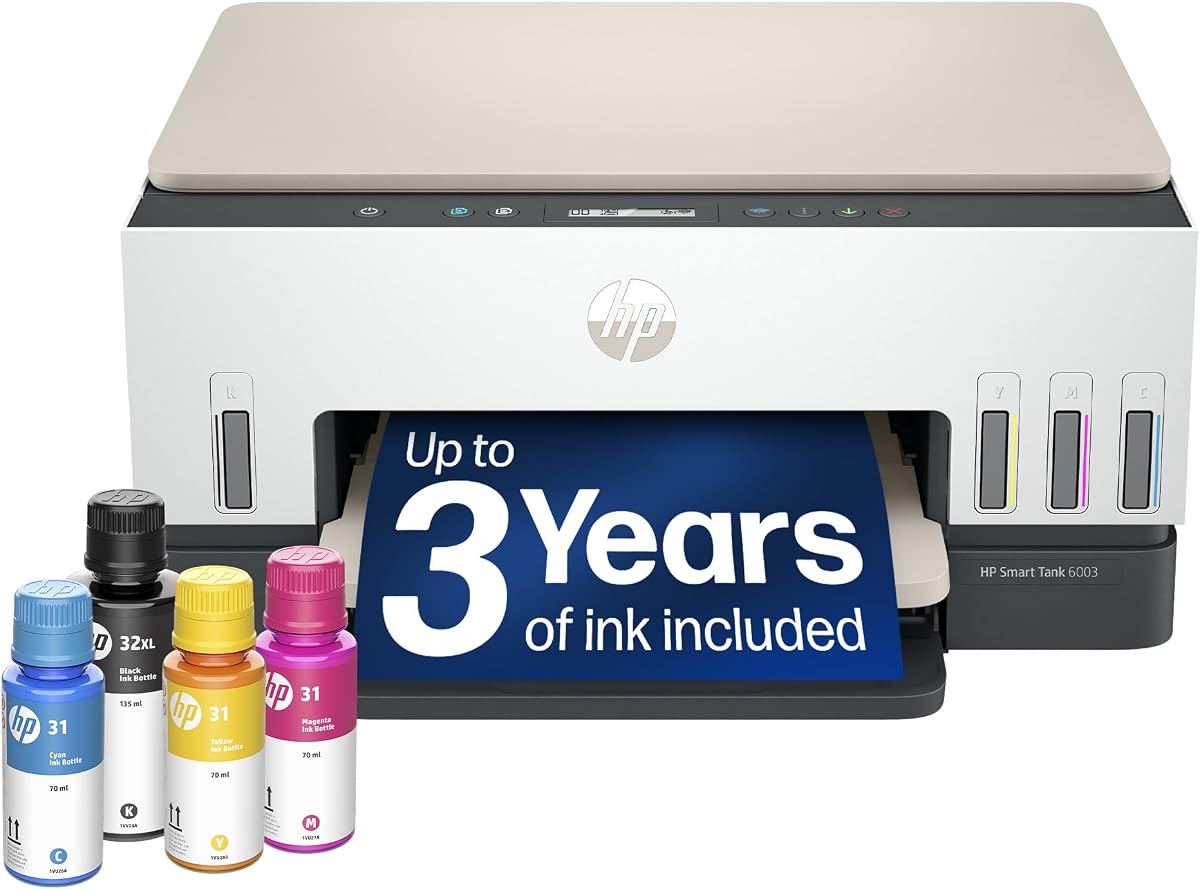
The HP Smart Tank 6003 focuses on essential home printing. Rated 3.8 it offers reliability and savings for basic needs. Its standout quality is the wireless convenience.
We may earn a commission when you buy through this link, at no additional cost to you.
Key strengths include up to 3 years of ink included initially. Borderless prints allow for photos or full-page graphics. The refill system is designed to prevent spills.
Trade-offs include lack of fax compared to higher models. It is basic compared to the Pro series. But for home use it is sufficient.
This printer suits households needing low-cost wireless options. Mobile printing works seamlessly with the app. It balances simplicity and efficiency.
Mobile and wireless printing keep you connected. Print directly from your smartphone without wires.
Cartridge-free refillable design lowers costs. Up to 3 years of ink included saves money.
We may earn a commission when you buy through this link, at no additional cost to you.
The Liene PixCut S1 brings AI power to DIY crafts and labels. Rated 4.2 it integrates printing and cutting seamlessly. Its standout quality is the AI image extraction tool.
We may earn a commission when you buy through this link, at no additional cost to you.
Key strengths include precise die cutting guided by AI technology. Thermal dye-sublimation ensures vibrant 300 DPI prints. Stickers are waterproof and scratch-resistant after printing.
Trade-offs include a specialized use case compared to general printers. It requires using the Liene app workflow for full control. This is acceptable for crafters.
Choose this for custom stickers and gifts without design experience. The AI Lab lets you transform selfies into art. No subscriptions mean pure creativity.
AI automatically recognizes and extracts subjects from photos. Then the cutting system follows edges with pinpoint accuracy.
Four-layer thermal dye-sublimation technology laminates stickers. This makes them waterproof and scratch-resistant.
We may earn a commission when you buy through this link, at no additional cost to you.
Selecting the right AI printer depends on understanding your specific requirements and the technology available.
Consider how many pages you need to print weekly. Office models often offer speeds above 20 ppm while home models may be slower.
High volume needs require larger input trays and robust ink systems to avoid constant refilling.
AI capabilities like formatting optimization and failure detection save time and waste. Check what smart functions are included.
Choose models that reduce manual effort during setup and daily tasks.
Traditional cartridges can be expensive long term. Ink tank systems offer lower cost per page but higher upfront cost.
Consider models with Instant Ink trials to offset initial expenses.
Dual-band Wi-Fi ensures stable wireless printing from devices. Bluetooth support adds flexibility for mobile apps.
Verify compatibility with your smartphone or tablet ecosystem.
Business printers need robust protection against cyber threats. Look for built-in security features that safeguard network data.
Advanced security helps protect sensitive documents from unauthorized access.
Consider if you need fax, scan, or copy functions. Some specialized models combine printing with cutting capabilities.
All-in-one units simplify your workspace while increasing utility.
Many modern printers use recycled materials and reduce waste. Look for eco-friendly certifications and design choices.
Choosing sustainable options helps reduce your environmental footprint.
A large touchscreen makes navigation easier for daily tasks. Intuitive apps can streamline remote management and setup.
Prioritize models with user-friendly controls to reduce frustration.
Start by installing the software and driver on your devices. Follow the setup guide to connect Wi-Fi and configure preferences.
Regular maintenance includes cleaning heads and aligning cartridges. Use built-in diagnostics to detect issues early.
Keep firmware updated to access new AI features and security patches. Store ink properly to prevent drying or clogging.
An AI-capable printer uses smart software to optimize workflows like formatting. It can detect errors automatically or manage ink levels proactively. These features improve efficiency and reduce manual tasks for users.
Ink tanks are usually better for high-volume printing since they cost less per page. They are more expensive upfront but save money over time. This makes them ideal for busy offices or families.
Yes, AI features like formatting optimization remove unwanted content automatically. Some models manage ink delivery to prevent running out. This reduces waste and saves money on supplies.
Some advanced AI models include 3D printing capabilities like the P2S. They use AI to detect failures during printing. Traditional 2D printers focus on document output though.
Most printers do not require subscriptions for core functionality. Some services like Instant Ink offer optional delivery plans. Always check terms to avoid unexpected fees.
Modern AI printers often include built-in security suites. They protect against threats and secure network access. Always update firmware regularly to maintain protection levels.
Most AI printers support wireless mobile printing. Use the manufacturer app to send documents or photos. Ensure both devices are on the same network.
Most standard models include a 1-year warranty. Check specific policies for coverage on parts or ink. Some sellers may offer extended protection plans.
The HP OfficeJet Pro 9135 and Bambu Lab P2S Combo lead in performance. They offer advanced features suitable for specific professional needs.
Prioritize features like speed, ink cost, and connectivity for your situation. Balance these factors to find the best match for your workflow.
Check current prices and availability before buying as offers change regularly. This guide helps you make an informed decision today.