
xTool F2 Ultra 60W MOPA & 40W Diode Dual Laser Engraver
4.2Editor score
60W MOPA fiber laser
100 plus metal colors
Dual 48MP AI cameras
Industrial grade productivity
Discover the top 60W laser engraver models for precision cutting and engraving across wood, metal, and acrylic in this comprehensive expert comparison guide.
Finding the right 60W laser engraver means balancing power, safety, and precision for your specific projects. Whether you work with wood, acrylic, or metals, a reliable machine ensures clean cuts and consistent results without compromising on durability or ease of use.
We evaluated ten leading 60W laser engraver systems based on performance, safety features, software compatibility, and real-world usability. Our analysis covers desktop diode models, industrial CO2 options, and advanced fiber lasers to help you identify the best fit for your workshop needs.
Each pick below highlights key strengths, limitations, and ideal use cases backed by manufacturer data and expert insights. Note that availability and pricing fluctuate often, so verify current listings before making a final purchase decision for your workspace.
4.2Editor score

4.8Editor score

4.5Editor score
This side-by-side comparison highlights the core specifications and unique capabilities of each 60W laser engraver to simplify your decision-making process across different material types and production volumes.




The Creality Falcon2 Pro 60W Laser Engraver stands out as a top-tier option for serious makers and small businesses needing reliable cutting power. Its fully enclosed Class 1 design ensures safety while delivering exceptional performance on wood, acrylic, and other materials.
We may earn a commission when you buy through this link, at no additional cost to you.
This model features a powerful 60W laser paired with a 1.6W module for precise positioning and fine engraving. The integrated HD camera allows for accurate material alignment, reducing setup time and improving batch production efficiency significantly.
While the price reflects its professional capabilities, the trade-off is justified by the safety features and production-ready performance. The enclosed structure and exhaust system minimize smoke and noise, making it suitable for varied workshop environments.
Ideal for users prioritizing safety and precision, this engraver delivers consistent results across diverse projects. Its compatibility with LightBurn and LaserGRBL further enhances workflow flexibility for both beginners and experienced operators.
The combination of a high-power cutting laser and a low-power positioning laser streamlines workflows by enabling accurate setup before full-power operations begin.
A fully enclosed Class 1 design with safety monitoring features ensures secure operation, making it ideal for shared workspaces or environments where exposure risks must be minimized.
We may earn a commission when you buy through this link, at no additional cost to you.
The Creality Falcon2 Pro desktop variant offers robust power and speed suitable for batch processing needs. With output reaching 240000mW, it handles tough materials like stainless steel and thick acrylic effectively for professional applications.
We may earn a commission when you buy through this link, at no additional cost to you.
Features like an integrated camera and autofocus simplify positioning tasks, reducing manual measurements and improving consistency. The enclosed structure helps contain smoke and noise, enhancing comfort during extended use.
Users should note that while performance is strong, some safety features may require careful monitoring. The machine is designed for mass production efficiency, making it a solid choice for shops focused on throughput.
For makers needing high output without industrial complexity, this model balances capability and accessibility. Proper setup and adherence to safety guidelines are essential to maximize its potential in daily workflows.
Engraving speeds over 500mm/s allow for rapid completion of large projects, reducing downtime and improving overall production capacity in busy workshop settings.
The built-in camera and autofocus capabilities enable streamlined batch processing by minimizing manual adjustments and ensuring consistent results across multiple pieces.
We may earn a commission when you buy through this link, at no additional cost to you.
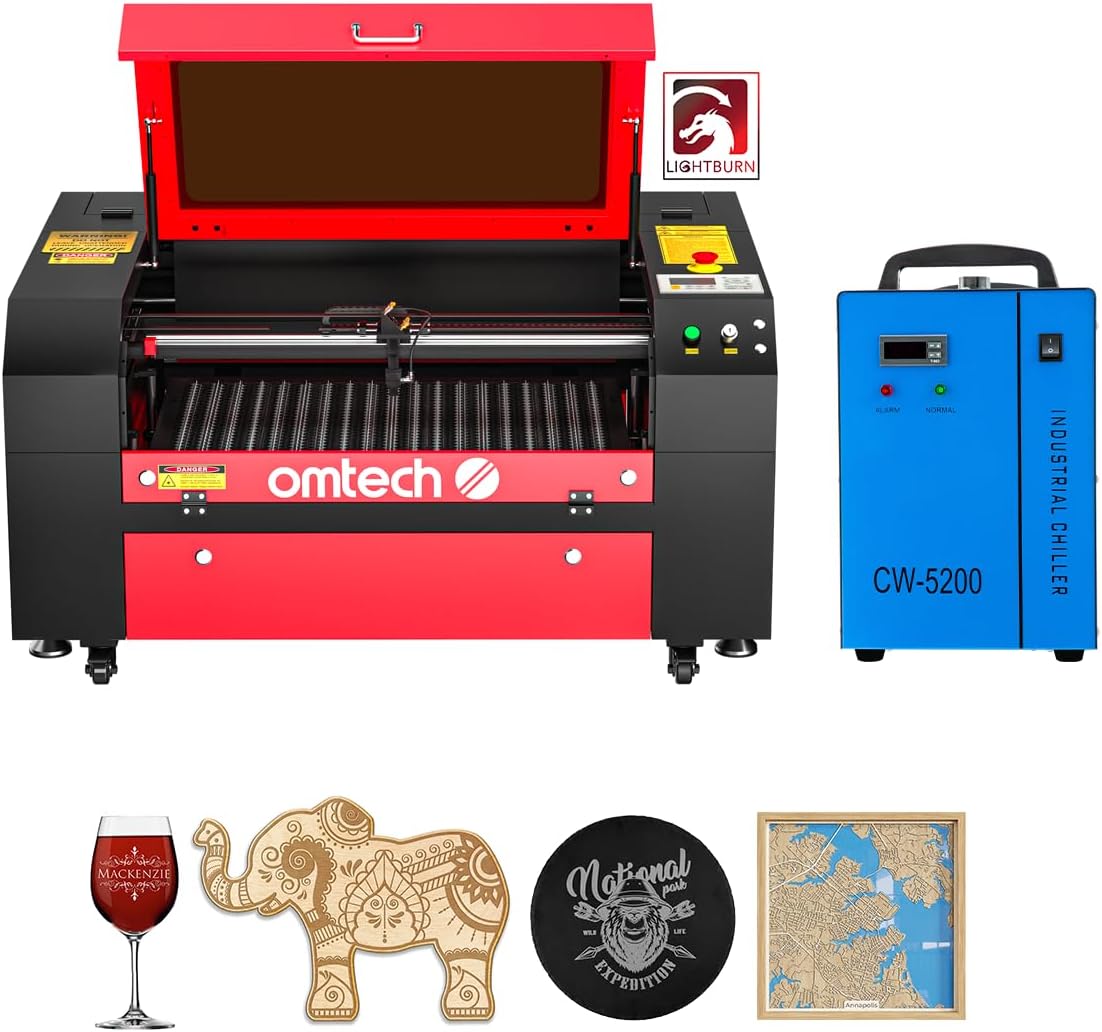
OMTech's 60W CO2 laser engraver provides a reliable solution for non-metal materials with consistent performance and intuitive navigation. The included water chiller ensures stable operation during long engraving sessions.
We may earn a commission when you buy through this link, at no additional cost to you.
Its 20 by 28 inch work area accommodates large items easily, while the motorized workbed simplifies focusing. The air assist system keeps lenses clean and cuts precise, reducing maintenance needs.
Though limited to non-metals, the machine delivers clean edges and high accuracy suitable for signs, decor, and personalized gifts. Safety features like flame-retardant windows add peace of mind.
This model is ideal for artists and small businesses focused on wood, acrylic, and leather projects. Its ease of use and comprehensive bundle make it a strong contender for entry-level CO2 applications.
A spacious 20 by 28 inch bed allows for cutting full-size panels and accommodating oversized projects without the need for frequent repositioning.
The included water chiller maintains optimal tube temperatures, extending the lifespan of the laser source and ensuring consistent performance over time.
We may earn a commission when you buy through this link, at no additional cost to you.
The Creality Falcon 2 Pro prioritizes safety with a Class 1 certification and fire-resistant metal enclosure. It combines 60W power with a smart camera for streamlined workflows and accurate engraving results.
We may earn a commission when you buy through this link, at no additional cost to you.
Cutting speeds exceeding 500mm/s reduce production time, while the HD camera enables precise positioning without separate design software. This makes batch processing more efficient for small business users.
Although new to the market, it shows promise for those needing reliability and safety. The integrated exhaust system manages smoke effectively, contributing to a cleaner workspace during operation.
Recommended for beginners and professionals alike who value safety and speed, this machine supports a wide range of materials. Its pre-assembled design and warranty offer added convenience for new users.
Certified Class 1 safety ensures that laser exposure is minimized, protecting users of all skill levels during operation without requiring additional protective eyewear.
The built-in HD camera visualizes operations and procedures, allowing users to preview and adjust designs before engraving to reduce errors and waste.
We may earn a commission when you buy through this link, at no additional cost to you.
The xTool F2 Ultra is a powerhouse featuring a 60W MOPA fiber laser and 40W diode laser for comprehensive material handling. It excels at vibrant color engraving on metals and deep engraving for detailed designs.
We may earn a commission when you buy through this link, at no additional cost to you.
Dual AI cameras enhance positioning accuracy to 0.2mm, ensuring precision across complex projects. Its industrial-grade productivity supports up to 15,000mm/s speeds, making it ideal for high-volume orders.
While the price point is high, the versatility and metal capabilities justify the investment for specialized tasks. The expandable workspace and conveyor options support batch processing efficiently.
This model suits advanced users needing metal marking, cleaning, and color options. Its AI-powered features simplify setup, making advanced laser functions accessible without extensive technical expertise.
The MOPA fiber laser enables precise color marking and deep engraving on various metals, including stainless steel, brass, and titanium, for professional-grade results.
Advanced AI auto-detection and dual cameras ensure accurate positioning and one-click focus, reducing setup time and improving overall workflow efficiency.
We may earn a commission when you buy through this link, at no additional cost to you.
The Monport fiber marking machine delivers high performance in a compact, lightweight design ideal for metal etching. With up to 100,000 hours of lifespan, it offers reliable long-term value for metal-focused work.
We may earn a commission when you buy through this link, at no additional cost to you.
Its customized galvanometer system achieves 0.01mm accuracy and fast speeds up to 10,000mm/s. LightBurn compatibility ensures flexibility in design, while the included software provides easy alternatives.
The small working area is optimized for precision tasks like jewelry and small components, avoiding distortion. Red dot pointer aids in accurate positioning for consistent results.
Perfect for professionals focused on metal marking, this unit balances performance and portability. It avoids complexity by focusing on core metal engraving capabilities with dependable output.
Fiber technology ensures sharp, precise markings on metals like gold, silver, and titanium with high accuracy and consistent quality across all applications.
With an exceptional 100,000 hour lifespan, this machine offers cost-effective performance over time, minimizing maintenance and downtime for continuous productivity.
We may earn a commission when you buy through this link, at no additional cost to you.
VEVOR's 60W CO2 engraver offers a spacious 24 by 16 inch work area ideal for leather goods and wooden decor. It delivers burr-free cuts on non-metal materials with consistent reliability and performance.
We may earn a commission when you buy through this link, at no additional cost to you.
Speeds up to 600mm/s accelerate production while maintaining quality. The four-way pass-through design simplifies feeding longer materials, enhancing versatility for various project types.
Compatibility with popular software like LightBurn and RDWorks ensures smooth workflow integration. The air assist system keeps the workspace clean and protects lenses during operation.
This model suits users prioritizing area and affordability for non-metal applications. Its robust construction and comprehensive features make it a reliable choice for hobbyists and small businesses.
The 24 by 16 inch dual work bed accommodates a wide range of project sizes, allowing for flexible cutting and engraving without frequent repositioning.
Built-in air assist and compatible software ensure quick setup and efficient operation, minimizing interruptions and maximizing productivity during engraving sessions.
We may earn a commission when you buy through this link, at no additional cost to you.
OMTech's 60W CO2 laser features a 28 by 20 inch work area and motorized autolift for effortless focusing. It delivers deep engraving up to 10mm on non-metallic materials with consistent speed.
We may earn a commission when you buy through this link, at no additional cost to you.
The included water chiller ensures stable tube performance, while air assist maintains clean cuts. Four-way pass-through doors enable easy handling of large items for commercial workflows.
Its high-performance DC tube offers up to 1,000 hours of usage, extending reliability with proper care. LightBurn software simplifies navigation for precise design execution.
Ideal for commercial use and large projects, this machine balances power and usability. It is well-suited for shops focused on wood, acrylic, and glass engraving needs.
Motorized autolift allows for quick and precise workbed adjustments at the touch of a button, reducing setup time and improving workflow efficiency.
A 28 by 20 inch bed supports large items and batch processing, making it suitable for commercial environments requiring consistent and efficient operation.
We may earn a commission when you buy through this link, at no additional cost to you.
The Aliencell X1 Lite delivers industrial-level speed and precision with a massive 26 by 21 inch engraving surface. Its high-frequency pulses ensure clean, sharp results even at maximum acceleration.
We may earn a commission when you buy through this link, at no additional cost to you.
Accurate preview simulations reduce waste by showing exact depth and contrast before processing. Auto-focus and crosshair positioning enable quick setup for diverse materials.
Class 1 safety certification and flame sensors offer peace of mind during operation. US-based support and comprehensive tutorials help users navigate setup and advanced features confidently.
This unit suits small businesses needing large-scale capacity and speed. Its combination of accuracy, safety, and performance makes it a versatile choice for varied projects.
High-frequency laser pulses provide smoother gradients and richer detail, ensuring photo-quality results even during high-speed engraving operations.
A 26 by 21 inch bed supports large batch production and oversized projects, enhancing capacity for businesses working with diverse material sizes.
We may earn a commission when you buy through this link, at no additional cost to you.
Cloudray's 60W JPT MOPA fiber laser excels at metal engraving and 100 plus color markings. It offers a portable design ideal for rings, bracelets, and intricate metal components.
We may earn a commission when you buy through this link, at no additional cost to you.
Two F-Theta lenses provide different working areas and precision levels, accommodating diverse engraving needs. The manual lift column supports adjustable height for flexibility in setup.
Lifespan exceeds 100,000 hours, ensuring long-term reliability for professional applications. High accuracy up to 0.01mm enables detailed designs and small text with consistent quality.
Recommended for metal specialists needing precise, colorful markings, this machine delivers professional results. Its compact build and lens versatility make it adaptable for various projects.
The MOPA source enables 100 plus vibrant color markings on metals, allowing for creative and professional identification without additional materials.
Two F-Theta lenses and manual height adjustment provide versatile precision, supporting diverse engraving depths and sizes for specialized metal work.
We may earn a commission when you buy through this link, at no additional cost to you.
Selecting the right 60W laser engraver requires evaluating laser type, safety, software, and workspace needs to ensure it matches your material and production requirements.
CO2 lasers are ideal for non-metals like wood and acrylic, while fiber lasers excel at metal engraving. Diode and MOPA options offer flexibility for mixed materials and color effects.
Choose a source that aligns with your primary materials to ensure optimal performance and longevity.
Class 1 enclosed designs minimize exposure risks, making them safer for shared or home workspaces. Look for emergency stops, flame detectors, and proper ventilation to protect users.
Prioritize safety certifications and enclosed structures to reduce hazards during operation.
Compatible software like LightBurn enables precise design control and workflow efficiency. Free alternatives like LaserGRBL provide basic functionality, while paid options offer advanced features.
Select a machine with software that fits your design complexity and workflow needs.
Larger beds accommodate bigger projects and batch production, while compact units suit small components and limited spaces. Consider pass-through features for oversized items.
Match the working area to your typical project sizes to optimize production capacity.
Higher wattage and speed enable faster cutting and engraving, crucial for high-volume output. Adjustable power settings allow finer control for detailed tasks and different materials.
Balance power and speed to meet your production goals without sacrificing precision.
Water chillers maintain stable temperatures for extended use, extending tube life and performance. Air cooling or compact options may suffice for occasional use.
Ensure the cooling method matches your usage intensity to prevent overheating.
Reliable customer service and warranties protect your investment against defects and technical issues. Look for brands offering tutorials and responsive support channels.
Prioritize manufacturers with strong support reputations to minimize downtime.
Some lasers handle diverse materials including metals, woods, and acrylics. Check specifications for material compatibility to avoid limitations in your workflow.
Choose a versatile unit if you work with multiple material types regularly.
Start by securing the machine on a stable surface and calibrating the focus according to the manufacturer's guidelines. Use the provided software to design and preview your engraving projects before sending them to the machine.
During operation, monitor the air assist and exhaust systems to maintain clean cuts and reduce smoke buildup. Regularly check safety features like emergency stops and enclosures to ensure safe working conditions.
After use, clean the lens and mirrors with appropriate tools to prevent debris from affecting performance. Store the machine in a dry, dust-free environment to extend its lifespan and reliability.
A 60W laser engraver can cut and engrave wood, acrylic, leather, paper, and coated metals depending on the laser type. CO2 models handle non-metals well, while fiber lasers excel with metals. Always check the manufacturer's specifications for material compatibility.
Models with Class 1 enclosed safety certifications are designed to minimize exposure risks and are generally safe for home use. Ensure proper ventilation and follow safety guidelines to maintain a secure environment during operation.
Most 60W laser engravers are compatible with popular software like LightBurn, LaserGRBL, or proprietary tools. These programs allow design creation and machine control, though some may offer free alternatives for basic tasks.
With proper maintenance and usage, a 60W laser engraver can last thousands of hours. Fiber lasers often offer longer lifespans compared to CO2 tubes, but regular cleaning and cooling are essential for longevity.
Standard CO2 lasers struggle with metals, but fiber or MOPA lasers can engrave and cut certain metals like stainless steel and brass. Check the specific laser type and power settings for metal compatibility.
Yes, adequate ventilation or an exhaust system is necessary to remove smoke and fumes generated during engraving. Many models include built-in air assist and exhaust management to improve air quality in the workspace.
The Creality Falcon2 Pro, xTool F2 Ultra, and Monport 60W offer standout capabilities for safety, metal precision, and production efficiency. Each model delivers distinct advantages depending on your primary materials and workspace needs.
Prioritize laser type, safety features, and software compatibility when selecting a 60W laser engraver to ensure it aligns with your workflow. Balancing performance with ease of use will help maximize your production potential.
Prices and availability change frequently, so verify current listings and support details before purchasing. Taking time to evaluate your specific needs will lead to the best long-term investment for your workshop.