
Thermalright TL-C14C-S X3 CPU Fan
4.7Editor score
S-FDB Bearing Technology
Up to 1500RPM Speed
5V 3PIN ARGB Interface
This guide compares the top ARGB 140mm fans for PC builds, evaluating airflow, noise levels, lighting sync, and bearing types to help you choose the right
Building a high performance PC requires careful attention to thermal management and aesthetics. ARGB 140mm fans offer a perfect balance of cooling power and visual appeal, allowing you to customize your rig while keeping temperatures in check.
We analyzed ten top rated models based on airflow efficiency, noise output, lighting control, and build quality. Our selection includes budget friendly options and premium choices to suit various build styles and performance needs.
Each pick highlights unique features like reverse airflow designs, magnetic daisy chaining, and high static pressure. Note that availability and pricing may fluctuate, so check current listings before making your final purchase decision.
4.7Editor score

4.8Editor score

4.6Editor score
The following table provides a side-by-side comparison of all ten selected ARGB 140mm fans, highlighting key specifications such as airflow, static pressure, bearing type, and lighting features to help you make an informed decision.




The Cooler Master MasterFan MF140 Halo Fan stands out as a top choice for builders seeking both performance and aesthetics. With a high rating and dual-ring ARGB lighting, it delivers a visually striking effect while maintaining efficient cooling.
We may earn a commission when you buy through this link, at no additional cost to you.
Its hybrid static pressure blade design tackles resistance in radiators and mesh cases effectively. The noise reduction technology and sound absorbing materials ensure quiet operation even under load, making it ideal for quiet workstations or gaming rigs.
While the price is higher than budget options, the durability and lighting customization justify the investment. The fan supports dynamic speed adjustment between 650 and 1500 RPM, allowing users to prioritize silence or airflow as needed.
Buyers looking for a premium fan with reliable performance and beautiful lighting will find this model excellent. It works well with most addressable RGB capable motherboards and is suitable for both case and liquid cooling setups.
The 24 individually controlled ARGB LEDs create a unique halo effect that enhances case visibility and style.
Sound absorbing materials and precise balancing reduce vibration and noise for a peaceful computing environment.
We may earn a commission when you buy through this link, at no additional cost to you.
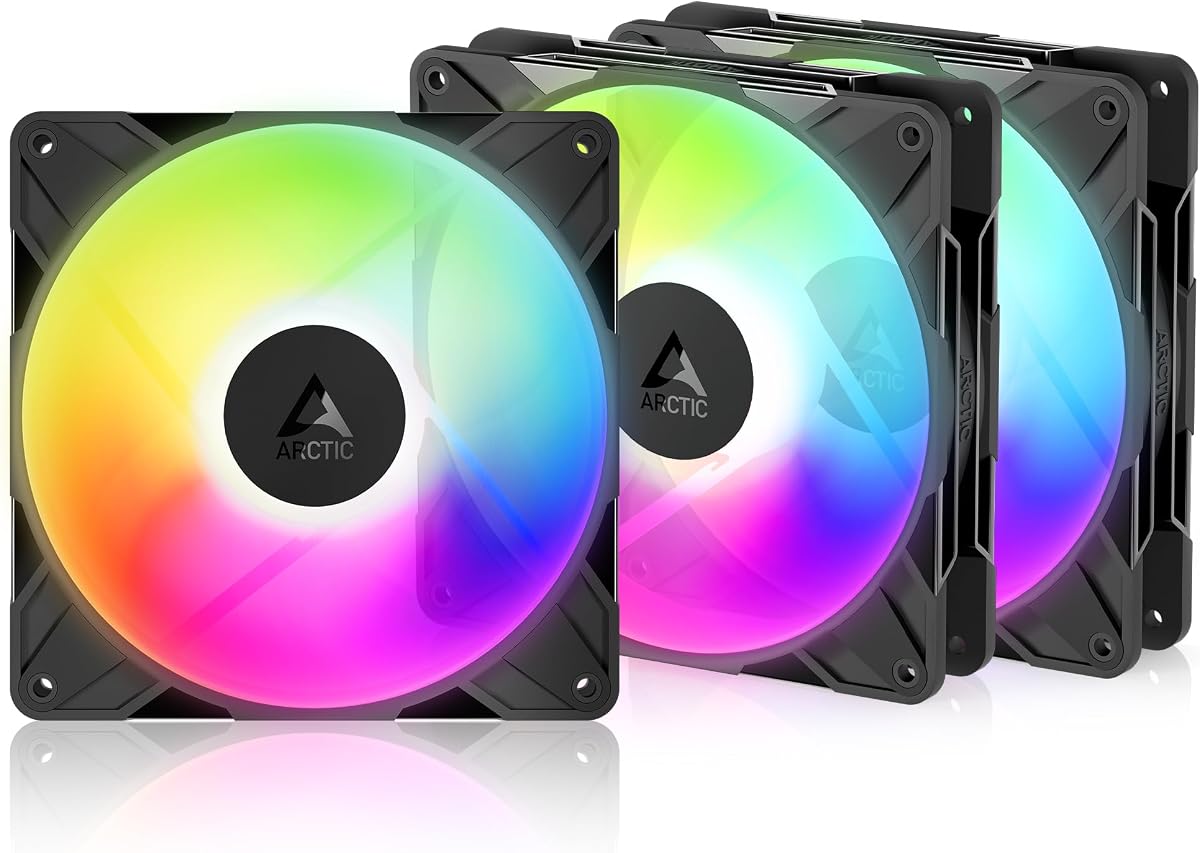
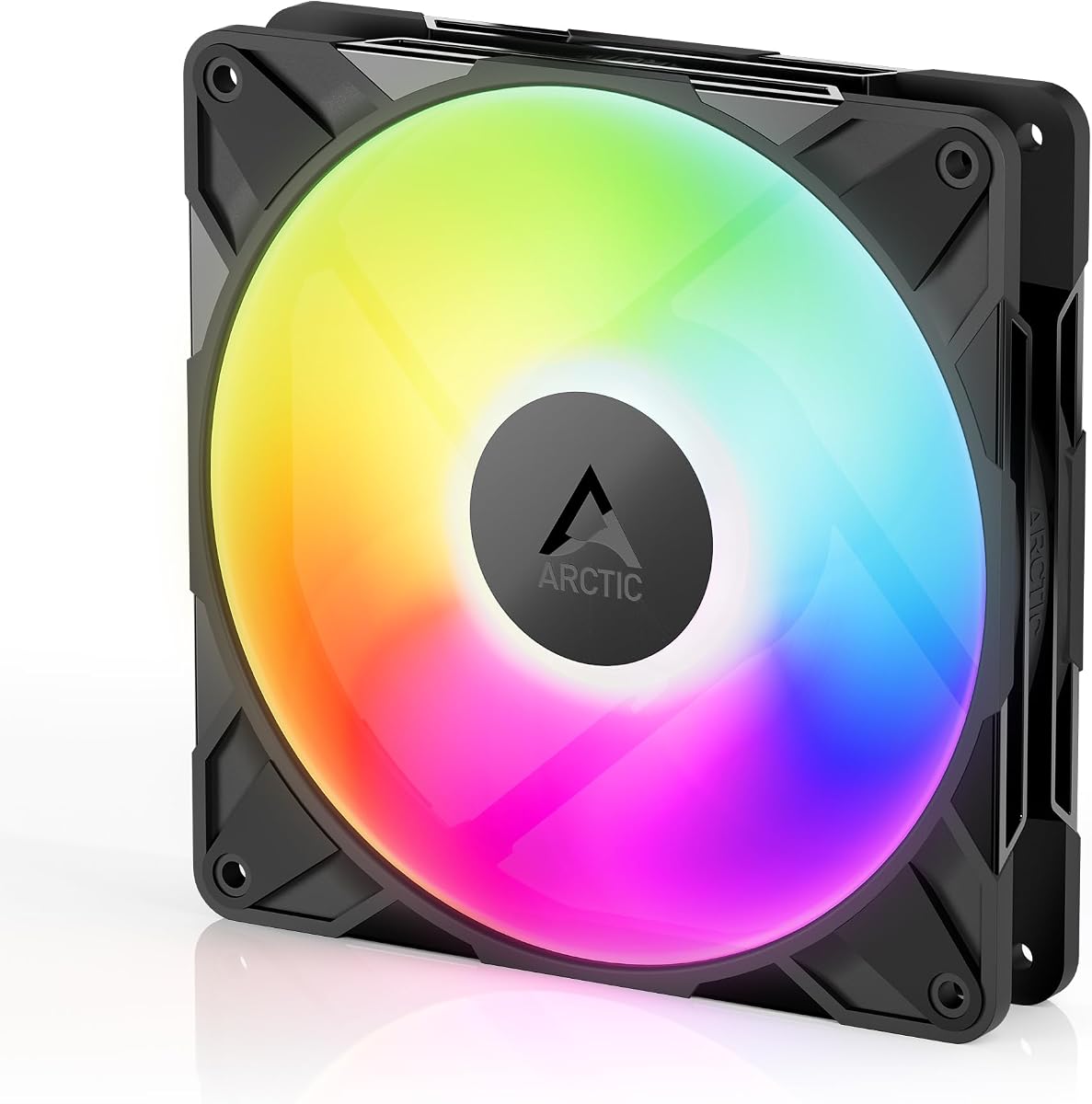
The Thermalright TL-C14C-S X3 CPU Fan offers outstanding value for budget conscious builders. It provides quiet cooling with ARGB lighting that can be synced via motherboard headers, making it a versatile choice for case and radiator use.
We may earn a commission when you buy through this link, at no additional cost to you.
Its S-FDB bearing ensures smooth operation and longevity while keeping noise levels low. The fan achieves up to 75.8CFM airflow and 1500RPM speed, delivering reliable thermal performance without excessive noise or vibration.
Although the lighting is not as advanced as premium models, the soft reflection from the atomizing blades creates a pleasant aesthetic. The 3-Pack bundle allows users to outfit multiple case positions affordably.
This fan is ideal for those needing effective cooling without breaking the bank. It pairs well with CPU coolers and radiators, making it a practical upgrade for existing systems or new builds.
At a low price point, this fan delivers solid performance and silent operation suitable for everyday use.
Designed to work as both case fans and radiator fans, it offers versatility in PC thermal management.
We may earn a commission when you buy through this link, at no additional cost to you.
CORSAIR RS140 ARGB fans combine premium engineering with efficient cooling performance. Their magnetic dome bearings reduce noise while enabling speeds up to 1700RPM, pushing substantial airflow through radiators or dense case panels.
We may earn a commission when you buy through this link, at no additional cost to you.
The daisy-chain connection simplifies cable management by using a single PWM and ARGB connector for multiple fans. Anti-vortex vanes concentrate airflow for improved cooling, while eight LEDs per fan provide vibrant customizable lighting.
While the investment is higher, the reliability and advanced features justify the price for enthusiasts. The static pressure design ensures effective cooling even in challenging environments with restricted airflow paths.
These fans suit builds prioritizing thermal performance and sleek cable setups. They work best with compatible motherboards and offer a polished look for high-end systems.
Daisy-chain technology reduces cable clutter by connecting multiple fans through one PWM and ARGB connector.
Magnetic dome bearings enhance durability and minimize noise during operation for long lasting performance.
We may earn a commission when you buy through this link, at no additional cost to you.
The ARCTIC P14 Pro Reverse A-RGB is designed for users needing airflow from the back side of the fan. This unique design keeps visible surfaces unobstructed, perfect for glass fronted builds where aesthetics matter.
We may earn a commission when you buy through this link, at no additional cost to you.
It delivers high static pressure to penetrate dense radiators and mesh structures efficiently. The hydrodynamic bearing minimizes noise and extends service life, while PWM control allows speeds from 400 to 2650 RPM.
Some users may find the reverse airflow unconventional, but it solves visual issues in modern cases. The included Y cable splitter facilitates control, though it adds a minor complexity to installation.
This fan suits builders prioritizing clean looks with reliable cooling. It provides strong performance for both intake and exhaust needs in stylish PC setups.
Reverse airflow design prevents visible fan blades from spoiling the appearance of glass front cases.
Minimal gaps and automatic balancing reduce vibrations for smooth and quiet operation over time.
We may earn a commission when you buy through this link, at no additional cost to you.
Thermaltake CT140 EX ARGB Sync fans feature a magnetic connection system that simplifies multi-fan setups. Each fan supports 5V motherboard sync with nine addressable LEDs, enabling rich customization across multiple units.
We may earn a commission when you buy through this link, at no additional cost to you.
The optimized hydraulic bearing ensures quiet operation while the anti-vibration mounting system reduces noise and wear. Magnetic connections allow easy stacking, reducing cable clutter for cleaner builds.
Some users may need to adjust magnetic alignment for stability, but the ease of use is a strong benefit. The wide color range and motherboard sync compatibility enhance visual appeal effectively.
Ideal for users wanting a tidy setup with vibrant lighting, these fans provide reliable cooling. They work well as case or radiator fans and support standard sync protocols.
MagForce 2.0 magnetic design lets you connect multiple fans with a single cable for neat organization.
16.8 million colors and nine LEDs per fan allow precise lighting effects through sync software.
We may earn a commission when you buy through this link, at no additional cost to you.
The AsiaHorse Amici fan delivers long term reliability with a 50000-hour lifespan thanks to its hydraulic bearing. It produces up to 89.77CFM airflow and supports syncing with major motherboard RGB platforms for cohesive lighting.
We may earn a commission when you buy through this link, at no additional cost to you.
Its infinity mirror effect with 24 LED beads creates a striking visual, enhanced by rubber pads that dampen noise. The fan operates between 800 and 1800 RPM with PWM adjustment for flexible thermal control.
Daisy chain connections are limited to three fans per chain, which may require extra controllers for larger setups. However, the durability and lighting quality make it a strong choice for long term use.
This fan suits gamers and professionals wanting stable cooling and beautiful lighting. It integrates well into diverse builds and maintains performance over time.
Closed-loop lubrication and hydraulic bearings ensure smooth operation for up to 50000 hours.
Infinity mirror design with 24 LEDs delivers deep and vibrant lighting effects within the case.
We may earn a commission when you buy through this link, at no additional cost to you.
ARCTIC P14 Pro A-RGB offers top tier speed performance with PWM speeds up to 3000RPM. Its fluid dynamic bearing reduces noise and wear, while redesigned rotor blades balance efficiency with quiet operation at low settings.
We may earn a commission when you buy through this link, at no additional cost to you.
High static pressure helps it push air through dense radiators and cases. Precise manufacturing minimizes vibrations for smooth running, and the fan stops completely below 5% PWM for zero noise when idle.
At maximum speed, noise increases significantly, so it requires careful speed curve tuning. Lighting is functional but less advanced than premium RGB options, focusing more on cooling power.
This fan suits users needing maximum cooling performance and are willing to manage noise. It is a solid choice for high heat systems where airflow priority is key.
Redesigned blades and high RPM range deliver exceptional airflow for demanding cooling scenarios.
Automatic balancing and minimal gaps ensure smooth performance and reduced operational vibrations.
We may earn a commission when you buy through this link, at no additional cost to you.
The Thermalright TL-C14C-S X3 Silent Cooling Fan prioritizes low noise with 7-blade noise reducing design. It runs up to 1500RPM with soft silicone feet that dampen vibration for a quiet experience.
We may earn a commission when you buy through this link, at no additional cost to you.
Using insulated PBT+PC material and achieving up to 75.8CFM airflow, it handles case cooling effectively without loud noise. The fan supports PWM series control for speed optimization based on motherboard temps.
While ARGB lighting exists, the main focus is silence and heat dissipation. This makes it less suitable for builders seeking vibrant lighting but perfect for audio sensitive setups.
Ideal for quiet workstations or home theaters, these fans deliver dependable cooling. They pair well with CPU coolers and cases requiring low noise levels.
Noise reducing blades and soft silicone feet ensure minimal acoustic disturbance during operation.
Insulated PBT+PC material reduces vibration transmission and enhances overall thermal efficiency.
We may earn a commission when you buy through this link, at no additional cost to you.
The single unit version of ARCTIC P14 Pro Reverse A-RGB offers the same benefits as the pack but for targeted use. It draws air from the back side, ideal for glass front builds where visible blades should be hidden.
We may earn a commission when you buy through this link, at no additional cost to you.
Its fluid dynamic bearing minimizes noise and ensures long service life. PWM control allows speeds up to 2650RPM, delivering reliable cooling even through dense structures or perforated panels.
Installation may require attention to orientation, but the visual payoff is worth it for clean aesthetics. The high static pressure ensures effective performance across different mounting scenarios.
This fan suits those needing one reverse airflow unit for specific case zones. It provides high reliability and quality for precision thermal solutions.
Single fan flexibility allows precise placement without buying a full pack for specific builds.
High precision manufacturing and balancing result in smooth and vibration-free operation.
We may earn a commission when you buy through this link, at no additional cost to you.
The Thermalright TL-C14C-S CPU Fan is an affordable option with S-FDB bearing and ARGB support. It offers up to 17 light modes and motherboard color synchronization for customization without breaking the bank.
We may earn a commission when you buy through this link, at no additional cost to you.
Designed for low noise and good heat dissipation, it features soft silicone feet and noise reducing blades. The fan works well as both a case fan and CPU cooler accessory, providing versatile cooling.
Lighting is soft and effective rather than high impact, suitable for subtle builds. Its value lies in combining reliable performance with basic RGB options at a low entry price.
This fan suits budget builds needing decent cooling and aesthetic enhancement. It is a smart choice for first time RGB users or simple upgrades.
17 light modes and motherboard sync allow customization without high expense.
Noise reducing blades and soft mounting ensure quiet and efficient cooling.
We may earn a commission when you buy through this link, at no additional cost to you.
Choosing the right ARGB 140mm fan involves balancing thermal performance, noise levels, lighting quality, and compatibility. This guide outlines key factors to consider before making a purchase.
Airflow measured in CFM determines how much air the fan moves, while static pressure indicates its ability to push air through resistance like radiators or filters. High airflow suits case ventilation whereas high static pressure suits radiator cooling.
Select fans with high static pressure for radiators and high airflow for open case airflow paths.
Noise levels in dBA impact user comfort; lower is quieter. Bearing types like FDB or magnetic dome reduce friction and noise while extending fan life compared to basic sleeve bearings.
Prioritize fluid dynamic or magnetic dome bearings for quiet operation and longevity.
5V 3-Pin ARGB allows individual LED control and color syncing with motherboards. Compatibility with Aura Sync, RGB Fusion, or Mystic Light ensures seamless integration with your PC lighting ecosystem.
Check your motherboard supported protocols to ensure lighting sync works smoothly.
Flexible mounting options and cable daisy chaining reduce clutter. Magnetic or connector based daisy chaining helps streamline setup especially when installing multiple fans.
Choose fans with easy connector systems to simplify builds and reduce cable mess.
PWM control enables automatic speed adjustment based on temperature improving efficiency and reducing noise during idle. Fans supporting wide RPM ranges give more control over thermal profiles.
Select fans with reliable PWM support for adaptive cooling performance.
Materials like PBT+PC and reinforced frames improve durability and vibration resistance. Long lifespan ratings ensure consistent performance over years of operation.
Invest in fans with durable construction and high rated lifespans for reliability.
140mm fans fit most standard case mounts but verify clearance for radiators or shrouds. Check dimensions and thickness to ensure fit within your case constraints.
Measure your case mounting points and confirm fan dimensions before buying.
Buying fans in packs often reduces cost per unit. Consider if you need single fans or sets for full case coverage to optimize value.
Evaluate pack deals to reduce overall expenses when multiple fans are needed.
Install fans securely using provided screws or mounting brackets ensuring proper airflow direction. For intake positions fans push air into the case, while exhaust fans pull air out to maintain positive pressure.
Connect PWM and ARGB cables to compatible motherboard headers. Use daisy chains where supported to reduce cable clutter and simplify control through BIOS or software.
Periodically clean fans to remove dust and debris using compressed air. Check mounting stability and listen for unusual noises indicating wear or imbalance.
RGB lighting uses three color channels for fixed color patterns, while ARGB allows each LED to display individual colors and effects. ARGB fans connect via 5V 3-Pin headers offering more customization options.
Yes but you will miss lighting control. The fans still function for cooling. You can add standalone controllers for RGB effects if your board lacks ARGB headers.
Fans use standard 4-Pin PWM for power and speed control. ARGB lighting requires 5V 3-Pin headers. Both are common on modern motherboards but verify compatibility.
Reverse airflow fans hide the visible fan blades when mounted, maintaining clean visuals on glass panels. They perform equally to standard fans but focus on aesthetics.
Typically three to five fans per chain depending on voltage and current limits. Check manufacturer guidelines to avoid overloading the motherboard headers.
Fluid Dynamic and Magnetic Dome bearings offer superior longevity compared to sleeve bearings. They reduce friction and wear for consistent performance over years.
You can mix brands but lighting synchronization may vary. Use universal control software or controllers to achieve consistent color effects across different fans.
1000 to 1500 RPM offers good balance for noise and cooling. Higher RPM boosts airflow but increases noise and power consumption.
This guide highlights top ARGB 140mm fans ranging from budget to premium choices. Whether you prioritize silent operation, reverse airflow design, or customizable lighting, there is an option to suit every build.
Focus on matching fan performance with your cooling needs and case layout. Consider bearing types and cable management features to ensure smooth installation and long term reliability.
Always verify current availability and check detailed product pages for any updates. Choosing the right fans improves both thermal efficiency and visual appeal of your PC.