
LG 24G411A-B
4.5Editor score
144Hz Refresh Rate
1ms MBR Response
G-Sync Compatible
Finding the right display for competitive gaming requires careful consideration of refresh rates and sync technologies. A 24 inch G Sync monitor offers the perfect balance of size and performance for most gamers. These displays ensure smooth visuals without tearing while maintaining a compact footprint for any desk setup.
We have analyzed ten leading models to identify the best options available in the market today. Each product was evaluated based on panel technology, response times, connectivity options, and overall build quality. Our goal is to provide you with a comprehensive overview that highlights the strengths and weaknesses of each unit.
Every selection in this list showcases unique features tailored to different gaming preferences and budgets. While prices may fluctuate due to market conditions, the core specifications remain reliable indicators of performance. Use this guide to find a monitor that aligns with your specific needs and hardware configuration.
4.5Editor score

4.7Editor score

4.4Editor score
As an Amazon Associate we earn from qualifying purchases.
The following table provides a side-by-side comparison of all ten monitors selected for this guide. It highlights key specifications such as refresh rate, response time, panel type, and special gaming features to help you make an informed decision quickly.


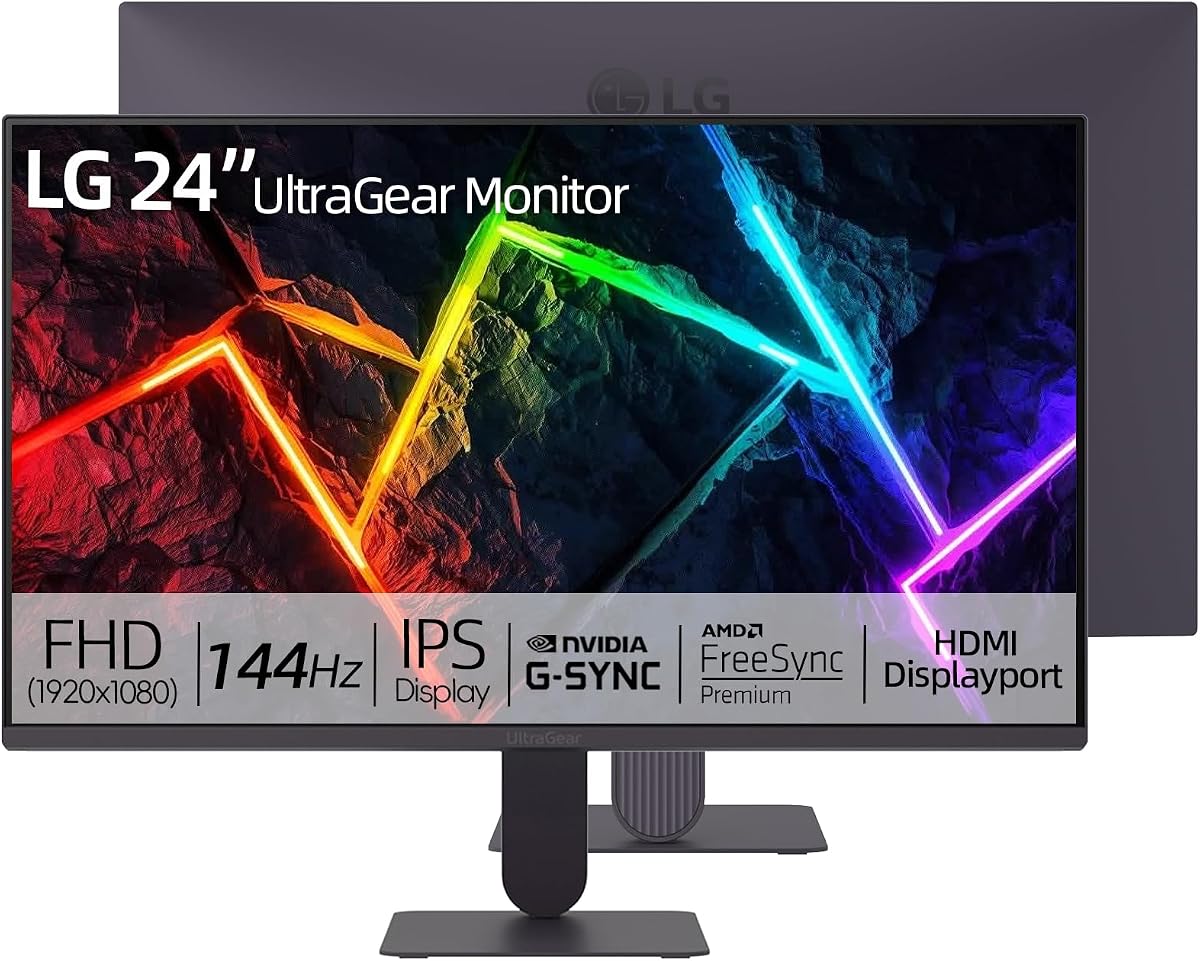


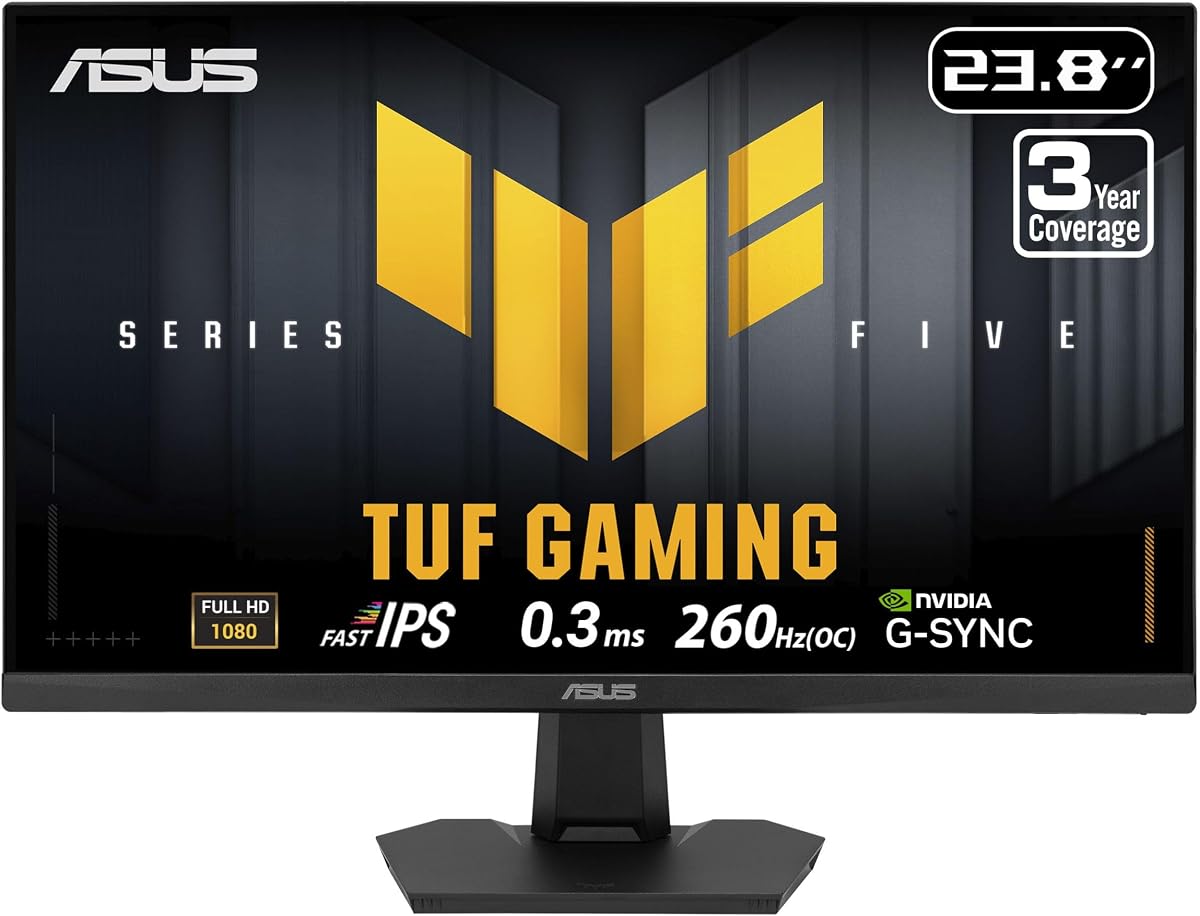
The LG 24G411A-B stands out as a top contender for budget conscious gamers seeking reliable performance. With a strong rating from users, this monitor delivers a solid experience for competitive and casual play alike. Its 144Hz refresh rate ensures fluid motion that keeps pace with modern game engines.
We may earn a commission when you buy through this link, at no additional cost to you.
One of its key strengths is the combination of G-Sync compatibility and Fast IPS technology. This allows for tear-free visuals without sacrificing color vibrancy. The 1ms Motion Blur Reduction helps maintain clarity during fast paced scenes. Additionally, the HDR10 support adds depth to compatible content.
While it lacks extensive ergonomic adjustments like height tilt, the slim stand minimizes desk space usage. Some users might miss a USB hub for peripheral connectivity. However, these trade-offs are acceptable given the competitive pricing point and core gaming performance it offers.
This monitor is ideal for players looking for entry level performance without compromising on smooth visuals. It pairs well with mid-range graphics cards and delivers a seamless experience in popular titles. For those on a strict budget, this remains a highly recommended choice.
You get high refresh rates and adaptive sync without paying premium prices.
The IPS panel ensures wide viewing angles and accurate colors for immersive gameplay.
We may earn a commission when you buy through this link, at no additional cost to you.
Dell has created a standout model with the SE2426HG which features an impressive 240Hz refresh rate. Its high user rating reflects strong satisfaction with its performance in competitive environments. The 0.5ms response time ensures that motion remains crisp even in the fastest games.
We may earn a commission when you buy through this link, at no additional cost to you.
The inclusion of FreeSync Premium makes this monitor versatile for both AMD and NVIDIA users. The Fast IPS panel delivers rich colors and wide viewing angles that enhance immersion. TUV Rheinland certification indicates a commitment to reducing eye strain during long sessions.
While the stand offers tilt adjustment only, the monitor itself performs exceptionally well. Connectivity is somewhat limited to HDMI and DisplayPort options which may require dongles for some setups. However, for pure gaming speed and visual quality, this unit excels in its class.
Gamers who prioritize frame rates above all else will find this model appealing. It is particularly well suited for esports titles where every millisecond counts. The combination of speed and visual fidelity makes it a top recommendation.
The 240Hz rate provides a distinct advantage in fast-paced shooters.
Certified technology helps maintain comfort during extended usage periods.
We may earn a commission when you buy through this link, at no additional cost to you.
This ASUS model delivers premium features with a 240Hz refresh rate and 0.3ms response time. It is designed for users who demand the best in motion clarity and speed. The inclusion of ELMB SYNC allows for blur reduction without disabling variable refresh rates.
We may earn a commission when you buy through this link, at no additional cost to you.
One major advantage is the ergonomic stand which allows for height and tilt adjustments. This flexibility helps prevent neck strain during marathon gaming sessions. The DisplayWidget Center software simplifies OSD navigation making it easier to tweak settings on the fly.
Despite its higher price, the value is bolstered by the included Adobe Creative Cloud subscription. The warranty coverage also provides peace of mind for long-term use. However, the OSD menu can be intricate for users who prefer simplicity over granular control.
For enthusiasts seeking a feature-rich display that balances performance and comfort this is a strong choice. It handles high frame rates effortlessly and offers tools that enhance the competitive edge. The premium build quality justifies the investment for serious players.
ELMB SYNC keeps images sharp even during rapid movement.
Adjustable stand ensures a comfortable viewing position for any setup.
We may earn a commission when you buy through this link, at no additional cost to you.
The LG 24G414B-B offers a similar feature set to other models in its class with added audio convenience. It supports 144Hz refresh rates and G-Sync compatibility for smooth gameplay. The IPS panel delivers consistent colors across different viewing angles.
We may earn a commission when you buy through this link, at no additional cost to you.
Built-in speakers provide a convenient solution for casual listening or voice communication without a headset. The slim bezel design maximizes the visual field making it feel more immersive. Dynamic Action Sync helps reduce input lag for responsive control.
Audio quality is adequate but not replacement for dedicated gaming headsets in competitive scenarios. Connectivity remains standard with HDMI and DisplayPort options available. The height adjustable stand adds value for users needing better posture support.
This model serves well as an all-rounder for home entertainment and gaming. It balances essential features with a design that fits most desk environments. For those who value simplicity and integrated tools it is a practical option.
Integrated speakers reduce cable clutter for a cleaner setup.
Slim borders draw your focus directly into the game world.
We may earn a commission when you buy through this link, at no additional cost to you.
ASUS brings another high-performance option with a 200Hz refresh rate and 0.3ms response time. It is designed to deliver ultra-smooth visuals for competitive gaming. The IPS panel ensures colors remain vivid and consistent across the screen.
We may earn a commission when you buy through this link, at no additional cost to you.
This monitor supports Windows Mac Chrome OS and Linux which makes it versatile for various users. The anti-glare matte screen helps reduce reflections in bright environments. Compatibility with both G-Sync and FreeSync Premium ensures smooth gameplay regardless of GPU brand.
Although user ratings are currently unavailable the technical specifications suggest strong performance. The stand offers basic adjustments but lacks advanced ergonomic features. For users seeking speed and compatibility across different systems this is a robust choice.
It is suitable for gamers who prioritize frame rates and response times above other factors. The wide system support also makes it useful for professionals who game on different machines. The anti-glare feature adds practical value for office settings.
Supports multiple operating systems for flexible deployment.
Anti-glare coating ensures clear visibility in well-lit rooms.
We may earn a commission when you buy through this link, at no additional cost to you.
This LG model is highly praised for its vivid color performance and smooth gaming experience. With a 4.9 rating it stands out as one of the most appreciated monitors in the list. The 144Hz refresh rate paired with HDR10 creates a stunning visual environment.
We may earn a commission when you buy through this link, at no additional cost to you.
Color accuracy is a strong suit here with 99% sRGB coverage ensuring realistic visuals. VESA mount compatibility offers flexibility for custom desk solutions like arm mounts. Dynamic Action Sync reduces lag making inputs feel immediate and responsive.
The stand is basic with tilt adjustment only which may not suit everyone. However, for those using wall mounts or arms this is a negligible drawback. The overall build quality and performance justify the high user satisfaction.
If visual fidelity is a top priority this monitor delivers exceptional results. It is ideal for single player adventures where aesthetics matter as much as performance. The color quality also makes it suitable for light creative work.
High sRGB coverage ensures accurate reproduction of game art.
VESA readiness allows for flexible mounting options.
We may earn a commission when you buy through this link, at no additional cost to you.
Achieving a perfect user rating this LG monitor highlights its appeal for competitive gamers. It features specialized tools like Black Stabilizer and Crosshair that aid in target acquisition. The 144Hz refresh rate ensures fluid motion in fast-paced environments.
We may earn a commission when you buy through this link, at no additional cost to you.
Black Stabilizer enhances visibility in dark scenes allowing players to spot threats early. The Crosshair overlay offers precision for aiming in shooter games. These features provide a tangible advantage without requiring third-party software.
The slim bezels contribute to an immersive viewing experience reducing distractions. Connectivity is standard with HDMI and DisplayPort available for most PCs. The design focuses on performance and utility rather than extensive ergonomic adjustments.
This model is perfect for FPS enthusiasts who need every edge possible. The features are designed to improve reaction times and accuracy during gameplay. Combined with high color accuracy it delivers a well-rounded experience.
Built-in aids help improve accuracy and visibility in dark corners.
Slim bezels make the screen feel larger and more engaging.
We may earn a commission when you buy through this link, at no additional cost to you.
ASUS delivers another fast option with a 200Hz refresh rate and Low Blue Light tech. It is built to minimize eye strain during long gaming sessions. The Fast IPS panel ensures accurate colors and wide viewing angles for immersive play.
We may earn a commission when you buy through this link, at no additional cost to you.
Flicker-Free technology helps reduce fatigue making it safer for extended use. Compatibility with NVIDIA G-Sync ensures smooth performance across various hardware setups. VESA support allows for flexible mounting options to suit different desk layouts.
Although user feedback is not yet available the technical specs indicate high performance. The OSD menu is functional but may lack some advanced customization options. For those prioritizing eye comfort and speed this is a solid contender.
It serves well for users who play for hours at a time. The combination of speed and eye care features makes it a practical choice. It fits easily into both gaming and professional setups.
Certified eye care technologies reduce strain during long sessions.
High refresh rates ensure every frame moves smoothly.
We may earn a commission when you buy through this link, at no additional cost to you.
This LG monitor shares many high-end features with its siblings and maintains a perfect rating. It focuses on color accuracy with 99% sRGB coverage for lifelike visuals. The 144Hz rate ensures smooth motion without noticeable stutter.
We may earn a commission when you buy through this link, at no additional cost to you.
Black Stabilizer and Crosshair tools help improve gameplay precision in competitive titles. The ultra-slim bezels create a seamless visual experience that draws you into the action. Adjustable tilt ensures comfortable viewing angles for various desk heights.
Lack of USB connectivity may be a downside for some peripherals. However the core performance and design are highly rated by users. The VESA mount option adds flexibility for those wanting to wall mount or use arms.
Ideal for users seeking a balance of color quality and gaming performance. The tools provided add value for competitive players without extra cost. It stands out as a reliable choice for a high-quality display.
High sRGB coverage ensures authentic and vibrant visuals.
Minimal bezels reduce distractions and maximize screen space.
We may earn a commission when you buy through this link, at no additional cost to you.
ASUS tops the speed chart with an overclockable 260Hz refresh rate on this model. It is designed for those who need the absolute best frame rates available. The Fast IPS panel ensures colors stay vibrant despite the high speed.
We may earn a commission when you buy through this link, at no additional cost to you.
TUF Gaming AI technology helps automate settings to optimize performance on the fly. Built-in stereo speakers allow for basic audio output without additional hardware. The DisplayWidget Center provides easy access to settings via mouse clicks.
The extended warranty with burn-in coverage offers strong support for long-term use. However, the price point is higher than many competitors in the list. For pro-level performance and reliability this is a premium option worth considering.
It is perfect for esports athletes and enthusiasts chasing maximum frame rates. The combination of speed and AI assistance makes it stand out from other models. The warranty adds extra confidence for a significant investment.
260Hz refresh rate delivers the smoothest motion possible.
AI tools optimize your settings automatically for better gameplay.
We may earn a commission when you buy through this link, at no additional cost to you.
Selecting the right monitor involves understanding several key factors that impact gaming performance. This guide breaks down the most important specifications to help you make an informed choice.
Refresh rate determines how many frames per second the monitor can display. Higher rates like 144Hz or 240Hz result in smoother motion and reduced blur. For competitive gaming, a higher refresh rate provides a tangible advantage.
Prioritize a refresh rate that matches your graphics card capabilities.
Response time measures how quickly pixels change colors. A lower time like 1ms or 0.3ms reduces ghosting during fast movements. This is critical for shooters where clarity is essential.
Look for response times of 1ms or lower for best results.
G-Sync and FreeSync prevent screen tearing by syncing refresh rates with GPU output. G-Sync Compatible offers broad support while FreeSync is often more budget-friendly. Ensure your GPU matches the monitor's sync tech.
Choose a monitor with G-Sync Compatible or FreeSync Premium.
IPS panels offer wide viewing angles and accurate colors ideal for gaming. TN panels are faster but lack color quality. VA panels offer better contrast but slower response times. IPS is generally the best all-rounder.
Opt for IPS technology for the best visual balance.
Ensure the monitor has the ports you need for your setup. DisplayPort is often required for high refresh rates. HDMI is common for consoles. USB hubs can simplify peripheral connections.
Check for DisplayPort and HDMI 2.0 or higher.
A good stand allows height and tilt adjustments to prevent strain. VESA mounts offer flexibility for arm or wall setups. Poor ergonomics can lead to discomfort during long sessions.
Look for height and tilt adjustment options.
Features like Black Stabilizer help in dark scenes while crosshairs assist aiming. These built-in tools enhance performance without software. Consider which tools fit your game genres.
Check for useful gaming overlays like crosshairs.
A solid warranty protects against defects like dead pixels or burn-in. Brands often offer three years of coverage. Longer warranties indicate confidence in durability and reliability.
Verify the warranty length and burn-in coverage.
To get the best performance enable adaptive sync in your graphics control panel. Set the refresh rate to the monitor's maximum in display settings. This ensures G-Sync or FreeSync works correctly to prevent tearing.
Keep the screen clean with a soft microfiber cloth. Avoid harsh chemicals that might damage the coating. Dust the bezels and stand regularly to maintain appearance and function.
Adjust brightness and contrast to your room lighting to reduce eye strain. Use built-in tools like low blue light filters for evening play. Take breaks to rest your eyes during long sessions.
Yes, G-Sync prevents screen tearing and stuttering for a smoother visual experience. It is particularly useful for fast-paced games where frame rates vary. Most modern NVIDIA GPUs support G-Sync Compatible monitors.
A 240Hz monitor refreshes frames faster than a 144Hz one resulting in smoother motion. For competitive shooters, the extra speed can improve reaction time. Casual gamers may not notice the difference as easily.
Most support HDMI 2.0 which works with modern consoles. However high refresh rates may require specific console settings or cables. Always check the manual for console compatibility details.
Dead pixels can happen on any panel but are less common with quality brands. Some manufacturers offer dead pixel guarantees. Check warranty terms before purchasing to ensure protection.
IPS panels offer better color accuracy and response times making them ideal for gaming. VA panels have higher contrast but slower motion handling. IPS is generally the preferred choice for most gamers.
Yes high refresh rates typically require DisplayPort 1.4 or HDMI 2.1. Using older cables may limit the refresh rate you can achieve. Verify the cable specifications match your monitor needs.
We have reviewed ten excellent monitors ranging from budget-friendly to premium performance options. The LG 24G411A-B offers great value while the ASUS TUF VG249QM5F delivers top-tier speed. The Dell 24 240Hz provides a balanced experience with high user ratings.
When making your decision consider what matters most to your gaming style. If you prioritize smooth motion look for high refresh rates. For color and immersion prioritize IPS technology and G-Sync compatibility.
Always verify current pricing and availability as deals change regularly. Your perfect monitor depends on your specific needs and hardware. We hope this guide helps you find the perfect display for your setup.