
Asustor Drivestor 4 Gen 2
4.0Editor score
Realtek Quad-Core CPU
2.5GbE Port
Btrfs Snapshots Support
4K Media Streaming
Discover the top 4 Bay NAS solutions for home and office. Compare performance, storage, and features to find the perfect private cloud setup for your needs.
Choosing the right network attached storage device is crucial for securing your digital life. A good 4 Bay NAS offers ample space, redundancy, and remote access without relying on expensive cloud subscriptions. It serves as a central hub for files, media, and backups across all your devices.
We evaluated ten leading models based on processor power, memory capacity, network interfaces, and software ecosystems. Our comparison focuses on real-world usability for families, creators, and small teams looking to expand their storage infrastructure efficiently and securely.
Each pick highlights specific strengths like media transcoding, surveillance support, or enterprise-grade security. Please note that stock availability and pricing fluctuate frequently, so verify current details before making your final purchase decision online.
4.0Editor score

4.6Editor score

4.4Editor score
The following table provides a side-by-side overview of the most capable four-bay network attached storage units currently available. We highlight key specifications to help you distinguish between entry-level home units and powerful workstation-grade servers.





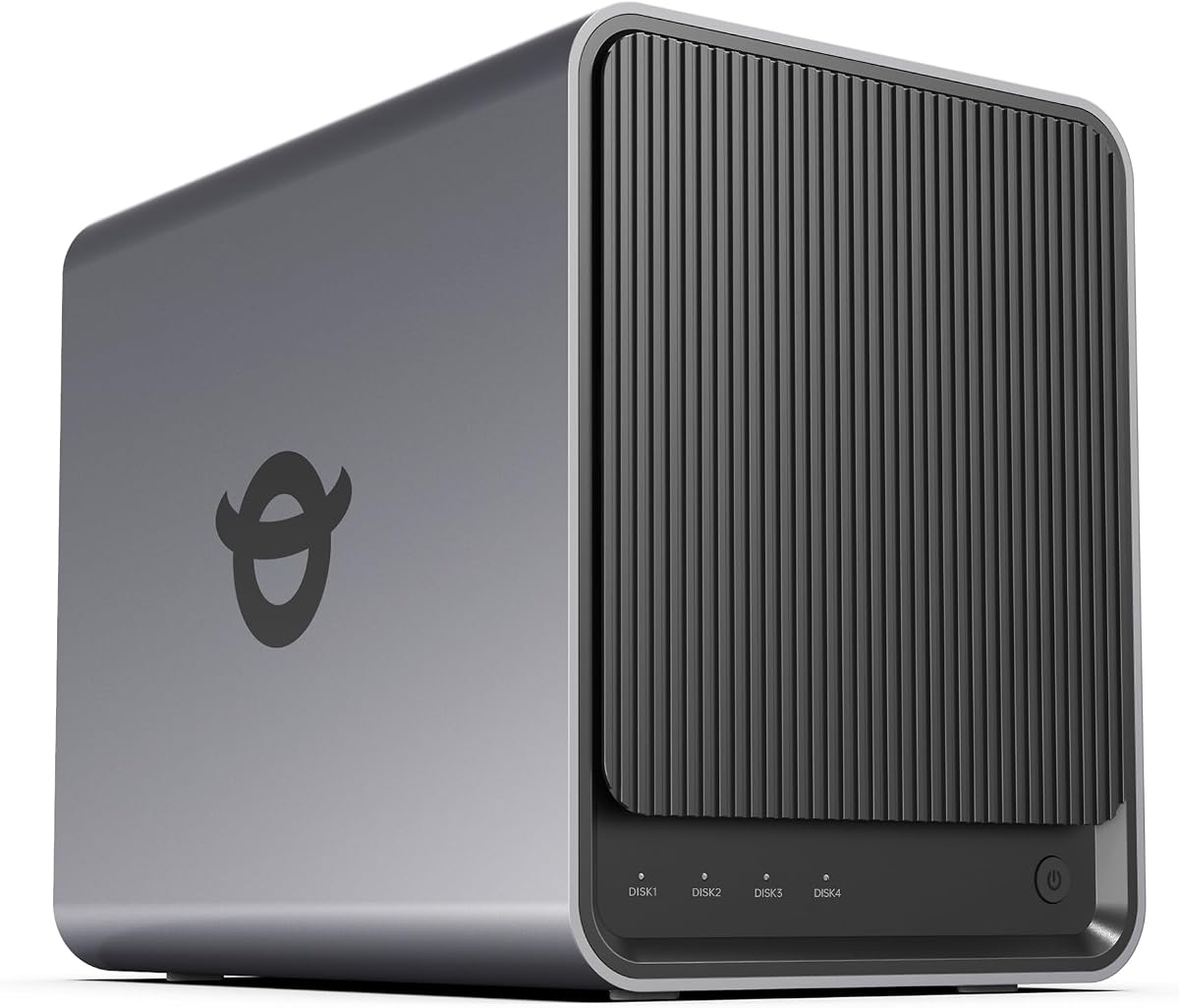

The UGREEN DXP4800 GT stands out as the top performer in our ranking with its powerful AMD Ryzen embedded processor. It delivers smooth multitasking for media processing and Docker apps while maintaining reliable uptime for multiple users.
We may earn a commission when you buy through this link, at no additional cost to you.
Key strengths include dual 10GbE networking that enables fast transfers and 4K editing directly from the NAS. The UOS Pro software offers a clean interface and supports expandable media ecosystems including Home Assistant and web hosting via Docker containers.
Trade-offs involve the need to purchase ECC RAM separately for error correction and manual setup for Plex media server. Despite these minor hurdles the overall performance and hardware flexibility justify the investment for serious tech enthusiasts.
Ideal for creators and office teams needing high-speed data access without relying on external drives or cloud services. Its balance of power expandability and user-friendly management makes it the best choice for demanding workflows today.
Dual 10GbE ports provide up to 2.5GB/s theoretical throughput enabling rapid backups and balanced multi-user access.
UGOS Pro simplifies management with guided setup and an expandable app marketplace supporting Docker and virtual machines.
We may earn a commission when you buy through this link, at no additional cost to you.
This model offers an affordable entry point into networked storage without sacrificing essential features like 2.5GbE networking and Btrfs snapshot technology. It is designed for home users seeking basic cloud capabilities at a fraction of the cost.
We may earn a commission when you buy through this link, at no additional cost to you.
Performance remains stable for automated backups and data management thanks to the Realtek RTD1619B quad-core processor. The enterprise-grade data protection ensures files remain safe against ransomware and accidental deletion through immutable snapshots.
The limited 1GB RAM may constrain heavy multitasking but works well for straightforward file serving and streaming. Users should prioritize backup strategies if planning to run multiple applications simultaneously on this budget-friendly device.
Recommended for those needing a private cloud for photos and documents without monthly fees. Its price efficiency makes it a strong contender for small offices or families just starting with local storage solutions.
Btrfs snapshots and WORM technology protect critical documents and family memories from accidental deletion or ransomware attacks.
The system supports smooth 4K media playback making it suitable for home entertainment systems and smart TVs.
We may earn a commission when you buy through this link, at no additional cost to you.
The DXP4800 Pro brings workstation-level performance to a network attached storage device with its Intel Core i3-1315U CPU. It is built for developers and power users requiring virtual machines and containers on a secure private server.
We may earn a commission when you buy through this link, at no additional cost to you.
With support for DDR5 RAM and dual high-speed network ports it delivers exceptional throughput for large file transfers and video editing. The local AI photo album organizes massive libraries without sending data to external cloud services.
Its enterprise-grade data security includes granular permissions and an encrypted Data Vault for sensitive files. While the price is steep the hardware quality and advanced features justify the cost for professional environments.
Best suited for IT professionals who need a versatile private workstation. It ensures high performance for demanding workflows while maintaining strict control over data access and storage capacity.
Six cores and eight threads plus DDR5 RAM support provide the power needed for heavy virtualization tasks.
Certified by TUV SUD and TRUSTe this system ensures robust protection for your digital assets.
We may earn a commission when you buy through this link, at no additional cost to you.
The Synology DS425+ targets business environments with its focus on team productivity and centralized file repositories. It supports over 10 concurrent users with high transfer speeds making it ideal for shared document workflows.
We may earn a commission when you buy through this link, at no additional cost to you.
Multi-layered data protection combines RAID redundancy with automated backups and snapshot technology to prevent loss. Granular access controls and audit logs ensure security compliance for small to medium-sized organizations.
While expensive the reliability and enterprise support options justify the investment for production-critical environments. The built-in surveillance system adds value by consolidating storage and control centers for security footage.
Recommended for offices needing a secure private cloud for documents and media. Its robust ecosystem and support services make it a dependable choice for business continuity.
Audit logs and permission controls help businesses maintain compliance and secure sensitive client data effectively.
A dedicated 3-year warranty with technical account management provides peace of mind for business users.
We may earn a commission when you buy through this link, at no additional cost to you.
Designed for families and small teams the DXP4800 Plus offers a balance of power and ease of use. It enables smooth collaboration across Windows macOS and mobile devices with seamless file-sharing capabilities.
We may earn a commission when you buy through this link, at no additional cost to you.
Massive storage capacity up to 144TB ensures you never run out of space for files media or backups. The AI-powered photo album organizes images automatically saving time on manual curation of large libraries.
It supports 10GbE transfers for rapid backups but lacks Wi-Fi which means you must rely on wired connections. This constraint may be inconvenient for mobile-first households but improves data stability for stationary users.
A solid choice for those moving from external drives to a private cloud. It offers excellent features for media management and security at a competitive price point for its performance class.
AI photo recognition helps you instantly organize and find family memories without tedious manual tagging.
Super-fast transfers ensure 1GB files back up in less than a second with proper network gear.
We may earn a commission when you buy through this link, at no additional cost to you.
This entry-level model is perfect for home users transitioning from cloud storage to a private solution. It offers intuitive setup via NFC and a user-friendly app that simplifies file access across all your devices.
We may earn a commission when you buy through this link, at no additional cost to you.
Smart photo backup and AI albums help organize family memories automatically. The system stores data locally and uses advanced encryption certified by ETSI to ensure privacy and security.
It supports Docker but not virtual machines which limits advanced use cases. For beginners this is acceptable as it focuses on core storage and sharing needs without complexity.
Recommended for families seeking a one-time purchase solution instead of monthly subscriptions. It provides reliable private cloud features at a price that pays for itself quickly compared to cloud alternatives.
Quick NFC connection and beginner-friendly manuals ensure you can set up your private cloud in minutes.
Data is stored locally on your private hard drives ensuring full control over your personal information.
We may earn a commission when you buy through this link, at no additional cost to you.
The DS925+ builds on Synology's reputation for reliability with dual 2.5GbE ports and high sequential read/write speeds. It handles data transfers and backups faster than many budget competitors making it efficient for busy networks.
We may earn a commission when you buy through this link, at no additional cost to you.
You can leverage built-in file and photo management alongside virtualization and surveillance solutions. This flexibility makes it a strong choice for hybrid workloads combining file serving with media management.
While the price is higher than entry-level units the hardware quality and warranty coverage offer long-term value. It is robust enough for small business use while remaining simple enough for home enthusiasts.
Ideal for users needing reliable high-speed access and enterprise-grade support. Its balanced feature set ensures it meets diverse storage needs without compromising on performance.
Dual 2.5GbE ports provide fast transfer speeds and increased redundancy for stable connections.
Supports drives on the official compatibility list ensuring optimal performance and longevity.
We may earn a commission when you buy through this link, at no additional cost to you.
The Zero1 Pro stands out with its 4K HDMI output allowing direct connection to a TV for home theater setups. Its Intel N100 processor handles everyday storage and media tasks with ease while remaining silent.
We may earn a commission when you buy through this link, at no additional cost to you.
It supports third-party OS installation giving experienced users the freedom to choose their preferred environment. The aluminum housing aids heat dissipation ensuring stable operation during overnight backups or large transfers.
While third-party OS flexibility is a pro it requires technical knowledge to maintain stability. Beginners may prefer using the default software for a hassle-free experience without configuration risks.
Perfect for home theaters and tech-savvy users wanting a dedicated media server. Its design and hardware flexibility make it a unique option for personalized NAS experiences.
Dual 2.5GbE ports support link aggregation ensuring smooth streaming for multiple household members simultaneously.
First-time users can follow guided mobile app steps to register and get started quickly.
We may earn a commission when you buy through this link, at no additional cost to you.
This model focuses on security with comprehensive data protection and ransomware-resistant backup features. It allows you to protect digital assets using immutable snapshots and multi-destination backup strategies.
We may earn a commission when you buy through this link, at no additional cost to you.
It offers versatile video surveillance supporting up to 30 IP cameras for monitoring homes or businesses. The system replaces expensive SharePoint or Dropbox with local file sharing and permission controls.
While the hardware is solid the main value lies in the software ecosystem and security features. It is a reliable choice for those prioritizing data safety over raw processing power.
Recommended for families and small businesses needing secure storage and backups. Its reputation for reliability and security tools makes it a trusted name in network attached storage.
Protect against malware with immutable snapshots and versioned files ensuring your data remains safe.
Use intuitive monitoring tools to archive and analyze footage from up to 30 IP cameras.
We may earn a commission when you buy through this link, at no additional cost to you.
The F4-425 delivers powerful performance with an Intel x86 quad-core CPU and 4GB RAM for efficient multitasking. It supports hardware-level 4K decoding making it a strong candidate for Plex and Emby media servers.
We may earn a commission when you buy through this link, at no additional cost to you.
Operation is ultra-quiet at 21dB which suits quiet environments like bedrooms. The tool-free Push-Lock design allows installing HDDs quickly without tools enhancing the user experience.
While it lacks advanced app ecosystems its core functionality is robust for media and file storage. The TNAS Mobile app enables full control from your phone simplifying setup and daily management.
Ideal for home users seeking a quiet multimedia hub. It provides high-speed transfers and reliable storage at a competitive price point for its hardware class.
Hardware-level 4K decoding ensures smooth HD video playback compatible with major streaming apps.
The TNAS Mobile app allows you to initialize and manage your NAS from anywhere.
We may earn a commission when you buy through this link, at no additional cost to you.
Selecting the right four-bay NAS involves weighing hardware capabilities against your specific needs and budget. Understanding these factors ensures you invest in a system that scales with your data requirements.
A powerful CPU like AMD Ryzen or Intel Core enables smooth transcoding and virtualization. At least 8GB RAM is recommended for Docker apps and multitasking.
Look for expandable RAM slots to future-proof your system against growing software demands.
Networking speed is critical for large file transfers and remote access. 2.5GbE ports are standard now but 10GbE ports offer significantly faster throughput.
Choose dual ports for link aggregation or redundancy to maximize data transfer stability.
Four bays allow up to 144TB capacity with modern drives. Check for M.2 slots to add fast SSDs for caching or OS installation.
Opt for NAS-rated hard drives to ensure reliability and longevity under constant operation.
The operating system impacts usability and security. Synology and UGREEN offer polished interfaces with extensive app stores.
Verify compatibility with your preferred tools like Plex or Home Assistant before purchasing.
Data protection should include snapshots and encryption to prevent loss from ransomware or human error.
Ensure the system supports secure remote access protocols like TLS to protect data in transit.
Many buyers use their NAS for IP camera storage. Check how many cameras are supported and if licenses are included.
Local storage for footage avoids monthly cloud subscriptions and ensures privacy.
Reliable hardware needs long-term support. Most top models offer a 3-year hardware warranty.
Prioritize brands with active user communities and responsive technical support channels.
Entry-level units cost less but lack speed or advanced features. Higher-end models justify costs with faster CPUs and networking.
Calculate total cost including drives to ensure the investment meets your long-term needs.
Start by installing your hard drives into the bays and connecting the NAS to your router via Ethernet. Download the companion app to initialize the system and create a private cloud account.
Configure your preferred RAID level to balance speed and redundancy. Regularly update the system firmware to patch vulnerabilities and access new software features.
Keep your device in a cool and well-ventilated area to prevent overheating. Monitor drive health through the dashboard and back up critical data to an external location periodically.
Most four-bay NAS units listed here are sold diskless meaning you must purchase compatible hard drives separately. Check the official compatibility list for the best performance.
Yes models with strong CPUs like the F4-425 or DXP4800 Pro support hardware-level 4K decoding. This ensures smooth playback on apps like Plex and Emby without lag.
Local access via gigabit or 10G network is often faster than internet cloud speeds. It also eliminates monthly subscription fees for the same amount of storage space.
RAID 5 offers a good balance of capacity and redundancy. RAID 10 provides better performance but less total space. RAID 0 is fast but risky if a drive fails.
All recommended models offer remote access through companion apps or secure web portals. This allows you to retrieve files from anywhere with an internet connection.
Use snapshots for quick recovery from accidental deletion or ransomware. Combine this with a 3-2-1 backup strategy to keep copies on external drives or cloud services.
Modern NAS units are energy efficient and often use less power than leaving a computer on. Entry-level models generally consume the least energy for basic file serving.
The top picks for October 2026 range from the powerful UGREEN DXP4800 GT to the budget-friendly Asustor Drivestor 4 Gen 2. Each offers distinct advantages depending on your technical needs.
Prioritize network speed and storage capacity if you handle large media files or professional workloads. Security and ease of use should guide your decision for family or office use.
Prices and availability change frequently so verify the latest deals before purchasing. Investing in a reliable private cloud ensures your digital assets are safe and accessible for years to come.