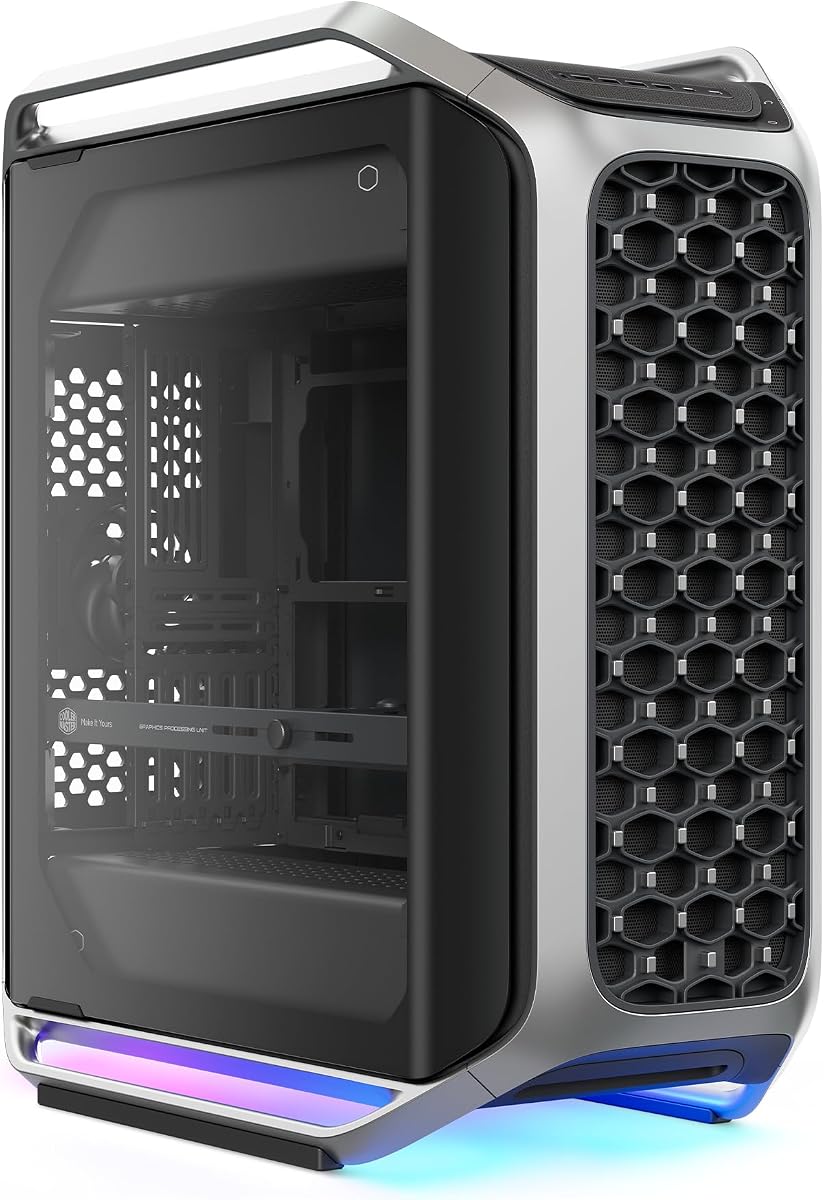
Cooler Master Cosmos Alpha
4.4Editor score
Curved aluminum frame design
Full tempered glass panels
Rotatable internal layout
Explore the top aluminum PC cases for 2026. This guide compares airflow, build quality, and compatibility to help you choose the perfect chassis for your next
Aluminum PC cases offer a unique blend of durability, aesthetics, and thermal performance. They are prized for their sleek looks and ability to dissipate heat efficiently. Choosing the right one ensures your components stay cool while looking great on your desk.
We evaluated ten top-rated models based on airflow design, material quality, and compatibility. Each entry provides detailed specs and honest assessments of real-world performance. This list covers everything from compact ITX builds to massive E-ATX towers.
Every pick highlights specific strengths like modularity, silent operation, or premium finishes. Note that prices fluctuate often so check current deals before purchasing. These reviews aim to simplify your decision process with clear, actionable insights.
4.4Editor score

4.6Editor score

4.8Editor score
The following table provides a side-by-side comparison of all ten aluminum PC cases reviewed in this guide. We highlight key specifications and unique features to help you quickly identify the model that best fits your needs.





The Cooler Master Cosmos Alpha stands out as a flagship chassis combining premium materials with modern features. It features a curved aluminum frame and full glass panels for a stunning look. With a strong 4.4 rating users appreciate its build quality and aesthetics.
We may earn a commission when you buy through this link, at no additional cost to you.
Its standout feature is the FreeForm 2.0 rotatable layout allowing components to rotate left or right. This offers unique airflow optimization and desk placement options. The case supports large GPUs up to 400mm and includes next-gen USB-C ports on the front I/O.
While it is expensive and requires significant desk space these trade-offs are acceptable for enthusiasts. The integrated ARGB lighting and modular motherboard tray enhance customization. It is ideal for those seeking a high-end showpiece for their rig.
If you want a case that blends heritage design with modern connectivity the Cosmos Alpha is a top choice. It delivers on both performance and visual appeal. Consider this if you need E-ATX support and do not mind a larger footprint.
The curved aluminum frame and glass panels preserve the iconic COSMOS look while elevating the build into a showcase.
The FreeForm 2.0 system allows components to rotate for optimized airflow and visual presentation.
We may earn a commission when you buy through this link, at no additional cost to you.
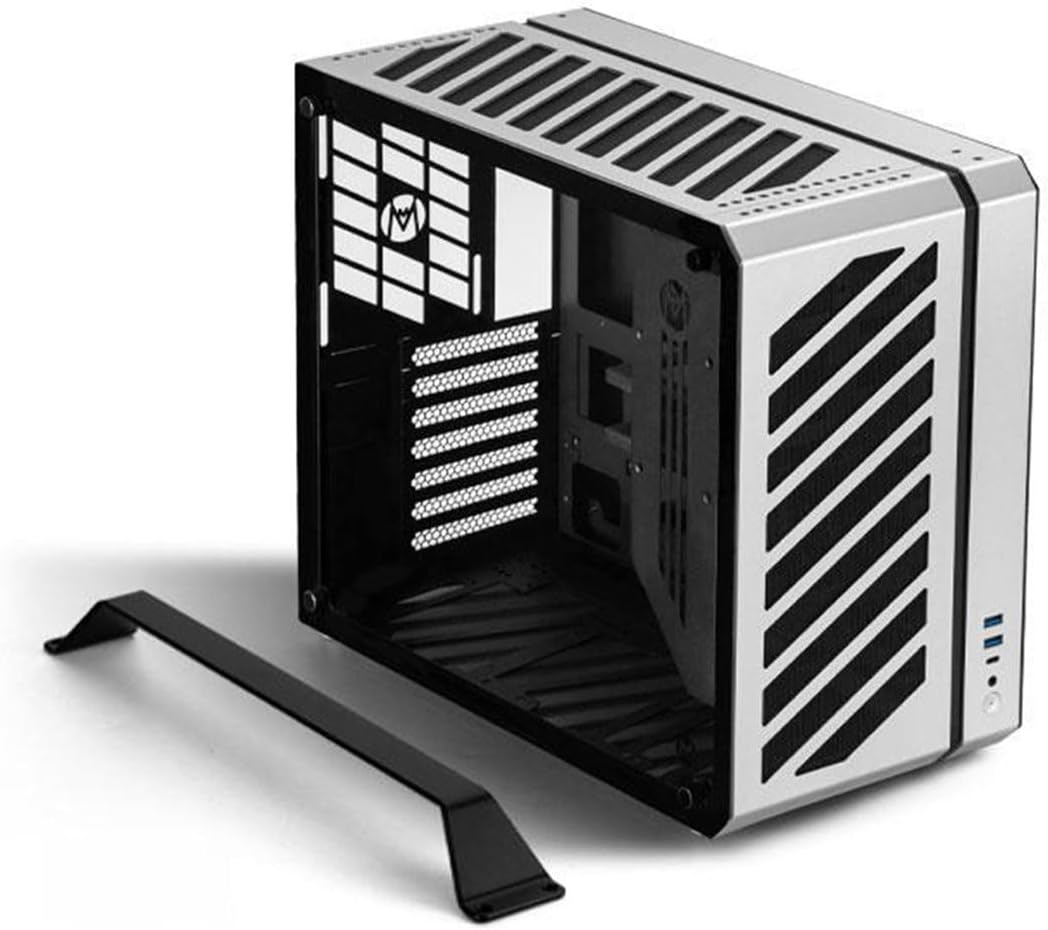
The B2Pro offers a full aluminum build in a compact 17.8L capacity. It boasts a perfect 5.0 rating from users who value quality and portability. The case features silver anodized treatment and robust 3mm thickness for durability.
We may earn a commission when you buy through this link, at no additional cost to you.
Its mesh side panels provide excellent heat dissipation for the chassis. The exclusive foot stand and handle make it convenient to move on a desktop. It supports MATX and ITX boards along with ATX or SFX power supplies.
While the compact size limits large GPUs or massive coolers it fits most mid-range builds well. The 340mm GPU limit is sufficient for many users. Assembly requires attention to the specific thickness and cooling constraints mentioned in the specs.
This case is perfect for small form factor enthusiasts who want premium materials. It balances size and quality effectively. Choose the B2Pro if you need a sturdy portable aluminum case for a MATX system.
The frame uses full 3mm aluminum thickness ensuring a durable chassis that resists wear over time.
An exclusive foot stand and handle design make the case very convenient for desktop placement and moving.
We may earn a commission when you buy through this link, at no additional cost to you.
This open air frame is designed for testing and benchmarks rather than standard daily use. It is crafted from aerospace magnesium aluminum alloy with an 8mm thickness for stability. The 4.4 rating reflects its utility for enthusiasts needing open access.
We may earn a commission when you buy through this link, at no additional cost to you.
The open design supports standard MATX boards and large water cooling loops up to 360mm. It allows for easy installation of hard drives and power supplies. Anti slip pads on the bottom bracket ensure the bench stays stable during use.
Buyers should note this product ships as a shell requiring assembly. It is not a sealed case so dust protection is minimal. This makes it ideal for testing components without the hassle of installing them into a traditional box.
If you need a reliable aluminum test bench for water cooling or stress testing this is a great option. It provides durability and cooling potential. Just ensure you are comfortable with the assembly process and open layout.
The magnesium aluminum alloy construction ensures high strength and resistance to corrosion over time.
Supports integrated water-cooled installations ranging from 120mm to 360mm radiators for max cooling.
We may earn a commission when you buy through this link, at no additional cost to you.
The C34 is an ultra-compact ATX case designed for portability and performance. It features a built-in carry handle making it easy to transport to LAN events or between workstations. With a 4.6 rating it is highly regarded for its space-saving design.
We may earn a commission when you buy through this link, at no additional cost to you.
It supports full-size ATX power supplies and GPUs up to 335mm without sacrificing performance. The internal layout simplifies the build process and recommends SFX/L PSUs for optimal space. A metal front I/O panel includes USB 3.0 and Type-C ports.
The compact size means cooling must be planned carefully with a 162mm cooler limit. While it offers room for air or liquid cooling airflow is constrained by the small footprint. This is acceptable for mid-range builds needing a small footprint.
For anyone needing a portable desktop that still handles standard ATX parts the C34 is excellent. It balances convenience with build flexibility. Choose this if you need a reliable and easily transportable aluminum case.
The integrated carry handle makes it easy to transport your powerful desktop PC to LAN events.
The layout is designed to simplify installation with clean cable management and modern USB-C ports.
We may earn a commission when you buy through this link, at no additional cost to you.
The MasterFrame 500 features an aluminum exo-structure that offers an open-frame design for flexible builds. It comes with pre-installed dual 200mm fans ensuring powerful airflow out of the box. The 4.2 rating indicates solid performance for those wanting modularity.
We may earn a commission when you buy through this link, at no additional cost to you.
It supports motherboards from Mini-ITX to E-ATX allowing for a wide range of system builds. The open layout allows for personalized modding and component placement. It can hold up to 7 fans and 360mm radiators for strong thermal performance.
While it provides excellent cooling and visibility it lacks the dust protection of a closed case. This is a trade-off for flexibility and open access. Users must keep the environment relatively clean to avoid dust buildup on components.
If you prioritize airflow and customization over dust filtration this case is a strong contender. It is ideal for modders and high-performance builds. Consider the MasterFrame 500 for a unique open aluminum chassis experience.
The open-frame design enables flexible configurations and supports various installation scenarios easily.
Pre-installed dual 200mm fans deliver powerful airflow and effective out-of-box cooling for your rig.
We may earn a commission when you buy through this link, at no additional cost to you.
The C34Pro is a compact case that supports ATX and E-ATX motherboards without taking up excessive space. It features a 2mm aluminum shell and steel frame for a robust build. With a 3.9 rating it offers solid hardware compatibility but may have some quirks.
We may earn a commission when you buy through this link, at no additional cost to you.
It accommodates large GPUs up to 420mm and 360mm radiators for flagship components. The portable carry handle allows convenient transportation and setup. Multiple PSU mounting positions offer versatility for different build layouts.
Cable management space is 18mm which can be tight with large components. The lower rating suggests some users faced assembly challenges or thermal issues. It is a decent option for those needing E-ATX support in a compact form.
If you need a portable case for a large system this offers a compromise between size and power. Ensure your PSU fits the specific mounting options. Check reviews for specific assembly tips before purchase.
Fits 360mm radiators and 420mm GPUs allowing for high-end hardware in a compact chassis.
Multiple power supply mounting positions including front bottom and side configurations offer layout options.
We may earn a commission when you buy through this link, at no additional cost to you.
The Define 7 XL is a massive full tower designed for extensive storage and silent performance. It features a brushed aluminum front door and solid steel construction for durability. With a 4.6 rating users praise its quiet operation and flexibility.
We may earn a commission when you buy through this link, at no additional cost to you.
It accommodates large motherboards up to E-ATX and can hold up to 18 HDDs alongside SSDs. The modular storage layout can be converted to an open layout for custom water loops. Multi-brackets allow versatile mounting options for fans or drives.
While it offers room for large radiators up to 480mm the size is significant. This case is best for those needing maximum drive bays and silent operation. It is a premium choice for workstations and media servers.
If storage capacity and silence are priorities this is a top pick. The build quality is high but the size requires a large desk space. Consider it if you need to store many drives and keep noise low.
Install up to 18 HDDs alongside 5 SSDs mounts in the default storage layout for massive capacity.
The brushed aluminum and solid construction ensure a refined and quiet operating experience.
We may earn a commission when you buy through this link, at no additional cost to you.
The V100RX is a mid-tower case that offers great value with premium features. It comes with four pre-installed PWM-controlled ARGB fans and an LED strip for lighting. With a 4.8 rating it is highly rated for performance and aesthetics.
We may earn a commission when you buy through this link, at no additional cost to you.
It supports back-connect motherboards for cleaner routing and fits GPUs up to 420mm. Each side panel uses a tool-less mechanism for easy access. The hydraulic bearing fans provide good airflow while keeping noise levels low.
Although it does not have an aluminum exterior it offers a budget-friendly option with high features. The tool-less design simplifies the build process significantly. It is an excellent choice for budget builders who want quality.
If you want a feature-rich case at a lower price point this is a strong pick. The lighting and cable management options are impressive. Consider the V100RX for an easy and stylish build experience.
Comes with 4x PWM ARGB fans and an LED strip offering vibrant lighting and daisy-chain connectivity.
Each side panel features a tool-less mounting mechanism for easy and fast access to internal components.
We may earn a commission when you buy through this link, at no additional cost to you.
The O11D EVO is known for its seamless view and support for large components. It features a removable front pillar for an uninterrupted view of the interior. With a 4.7 rating it is praised for aesthetics and customization potential.
We may earn a commission when you buy through this link, at no additional cost to you.
It supports up to 420mm radiators and GPUs with 455mm clearance for latest gaming hardware. The internal layout has two height options for motherboards to adjust fan positions. Velcro straps and clips help tidy up cables effectively.
While the view is amazing the size is substantial and requires planning for cable management. The PSU bracket protrudes to provide space for routing. It is ideal for those who want a glass showcase and top-tier water cooling.
If you prioritize looks and high-end cooling capabilities this case is a top choice. It allows for a clean and stunning setup. Consider the O11D EVO for a premium visual and cooling experience.
Remove the front support pillar without affecting structural integrity for an uninterrupted view of internals.
Comes with Velcro straps and clips to tidy up both large and small cables into a managed bundle.
We may earn a commission when you buy through this link, at no additional cost to you.
This JOYJOM case is an ultra-mini ITX chassis with a 4.3L capacity and aluminum body. It comes with a PCIe 3.0 riser cable essential for SFF builds. With a 4.1 rating it serves well for compact and portable systems.
We may earn a commission when you buy through this link, at no additional cost to you.
It supports standard ITX motherboards and FLEX-Small 1U power supplies. The 2mm aluminum alloy body provides good heat dissipation and a beautiful look. However clearance is limited to small GPUs and low profile coolers.
Building in such a small space requires careful planning and attention to component dimensions. The included riser adds value for compact setups. It is best for users looking for a tiny desktop footprint.
If you need the smallest possible case that still accepts a discrete GPU this fits the bill. Ensure your parts meet the specific clearance limits. Consider it for an ultimate SFF aluminum experience.
The case is only 4.3L capacity making it a true mini ITX solution for tight spaces.
Includes a PCIe 3.0 riser and screws to facilitate easy and complete assembly.
We may earn a commission when you buy through this link, at no additional cost to you.
Choosing the right aluminum PC case involves evaluating several key factors to ensure compatibility and performance. This guide breaks down the essential considerations for your next build.
Aluminum cases come in various sizes from compact ITX to massive full towers. Ensure the case supports your motherboard size such as ATX E-ATX or ITX. Check dimensions against your desk space to avoid fitting issues.
Measure your desk area and select a case that fits your spatial needs and component requirements.
Aluminum is excellent for heat dissipation but airflow design matters most. Look for mesh panels and support for high airflow fans. Liquid cooling support is crucial for high-end builds to maintain stable temperatures.
Prioritize cases with mesh fronts and radiator support for optimal thermal management.
Check the thickness and quality of the aluminum used in the construction. High-quality cases often use thicker aluminum like 2mm or 3mm to prevent flex. A robust build ensures durability and a better aesthetic finish.
Opt for cases with thicker aluminum frames to ensure longevity and premium feel.
Verify the maximum GPU length and cooler height supported by the case. Aluminum cases often have generous clearance but compact ones may be restrictive. Ensure your high-end graphics card fits without obstruction.
Always check clearance specs for your GPU and cooler before purchasing to avoid compatibility issues.
Modern cases should include USB-C and high-speed USB-A ports on the front. Aluminum cases often feature premium I/O panels. Check for audio jacks and charging capabilities depending on your device needs.
Look for USB-C ports and high-speed data transfer options on the front panel for convenience.
Modular designs allow you to adjust layouts for different cooling configurations. Look for cases with removable panels or adjustable trays. This flexibility helps in optimizing airflow for air or liquid cooling setups.
Choose modular cases that allow reconfiguration of internal layouts for better cooling options.
Aluminum cases often feature sleek designs with brushed finishes or glass panels. Consider how the case will look in your setup. RGB lighting options can enhance the visual appeal of your build.
Select a design that matches your decor preferences and lighting requirements.
Some aluminum cases include handles for easy transport to LAN parties or different rooms. This feature is valuable for portable builds. Ensure the handle is sturdy and integrated well into the chassis.
Look for built-in handles if you plan to move your PC frequently.
Always handle the aluminum panels with care to avoid scratches. Use the tool-less mechanisms if available to open panels safely.
Clean the mesh filters regularly to maintain airflow. Use a soft brush or vacuum to remove dust from the aluminum exterior.
Ensure all screws and mounts are tightened properly to prevent rattling. Check cable ties periodically to keep the interior organized.
Aluminum cases offer better heat dissipation and often have a more premium aesthetic than steel. They are lighter and resist corrosion but can be more expensive. Steel is durable and affordable but heavier.
Many aluminum full tower cases like the Cosmos Alpha and Define 7 XL support E-ATX motherboards. However compact models like the JOYJOM do not. Check specific clearance and board support before buying.
Use a soft microfiber cloth and mild soap solution to clean the aluminum surfaces. Avoid abrasive cleaners that might scratch the finish. Dry thoroughly to prevent water spots.
Open air cases like the MasterFrame 500 offer excellent airflow and accessibility but less dust protection. They are ideal for testing or clean environments. Dust filters may be limited on open chassis.
Compact aluminum cases like the C34 support GPUs up to 335mm. Smaller options like the JOYJOM may restrict GPUs to 170mm. Always check the max clearance specs for your specific GPU.
Yes many of these aluminum cases support radiators up to 360mm or larger. Models like the Define 7 XL can handle up to 480mm radiators. Ensure there is enough clearance for tubes and reservoirs.
Many models come with pre-installed fans like the V100RX with four ARGB fans. Others may require you to purchase fans separately. Check the product details for included cooling components.
Cases with built-in handles like the C34 and B2Pro are easy to move. Full towers are heavier and harder to transport. Consider your portability needs before buying a large case.
We reviewed ten top aluminum cases ranging from budget to premium options. Each model offers unique features like open airflow modularity or compact designs for different needs.
Prioritize airflow and clearance for your components to ensure optimal performance. Consider your budget and whether you need a standard or portable chassis.
Prices change so check current deals on Amazon before purchasing. Use this guide to make an informed choice that suits your build style.